
- Title: Lenovo S960 4.4.2 VibeUI 2.0 Multilang GAPPS ROOT
- Listed: October, 2014
- Last modified: 10/25/2014 12:39 am
- Version: Vibe UI 2.0 1439
You must be logged for ROM download.
100667 total views, 12 today
75 Total favorites






 Member Info
DESCRIPTION
Rom for Lenovo S960
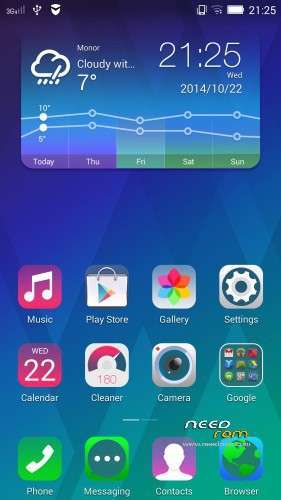
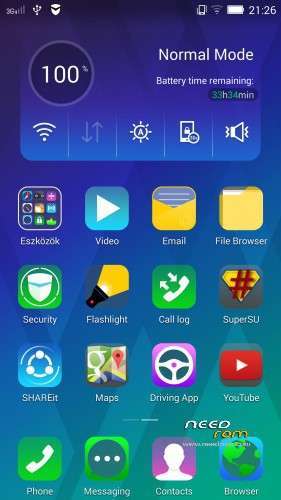
- base : Vibe UI 2.0 for S960
- Removed all unusable app
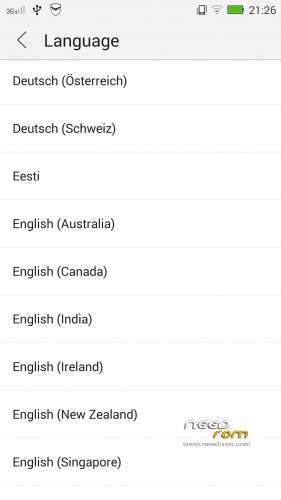
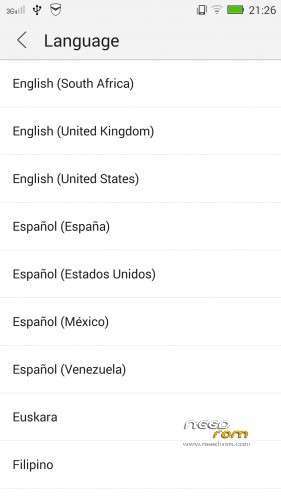
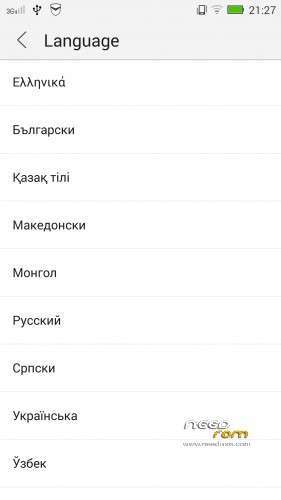
- Added about 70 languages
- The Weather app work as wordwide
Install ROM :

- Unpack FlashTools, and Click on Flash_tool.exe
- Select the MT6589_Android_scatter.txt in ROM
- Wait file to be added into Flash Tool
- choose Option->USB Model,click USB Model
–> Choose Option->DA DownLoad All->Speed->High Speed, click High Speed
- choose DA DL All With Check Sum
- Turn off your phone
- "Press F9 (hit Download button)" OR " if upgrade ROM Firmware->Upgrade "
- and connect your phone into the computer via USB data cable.
- The process will start and a red progress bar will appear after color purple, yellow, if no, then have to install the driver
- And green circles display
- Finish !
- You can now safely disconnect your phone and turn it on.
This rom made available on request with Android Language Project
I worked on this rom for 24 hours, so if you like my job pls donate me!
※Please make a backup of your device before installing or updating ROM
I have successully done this but there are few things not discussed here that is why so many people have problem
1. Mediatek USB VCom driver should be installed but how.. so many people not find easy to install driver…
- first of all download it here
-Download USBDeview to see whether mediatek preloader or MTK65XX preloder already in list look the below pic it is neccessary because sometimes it not appeared when you connect device due to this reason.
-look at there are two find which i highlighted both selected and uninstall by clicking top left button of recycle bin
- Now open device manager and took a phone make sure it is completely off, battery is non removable in lenovo s960 so you can't remove battery
- Just connect phone with usb cable and make sure device manager is on front window
- When connect there is an addition in ports named Mediatek Preloader USB vcom see below in pic
-It is only for few second when appeard double click on it update driver and locate driver file to folder
- Message appear do not install this driver but you click on continue anyway and the end message window appear that mediatek vcom
driver successfully install
2. Now then there is also other problem you can see when you connect phone in off state they will always go to charging mode and half state of on don't worry about that.
-Now when flash tool open there is also a problem some people when select MT6589_Android_scatter.txt after that they find all files in flash tool checked accept two file missing android2 and misc2 just click on misc2 you can easliy locate manually on extract folder and for android2 just select system.img file.
-Now you are ready to do…at this time your phone is not connected to pc make sure.
-choose DA DL All With Check Sum
-phone is off just connect it with usb cable -and quickly click on upgrade at the same time so the phone is not completely on and process is start after 10 minutes green circle appears.
-disconnect phone then turn on first boot took time.
It is my experience which i want to share so may be some find it useful.
benim sorumun cevabı tam Olarak bu ama bir türlü beceremedim hep iki adet görünüyor proleader.
someone help me with a detailed solution to this problem. thanks
u can follow this link
http://avansia-group.blogspot......mt-changed.html
try again with click firmware upgarde
thanks
hello i have root access to my s960 vibe x (root genius)i have done all the instructions…but in the flash mode do nothing because i have windows 8.1 and i must insal sp drivers(i think that the procedure didnt start because of that)…but i dont know where i must install them…please reply me…thanks
Do you plan to make an update for this rom??
Bro i can't download this rom, some issue with the download server. i need other download link.
hi, my flash tool remains looking :/
lenovo S960 için şu linkteni indirdim https://www.needrom.com/…0-multilang-gapps-root/ ancak aygıt yöneticisini açıyorum tel kapalı iken pc ye bağlıyorum bağlantı noktalarının altında proleder bir görünüyor sonra hemen kayboluyor bu yüzden rom yükleyemiyorum bana bu konuda yardımcı olabilecek bir arkadaş varmı. Telefonda sadece ingilizce ve çince var internete girince tüm cince oluyor bu yüzden acil yüklemem lazım yardımcı olacak arkadaşların yardımlarını bekliyorum. . Teşekkürler.
hi, my vibe xs960 is a chinese version, recently it crashed. now its a completely dumb, can i change into english version( google play store). any hope in India.
link olmadan nasıl indireceğiz. adı var kendi yok. lütfen içerik ekleyin.