
- Title: Lenovo Vibe P1c72 ROW
- Listed: November, 2015
- Last modified: 11/09/2015 2:26 am
- Version: P1c72 S135 151013 ROW
You must be logged for ROM download.
40869 total views, 1 today
18 Total favorites


 Member Info
DESCRIPTION
ROM Lenovo P1 P1c72 Row
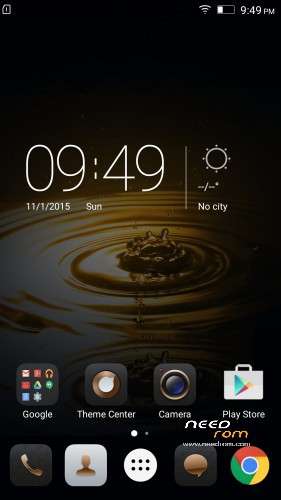
Official ROM Lenovo P1 version: P1c72_S135_151013_ROW
Stable rom
No Rooted
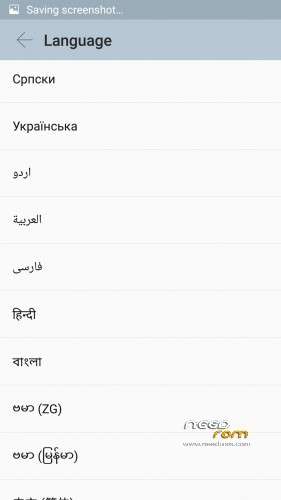
Language support: Multilang
Google Play
support power saving mode button
No China app
ota update
ROM Install :
QPST
1.Connect your phone to PC and let the driver install
2.Install QPST
3.Open QPST
After you install firmware , tool and drive , you need to
1 – turn off the phone first ,
2 – then press the buttom volume up ( first ) ,
3 – then buttom turn on together ,
release the buttom turn on , only volume up , until the phone vibrate , then connect the phone to computer with usb
When connect you will show download appear
Mean when show download appear press download
************************************************************
the video shows you how to install tool
http://v.youku.com/v_show/id_XMTM1NDYyMjA5Mg==_type_99.html
http://v.youku.com/v_show/id_XMTM1NDY0ODcyOA==_type_99.html
After you install firmware , tool and drive , you need to turn off the phone first , then press the buttom volume up ( first ) , then buttom turn on together , release the buttom turn on , only volume up , until the phone vibrate , then connect the phone to computer with usb
Hope it can help you , and if you have any question , pls feel free to contact us
Joanne-eternalteam
※Please make a backup of your device before installing or updating ROM
http://www.needrom.com/downloa.....vibe-p1c72-row/
What is different thing between your rom and these rom?
Do you know, how root this rom?
Language support: Multilang
Google Play
support power saving mode button
P1a42_S135_1510…. is the best ROM i've used for this phone.
Is this Rom on Português Brasil language?
it is the same . it was just moved to p1 section of the lenovo section.
Dragos,help me(ajuta-ma ,te rog).
Give me a sign when you are available. Thanks
Hi Dreigos,
Tell me, please what options has this ROM from the Contact submenus point of view. i.e: Merge, Import /Export from SD card or SIMs,etc
Could you post some print screens with Contact menu options, please?
What is the difference between p1c72 and p1a42 ?
i think
p1c72 locla product mean chinees device and ram 3 rom 16 and this phone can put 2 sim and 1 sd card
p1a42 international product but 2 ram 32 rom but can use only 2 sim or 1 sim and sd card
No root, no recovery!!!
Flashed this ROM. After update myP1 is: v2.8_1535_5.394.1_ST_P1c72
1.there is almost no crapsoft, just bit
2. Is it really ROW ? I doubt as it signed ST
3. Energy saving button does not work at all, Contact do not sync with Google account
I'm similar than you, after figuring out several stuff i manage to load the ROM, a bit of crapsoft, contacts do not sync (this one can be solve with a tool), power saving button does not work, and few application are not compatible.
How can we get different ROMs for this device? it can be flashed with Cyanogen? I would be happy if i could do it…
same as me. I downloaded this rom, and some chinese letters disappeared, but it is not ROW, but v2.8_1535_5.394.1_ST_P1c72
Power saving mode is not working, and my device is getting hotter after installed this rom.
Is this ROM on germann language?
No, this isn’t Germany language.
Maybe i am asking stupid things for which i apologize in advance but QPST does not recognize any phone connected…
It looks like usb is not supported, QPST only looks at serial ports.
I want to buy a serial adapter is needed but what en where?
I just bought this phone and it automaticaly updated on startup after which my googleapps where gone!
Now my new phone is unusable since my contacts and agenda are in my googleaccount!
Is there anyone who can help me with this problem? (it does not have to be for free)
Its easy to make QPST recognise your usb as serial.
first run QFIL on your pc its an app form the QPST.
Then select the reqiured files for instalation ( browse programer path and load xml
then turn off your phone. With your phone turned off press the up volume button and hold it, connect the usb cable to your phone, it will flicker for a second and register as a serial port.
press download in the QFIL
not all the roms work it mai give you an error.
You cand repeat the procedure how many times you want. you just have to turn your phone on and then repeat.
in case of failure holt the power button until the phone starts.
I am curently running P1a42_s137_151028_row with the chinese phone p1c72 it works great , google apps , and multilanguage, but nfc does not work.
good luck
Hi all
You saved my life.. After installing this room, all is working on the phone as expected. I now could encrypt it, the system update option is now available in settings and the key power save mode key works as well… After flashing this room I could process 3 updates! Now I am on version: P1a42_S145_151207_ROW
A big thank you to all!!
I also switched to P1a42_s137_151028_row. Indeed NFC does not work ( which I do not care too much ) but voice call related settings do not work. I get message: sim or nework error
can i get the link for downloading p1a42_s137_151028
they work for me thow not like the original CN firmware, the signal is a little weak.
I'm waiting for a way to root the original firmware( none that i could find so far) and install google apps on the CN firmware witch is better in my opinion.
Until then il use the row version.