
- Title: Lenovo Vibe P1c72 ROW
- Listed: November, 2015
- Last modified: 11/09/2015 2:26 am
- Version: P1c72 S135 151013 ROW
You must be logged for ROM download.
40870 total views, 2 today
18 Total favorites


 Member Info
DESCRIPTION
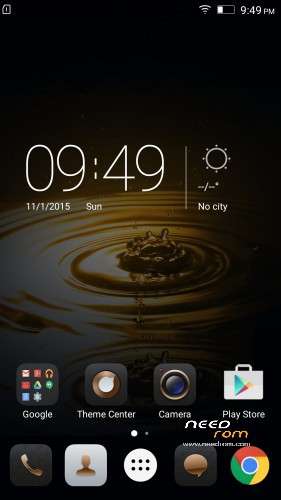
ROM Lenovo P1 P1c72 Row
Official ROM Lenovo P1 version: P1c72_S135_151013_ROW
Stable rom
No Rooted
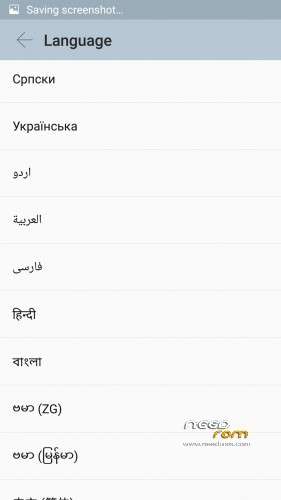
Language support: Multilang
Google Play
support power saving mode button
No China app
ota update
ROM Install :
QPST
1.Connect your phone to PC and let the driver install
2.Install QPST
3.Open QPST
After you install firmware , tool and drive , you need to
1 – turn off the phone first ,
2 – then press the buttom volume up ( first ) ,
3 – then buttom turn on together ,
release the buttom turn on , only volume up , until the phone vibrate , then connect the phone to computer with usb
When connect you will show download appear
Mean when show download appear press download
************************************************************
the video shows you how to install tool
http://v.youku.com/v_show/id_XMTM1NDYyMjA5Mg==_type_99.html
http://v.youku.com/v_show/id_XMTM1NDY0ODcyOA==_type_99.html
After you install firmware , tool and drive , you need to turn off the phone first , then press the buttom volume up ( first ) , then buttom turn on together , release the buttom turn on , only volume up , until the phone vibrate , then connect the phone to computer with usb
Hope it can help you , and if you have any question , pls feel free to contact us
Joanne-eternalteam
※Please make a backup of your device before installing or updating ROM
Lateral button does not work the phone to save energy
power saving mode button
This rom dose not contain power saving mode (hadware key).
After flashing and checking few ROMs, IMHO P1a42_s137_151028_row is the best available rom at this moment. You can find it on russian forum.
And this instruction is bad:
2 – then press the buttom volume up ( first ) ,3 – then buttom turn on together ,release the buttom turn on , only volume up , until the phone vibrate , then connect the phone to computer with usbPropperly for Qfil is:
1. Power off phone
2. Press and hold Volume up – keep pressing, connect usb cable, release Volume up after vibration
Abgar, Thank you so much !
I have been trying to install it for 3 days and failed everytime. you saved me.
THANK YOU !
I recieved this phone from a chinese supplier, eveything, also play services and play store are working correctly, but after installing the new OTA update all google apps are not working anymore, HELP
After installing Qualcom drivers, lenovo drivers and QPST, the programming is seeing my phone correct on COM13.
When I load the XML file and path file I hit the download button. Then I get an error message: SAHARA FAILSAHARA FAIL (Unable to download flash programmer using Sahara protocol)
What happend? Can anybody help me please?
Try another version of that rom . i had the same problem. i tried another rom and it went great.
So another ROM solves the SAHARA Connection problem? And which ROM will be the ROM that solves this problem? Do you have a link?
happen to almost time when using windows 8, it is cause by driver signature veryfication, you need to turn off that thing. DSEO13b seem to do the trick for me
I also had the sahara problem, you just need to set the maximum size to 5120 or 10240 and it solves that issue.
Every time i tried to flash into P1a42_s137_151028_row P1c72 it just stays at the first initial screen and does nothing.
Im currently using this one:
http://blog.geekbuying.com/ind.....-196300-151116/
And it looks good, it has all google aps, power switch does not work and contacts do not sync, i probably need to find the way to root the phone, does anybody knows about it?
Thank you very much!
This ROM rocks!!!!! Far better then the original… My greatest regards and respect…
Never saw an explanation as detailed and simple as yours!
My phone is useable again! I'm in your debt forever! (or at least a long ime )
)
what do you mean with adjust the max size to 5120 and 10240? what do I need to adjust and where can I do that? Please explain more clear my friend.
he means advanced seting / Max payload size in bytes to target . modify that before you press download.
I haven't tried it myself , cannot confirm
Hi,
Yes in Max Payload size on menu Configuration.
Now im using the european version of the firmware and im very satisfied, only NFC function does not work but everything else is good.
lenovo-forums.ru/topic/14990-lenovo-p1c72-row-прошивка-для-lenovo-p1c72-китайская-версия/page-2
Same problem here…
Download Fail: Unable to download Flash Programmer using Sahara Protocol
Download Fail: Sahara FailSahara Fail
Tried to change Maax Payload (1025 and even 512)
Also Tried Device Type eMMc and UFS (i just tried this for no reason,just test)
Hi I tried to max load size to 5120 and 10240, and began, however, stop all the time:
"(…)
PROGRAM: Replace the partition sectors number 0×14000 to file size in sector 0xd0f0
PROGRAM: Partition 0, Sector: 443488, Length: 53488 Sectors, Sector Size: 512 Bytes
File: C:\Users\Zbyszek\Desktop\lenovo\Lenovo Vibe P1 P1C72_V2.8_1535_5.394.1_5.1.1\boot.img
FireHose Log: start 443488, num 53488
WriteFile last error: 0
PROGRAM: Send raw data fail code 11
PROGRAM: Send raw data fail
Failed to write C:\Users\Zbyszek\Desktop\lenovo\Lenovo Vibe P1 P1C72_V2.8_1535_5.394.1_5.1.1\boot.img to the device
Download Fail:FireHose Fail Failed to Upload the emmc images to the phone using Firehose.
Finish Download"
Now my phone is not responding, it only displays "invalid image, enter fastboot mode"
however phone is detected by QFile but the progress of the installation is stopped as above. Please help. What I have set up? I have windows 7
Finally running ROM from aranda84, the Russian side. Installation on Windows 8 drivers signing off and max payload of 5120
Same problem here…
Download Fail: Unable to download Flash Programmer using Sahara Protocol
Download Fail: Sahara FailSahara Fail
…anyone?
adjust the max size to 5120 and 10240
It worked! Adjusting the size saved my Sahara problem, thanks a lot!
Anyone lucky with rooting this device? I tried every APK rooting app on the phone and on the PC as wel. Kingroot and other apps are not rooting, in the end you get errors. Anyone found a way yet?
no , no luck with rooting this device. i am also very interested in rooting it but unfortunately no root acces so far.
If anyone has been able to root this device please spread the word.
10x