
- Title: Lenovo Vibe P1c72 ROW
- Listed: November, 2015
- Last modified: 11/09/2015 2:26 am
- Version: P1c72 S135 151013 ROW
You must be logged for ROM download.
40872 total views, 4 today
18 Total favorites


 Member Info
DESCRIPTION
ROM Lenovo P1 P1c72 Row
Official ROM Lenovo P1 version: P1c72_S135_151013_ROW
Stable rom
No Rooted
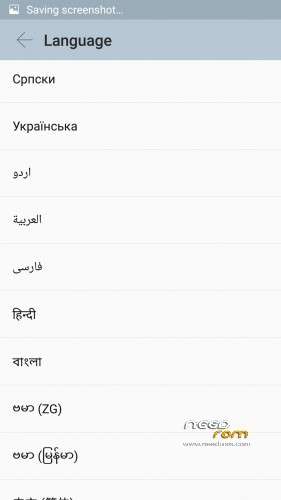
Language support: Multilang
Google Play
support power saving mode button
No China app
ota update
ROM Install :
QPST
1.Connect your phone to PC and let the driver install
2.Install QPST
3.Open QPST
After you install firmware , tool and drive , you need to
1 – turn off the phone first ,
2 – then press the buttom volume up ( first ) ,
3 – then buttom turn on together ,
release the buttom turn on , only volume up , until the phone vibrate , then connect the phone to computer with usb
When connect you will show download appear
Mean when show download appear press download
************************************************************
the video shows you how to install tool
http://v.youku.com/v_show/id_XMTM1NDYyMjA5Mg==_type_99.html
http://v.youku.com/v_show/id_XMTM1NDY0ODcyOA==_type_99.html
After you install firmware , tool and drive , you need to turn off the phone first , then press the buttom volume up ( first ) , then buttom turn on together , release the buttom turn on , only volume up , until the phone vibrate , then connect the phone to computer with usb
Hope it can help you , and if you have any question , pls feel free to contact us
Joanne-eternalteam
※Please make a backup of your device before installing or updating ROM
Hello. if someone help me : is the Polish language in one of the available rom here ? Yesterday came my new vibe p1 ( Chinese version ) , the phone is great, but the Polish language is its very weak … and there is no update. So please help .
Title: Lenovo Vibe P1c72 ROW
Listed: 11/09/2015 2:26 am
ROM Version: P1c72_S135_151013_ROW
Hi I am contacting you regarding the above post.
Could you please tell me:
Mine is a Chinese Version, 3GB RAM and 16 GB ROM will it work with the following?
1. Will my FingerPrint Scanner work after installing this? (FingerPrint seems to be dead – no driver maybe)
2. Will the NFC work? (doesnot work)
3. Will the Power saving button work? (does nothing, I think no driver also)
Please reply.
Hi man,
I also have the 3gb ram p1c72 phone running the p1a42 rom, meaning this one.
FingerPrint works well .
NFC doesn't work.(i dont know anyone who uses it anyway)\
Power button works also.
So only the NFC doesnd work
Hi,
After updating to P1a42_S135_151013_ROW_to_CN the P1 doesn't switch on, even pressing the power button for more than 2 minutes. Any idea?
Thanks.
Hello,
I switched alot from p1c72 to p1a42 never had any problems using QFIL
Once it just remained in the Lenovo screen at the beginning of the booting procedure, i managed to enter into recovery mod by holding the volume up + volume down and power the device.
But it never remained off. maybe you ran out of battery. in that case charge the device from a power outlet.
If nothing works try to flash it again.
Good luck.
Tell us how it went.
I found on the website rom marshmallow. but is very difficult to download it. Do any of you know how to download it .thanks
It is fake. Do not download.
There is no marshmallow for this phone yet.
It is announced for release in June or July 2016 can't remember exactly.
Hi Dreigosh,
The problem is power button doesn't work at all so the device is not recognized by the PC. The battery was 95% before fashing. I will try again when battery is exhausted.
Thank you anyway.
hmm, how will the battery will be exhausted if the phone does not start at all.
it will take a lot of time, weeks maybe
good luck anyway
contact sync problem can be solve with a tool can you tell me how and which tool. My phone do not load contacts from google please help me
what we choose in QFIL flat build or meta build
thank you man
Why not using SP flash tools for this device?
Üdvözlök Mindenkit!
2015.december 16-án frissítették a telefon szoftverét, ami a kétnyelvű menüvé felülírta a többnyelvű szoftvert. Az új frissítés az ujjlenyomat régi menüjét is törölte. Az ujjlenyomat leolvasót a régi menüvel sem lehetett azonosítani, mert nem ismerte fel a rezgés után az ujjamat.
A frissítésnél az, hogy a Google Play Áruházat is felülírta.
A fentiekben kaptam segítséget levélben, amit köszönöm.
Sajnos nekem részletesebb segítség lenne jó, ha valaki leírná a ROm telepítés menetét is.
AOM verzo letöltése után nem tudtam megnyitni, mert PDF rar formátum nem tudtam megnyitni.
ROM verzió: P1c72_S135_151013_ROW
ezt nyitottam meg a számítógépen kicsomagolva QPST
P1a42_S135_1510 13_ROW_to_CN.ra r
Méret: 1,25 GB
Kérdésem, hogy a számítógépre kell telepíteni, vagy a telefonban lévő SD kártyára, onnan kell el indítani a programot. Tegnap a számítógépről indítottam el, de a telefonnal semmit nem csinált, nem ismerte fel, lehet, hogy hiányzott valami más program is.
Várom a segítséget, köszönöm