
- Title: Lenovo Vibe P1c72 ROW
- Listed: November, 2015
- Last modified: 11/09/2015 2:26 am
- Version: P1c72 S135 151013 ROW
You must be logged for ROM download.
40872 total views, 4 today
18 Total favorites


 Member Info
DESCRIPTION
ROM Lenovo P1 P1c72 Row
Official ROM Lenovo P1 version: P1c72_S135_151013_ROW
Stable rom
No Rooted
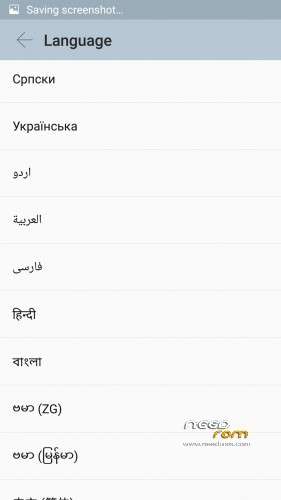
Language support: Multilang
Google Play
support power saving mode button
No China app
ota update
ROM Install :
QPST
1.Connect your phone to PC and let the driver install
2.Install QPST
3.Open QPST
After you install firmware , tool and drive , you need to
1 – turn off the phone first ,
2 – then press the buttom volume up ( first ) ,
3 – then buttom turn on together ,
release the buttom turn on , only volume up , until the phone vibrate , then connect the phone to computer with usb
When connect you will show download appear
Mean when show download appear press download
************************************************************
the video shows you how to install tool
http://v.youku.com/v_show/id_XMTM1NDYyMjA5Mg==_type_99.html
http://v.youku.com/v_show/id_XMTM1NDY0ODcyOA==_type_99.html
After you install firmware , tool and drive , you need to turn off the phone first , then press the buttom volume up ( first ) , then buttom turn on together , release the buttom turn on , only volume up , until the phone vibrate , then connect the phone to computer with usb
Hope it can help you , and if you have any question , pls feel free to contact us
Joanne-eternalteam
※Please make a backup of your device before installing or updating ROM
This rom now can be root with KingRoot
Hello guys,
When I try to load any of available ROMs I end up with the following result:
Total download file size: 3373,23MB
Throughput: 13,12541M/s
Reset Phone
Waiting for reset done…
Download Fail:FireHose Fail Fail to find QDLoader port after switch
Finish Download
I tried to change Max data on 5120 and 10240 values, nothing changed.
I will trully appreciate any kind of help or opinion.
who can tell me where to downlowd P1a42_s137_151028_row, thanks
Power Saving button, not working!
Help – I got my P1 last tuesday its the 16Gb, 2 sims and possibility for sd card. it says P1c72. All was in chinese and there was an update. After installing the phone didnt boot anymore. I cant get him going again. What can i do now. Is there a possibility to get it boot again. I wanne have it run in holland with android 5.1 and Playstore. Who can help
so if I understand correctly, this is not a p1c72 ROM, it's for the 42 version. please mention that in the title.
Waiting for an official p1c72 rom…
italian language?
So I bought a Lenovo Vibe P1, with 3GB ram, 16GB, and 5000mah battery. The build number that it came with is VIBEUI_V2.8_1535_5.394.1_ST_P1c72. The phone seems to be fully functional. My main issue is that this build is loaded with adware. So the plan to solve this is to load this build (P1c72_S135_151013_ROW). I download the files, open up QFIL, select all the necessary files, and do the download. All goes according to the instructions. After the download is complete, the phone restarts, I see the green lenovo logo with a green progress bar at the bottom. Once this is done, I go to phone settings, and my build is still the same (VIBEUI_V2.8_1535_5.394.1_ST_P1c72). So it seems the download has failed and it reverted to the original firmware. I have tried this a few times and the behaviour is the same. My questions:
(1) Am I missing a step somewhere?
(2) Do I have to do something else after the download is complete?
(3) Am I correct in thinking that the build number will change if the download is successful?
(4) What can I expect after the download is sucessful? Will there be some sort of progress/loading bar, or does it go straight into phone configuration?
Any help is appreciated
Is this good rom or not?