
- Title: ResurrectionRemix v5.7.0 for Umi Zero (MM)
- Listed: July, 2016
- Last modified: 07/02/2016 12:44 pm
- Version: 6.0.1
You must be logged for ROM download.
20828 total views, 11 today
3 Total favorites
CUSTOM


 Member Info
DESCRIPTION
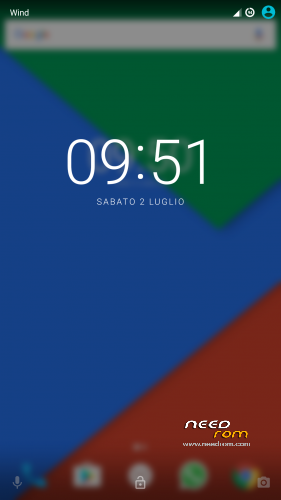
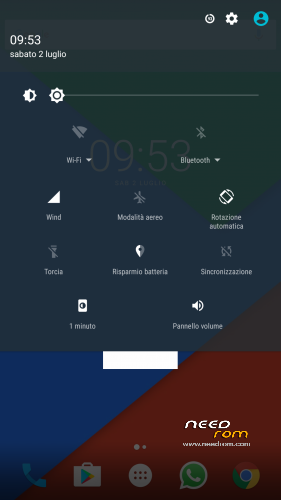
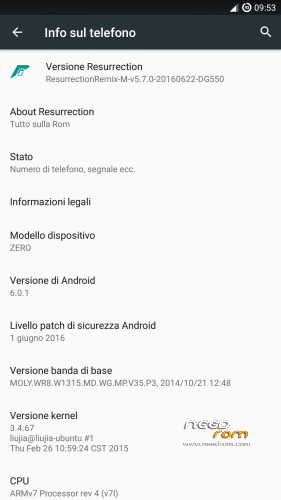
Resurrection Remix v5.7.0 ported from dg550, the rom is based on cm13.
There are not striking bugs or issues, the rom looks stable in almost every case, if u are experiencing some problems, please, write here. Someone is experiencing problems in accessing internal storage.
Gapps should be included (all essential ones), flash with latest twrp after a factory reset (u can skip it only if u know what u are doing).
※Please make a backup of your device before installing or updating ROM
Unfortunately I can’t connect my device to the computer ( connector is damaged ) . I solved the problem as follows: set up an ftp server on my home network , posted to the firmware file.
The handset has established ES explorer, connect to the server and download the file to the directory / date (need root).Then I went into recovery mode , and move the files to the internal memory .
I Clean all other sections and installed firmware . The Russian share 4pda laid out a corrected version of your firmware – it works fine .
Sorry for my bad English guys.
Nice pick, to get a stable release also here the only thing I need is that some of u tries out the boot.img I posted, it tooks ages to upload a rom and now I don't want to waste time, if on your devices it works the same boot.img that is working on mine (the rr0 in that folder), I will upload the final rom, otherwise it will remain as it is.
can u instruct us then? step by step
Hello @Gabry25,
I have test the 4 boot.img but always the same problem no access internal memory.
boot_try_cm13.img (bootloop)
boot_try_rr_nem.img (boot but no access memory,file explorer FC)
boot_try_rr0.img (boot but no access memory, a little better no FC from file explorer)
boot_try_wrk.img (boot but no access memory,file explorer FC)
Thank you for your work
Actually right now I believe that we don’t have exactly the same phone, it isn’t behaving the same way with the same interactions. I found some configuration (regarding boot) that caused the bugs u are talking about, they are not one single bug but some of u don’t have the mount point for the memories and other mounts the storage but with wrong permissions (that’s why it asks for elevated permissions), I hope there is an option that will work for everyone (maybe the russian on 4pda found it) but it’s really weird.
@Hadziano, when u install twrp (check PMs) everything will get clear, it’s like installing a ROM, but u select flash image instead of zip. (U can also use flashtool but I don’t advise to do so)
Try this, it has the fstab used on 4pda, https://drive.google.com/file/.....ew?usp=drivesdk
Hello,
I have test and is ok, you can update your ROM.
Thank you
OK whats going on above? about boot.img?? Am i missing something?
Yes,managed to flash recovery after changing FLASHTOOL version number to SP Flash Tool v5.1352.01
what now? lol
"
FOR PEOPLE WITH STORAGE ISSUES (hopefully also for others): I uploaded a set of four boot.img, I want u to try them out (all) and post here your feedbacks (maybe among them there's the working one). To install them u need to unzip the archive inside the sd card (u can use MTP/USB connection of twrp, moving directly the decompressed archive from the PC to your phone without booting the system up), then in TWRP go to Install, select Install Image in the bottom-right side, select BOOT and install. Of course doing this operation u need to have installed before this resurrection-remix ROM (doing it after won't work). When u install a boot I advise u to wipe cache and dalvik/ART (even if it's not needed, u won't lose your data doing it). "
What if we already have it installed? Gabry, I've flashed recovery, it said "OK" in yellow colours… what is my next step please? I totally forgot my aim ! I am in recovery now..
OMG my PC is finally detecting SD card!!! Brilliant… what nowwwwww?!!?!?!