
- Title: ResurrectionRemix v5.7.0 for Umi Zero (MM)
- Listed: July, 2016
- Last modified: 07/02/2016 12:44 pm
- Version: 6.0.1
You must be logged for ROM download.
20828 total views, 11 today
3 Total favorites
CUSTOM


 Member Info
DESCRIPTION
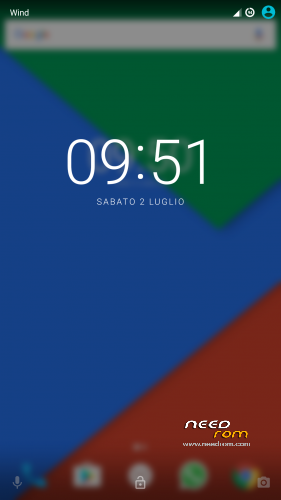
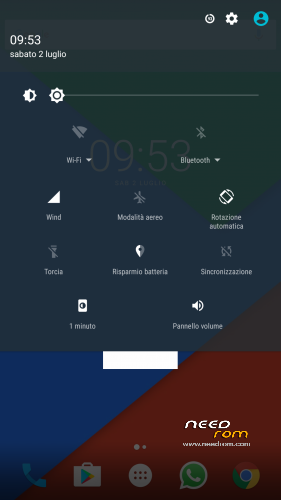
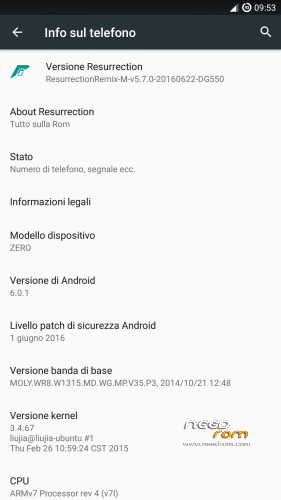
Resurrection Remix v5.7.0 ported from dg550, the rom is based on cm13.
There are not striking bugs or issues, the rom looks stable in almost every case, if u are experiencing some problems, please, write here. Someone is experiencing problems in accessing internal storage.
Gapps should be included (all essential ones), flash with latest twrp after a factory reset (u can skip it only if u know what u are doing).
※Please make a backup of your device before installing or updating ROM
So I need to sort….
> Storage/Camera Issue
> WIFI disconnection issue
Is my aim now to delete this ROM, install another, then try all 4 boot.img then install This ROM again? does'nt make sense to be honest
Hello,
Before says is not funtionnal you must read all the reply and you are the solution.
Gabry25 write this :
Try this, it has the fstab used on 4pda, https://drive.google.com/file/.....ew?usp=drivesdk
I have test and is functionnal.
I have read, but he said it wont work if you already have this ROM.
Done….!!! confirmed, that boot.img worked after flashing.. amazing…Thanks guys!
Vazarg, do you have wifi issues? That seems to be my only problem, cuts off regularly….then returns after 10 seconds..
how do you flash a boot.img to your fone?
Gabry has already invluded instructions in description part of this rom:
"FOR PEOPLE WITH STORAGE ISSUES (hopefully also for others): I uploaded a set of four boot.img, I want u to try them out (all) and post here your feedbacks (maybe among them there's the working one). To install them u need to unzip the archive inside the sd card (u can use MTP/USB connection of twrp, moving directly the decompressed archive from the PC to your phone without booting the system up), then in TWRP go to Install, select Install Image in the bottom-right side, select BOOT and install. Of course doing this operation u need to have installed before this resurrection-remix ROM (doing it after won't work). When u install a boot I advise u to wipe cache and dalvik/ART (even if it's not needed, u won't lose your data doing it)."
An external link with photos is also available:
http://android.stackexchange.c.....ernel-with-twrp
When I Instal the RR rom there is no data connection. Wifi works ok but no data. I try it two time with and without the sim when i a flash the fone
Anyone else having random reboots again? 2-3 times a day, and any news on WIFI dropping nonstop? its annoying.
When i install the RR rom, the phone can't see the internal sd memory. So i can't use the camera. Can i help?
Nobody else a data conect problem like me? RR is oke with net boor-ru.img but i have no data connection. Wifi works but cuts off regularly….then returns after 10 seconds..
Install RR and flash boot-ru.img and now data en wifi works oke.
With that boot-ru.img internal storage works ok?
No reboots zo far. Wifi ok.
Only all the souds are verry loud. Radio is to loud to lissen
Well, on other roms everyone was complaining about low volume and now u are telling me that the volume is too high? It sounds like a joke On this rom there's a Dolby mod that increases the volume (not a bad deal on my opinion).
Anyway I would advise u to lower the volume with proper keys, but I can guess that the problem is not there, did u tried manipulating some values on the system equalizer (the one with dolby logo)? If this is not working for u, try disabling (from settings) the apps with dolby logo (atmos and service) and look if something changes.