
- Title: s422 OTA +Root (ROW)
- Listed: March, 2016
- Last modified: 03/18/2016 12:59 pm
- Version: 6.0
You must be logged for ROM download.
31206 total views, 10 today
22 Total favorites
 Member Info
DESCRIPTION
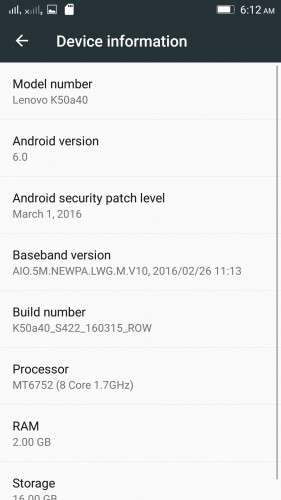
K50a40_S205_151118_ROW_TO_K50a40_S422_160315_ROW_WC46455750
Device:
Lenovo K3 Note
Android version:
6.0
OFFICIAL :
YES
MULTILANGUAGE:
YES!
UI:
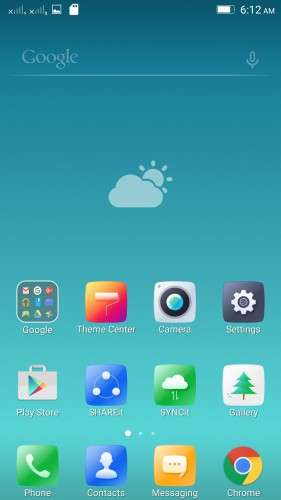
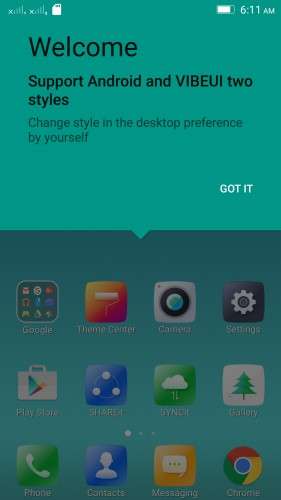
Android Stock UI & VibeUI
Notes for flashing:
* This is an OTA update, so flashing the zip is tricky. Proceed with the flashing process if you're interested in doing the process, otherwise wait for my next post with flash-ready TWRP backup of this rom.
* Before you do anything to flash this rom make a complete backup of your current rom.
Flashing process:
Step 1
– Download S205 ROW zip file, and flash it using provided SP Flash tool
– Boot the rom
Step 2
Follow one of these 2 methods:
Method 1 (Using official recovery)
- Go to settings > about phone > system update > download and install the update
(or download the "S205 to S422 OTA" zip, rename it as "update.zip" and put it in internal memory,
Boot into official recovery and "install update")
Method 2 (Using TWRP recovery)
- Download the "S205 to S422 OTA (with Edited Updater Script)" zip, and patched boot image: http://ouo.io/7lNmvz , put the files in phone memory
- Turn off the phone, Flash TWRP using SP Flash Tool, and boot into TWRP recovery
- Install the OTA zip,
- BUT DON'T REBOOT SYSTEM YET. Flash the patched boot img.
- Now reboot system
Rooting process:
1. Flash the patched boot img: http://ouo.io/7lNmvz via TWRP recovery.
2. Download SuperSU 2.46: http://ouo.io/03yWh8, Flash it in TWRP, then Reboot System. Done!
* If you don't know how to flash custom recoveries in K3 note, here is a complete tutorial for you:
Installing custom recovery on K3 Note using SP Flash Tool (COMPLETE TUTORIAL):
http://forum.xda-developers.com/k3-note/general/sp-flash-tool-tutorial-to-install-twrp-t3346041
※Please make a backup of your device before installing or updating ROM
please help in updating… i didnt understand well… please help!!!
If you dont know how to flash with SP Flash tools google it and thats all other things are in description of uploader
there isn't italian language, the data connection is automatic when you play on the mobile
Thanks Shenge! Everything done I have on more problem though: nvram warning err = 0×02 with WiFi. Usual fix with changing wifi files does not work with this?? Any suggestions?
There no solution for this
But the error is harmless. You will face no problem using wifi
Does it have Polish or German language ?
I guess not.
My K3 Note is Chinese K50-T5 version. I just installed this official ROM again and tried to execute update.zip through stock recovery. I have put in lenovoota folder in sdcard, in internal storage and root directory of sdcard and tried those seperately. I only got Failure error in recovery and nothing positive happened.
Any recommendations?
BUGS : Notification Light doesnt work,automaticly data enabled after restart or power on using on K50-T5
This rom is recovery or flasheable
I like the ROM, though I found some edges… It's not possible to disable any Google-related apps after having upgraded to S422 (and S322 the same). I had to disable all apps after the installation of S205 (resp. S121), then those apps kept being disabled with one exception: Google Play Movies and TV. That one even starts itself again after having been "force stopped"
Another thing is, that the background, while using the google-launcher, remains white and there is no possibility to get it transparent.
Do you have a recommendation how to work around these things? Would it help to root the device or is there a ROM without Gapps?
I am looking forward to your answer .-)
Best regards
Roland
hey plz help i flash
S205 ROW

with sp flash tool now my device not working
vibrating and only black screen
previously it was k50-t5
fixed i didnt check DA DL in sp flash tool
please send me
OTA UPDATE LINKAND ALSO DEFINE HOW TO UPDATE OTA…..
Links are there above the post. Look.
And the update process is written in the description.