
- Title: S5 MTK6571 SM G900H HARD WORK BY TONYMANANPA
- Listed: June, 2015
- Last modified: 06/15/2015 6:29 am
- Version: Android 4.4.2 modify by TonyMananpa (Unbrick)
You must be logged for ROM download.
48377 total views, 4 today
32 Total favorites
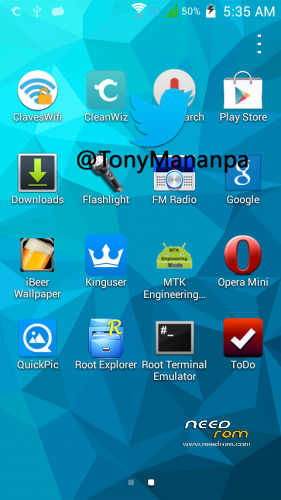
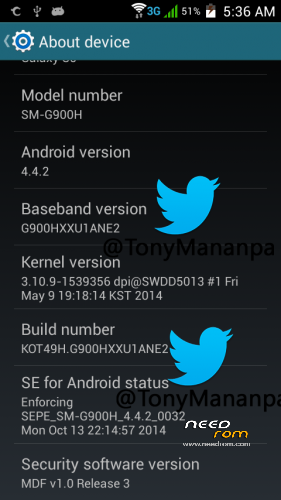
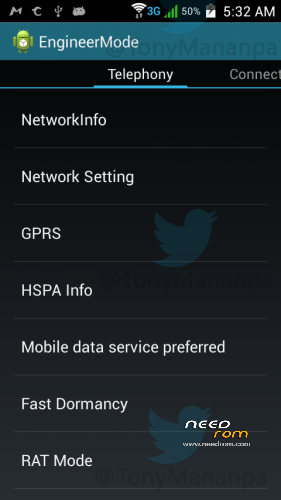
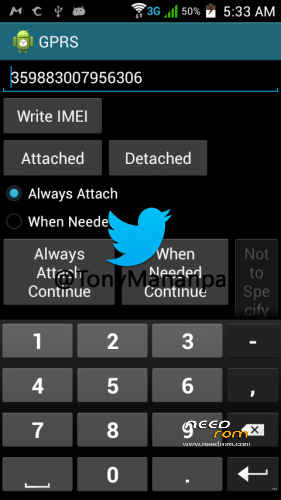
 Member Info
DESCRIPTION
HARD WORK!
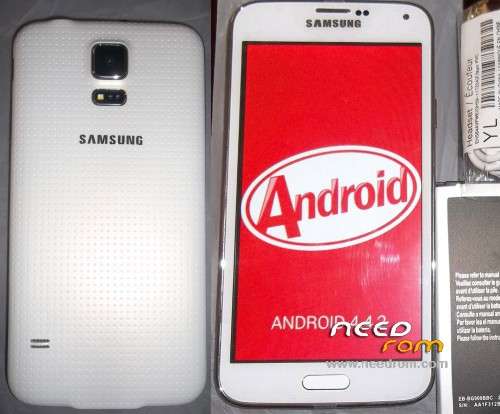
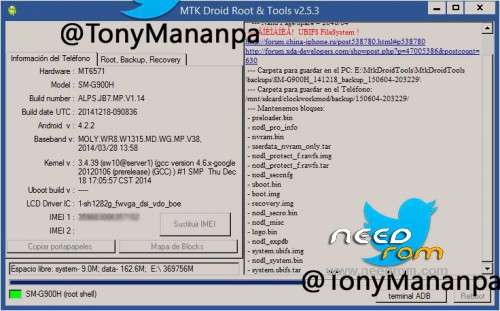
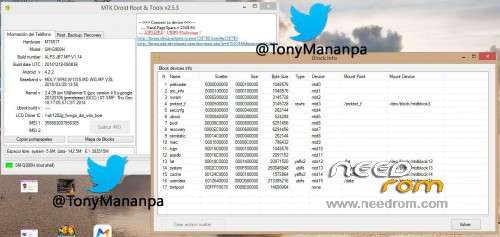
Hardware: MT6571
Model: SM-G900H
LCD Driver IC: 1_sh_1282g_fwvga_dsi_vdo_boe
Build Number: ALPS.JB7.MP.V1.14
Build date UTC: 20141218-090836
Baseband v: moly.wr8.w1315.md.wg.mp.v38 2014/03/28 13:58
FULL INSTRUCTIONS IN MY PACKAGE
**Try first erase all Nand Flash (Repartitions) with Sp Flash Tools**
View all images, step 1 and step 2
IT CONSISTS IN FLASH 2 TIMES:
1.- In SP Flash Tool: Select first: MT6571_Android_scatter_s806_lca2.txt and "Format All + Download"
2.- In SP Flash Tool: Select first: MT6571_Android_scatter_for_v5.txt and "Download" and only mark (check) PRELOADER and UBOOT.
FOR WRITE AGAIN YOUR IMEI:
Extract userdata_nvram_only.tar
Copy all files nvram folder to /data/nvram (with Root Explorer.apk)
Reboot your phone
Open Phone app and digit: *#*#3646633#*#* (Engineer mode)
Go to GPRS and write your IMEI (phone back removing the battery)
Write – Message: "IMEI write successfully", and reboot your phone
ENJOY!
AND COMMENT.
HOW TO SOLVE INTERNAL DATA NOT ENOUGH:
With Link2SD full. And Minitool partition, insert a MicroSD in Windows PC and format with minitool, first partition as Primary and Fat32, second partition (assing 1GB) and format as primary and Ext4 or fat32, insert the microSD in the phone and turn on, open Link2SD and link to second partition as Ext4 or fat32, reboot, open again Link2SD and link all user apps to second partition (select move internal data).
※Please make a backup of your device before installing or updating ROM
Please reply to my previous comment. Anyone who has tested the rom… please….
Followed instructions, both flash went ok but cannot boot. screen is blank. can you help?
Have same exact problem.
I don't think the lcd drivers are the same as mine and i have no idea on how to find the correct ones
were the same happn bro,,this is not realy tested,,,ths guy give us additional problem LOL
phone dead after i try this method…aditional problem… any sulotion or tested scartter?
OK, I will try flashing my S5 MT6571 SM-G900H clone phone. I will back and comment again.
GUYS Just try this it will definely unbrick your phone. I unbricked mine the same way. http://www.china-devices.com/t.....h-ubifs/?page=6 and this http://www.china-devices.com/t.....unbrick-solved/ It will definetly work. I fixed mined with the exact same procedure. Just make sure to read the whole thread.
Tonymananpa, my phone died! The first process step 1 ok but in the second step 2 fail and died! What can I do? Every time that I try to download preloader, something fail! What is going wrong?
i have followed the step .my lcd turn blank,no light . but my indicator lamp is on .. what happen ? it also vibrate when i press the lock key … plz helpp ..
hey tengo el mismo problema ya lo arreglaste ?
I'm tired searching roms for my s5 clone and i not had lucky. Your rom is the only i found that makes the phone semi-back to life…the lights start, charges the battery, vibrate…but the screen is black. With this ROM i got some info from droidtool and says LCD Driver IC : 0-rm68171_fwvga_dsi_vdo_tm. The tool says is MT6571 but when i make a backup, creates a scatter for 6572, i don't understand nothing.
You can give me some clue as to what I can do?
Thank you.
should be left marked the uboot options and preloader in flash sp tool or these are to be unchecked ?
hice todo como me dices tengo ese mismo movil pero la panatalla ahora no presenta nada pero parece que el android prende porque la pc lo detecta como un android encedido ?
I think the problem is lcd driver, but…how to change this lcd driver??? This is the question. This is the only rom it working for me, but screen still black, I need some help too…