
- Title: S5 MTK6571 SM G900H HARD WORK BY TONYMANANPA
- Listed: June, 2015
- Last modified: 06/15/2015 6:29 am
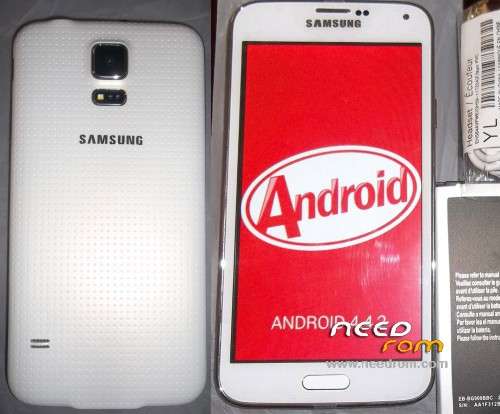
- Version: Android 4.4.2 modify by TonyMananpa (Unbrick)
You must be logged for ROM download.
48379 total views, 6 today
32 Total favorites

 Member Info
DESCRIPTION
HARD WORK!
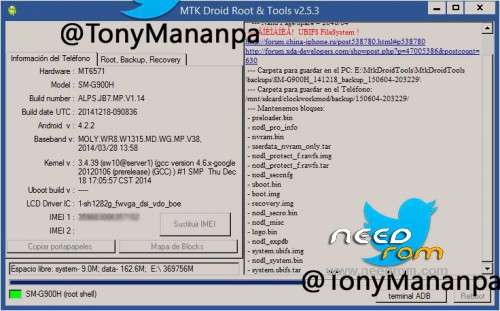
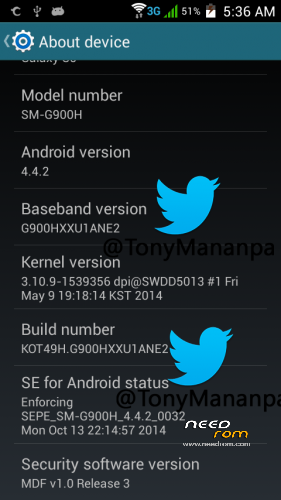
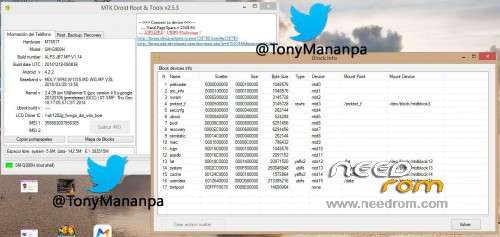
Hardware: MT6571
Model: SM-G900H
LCD Driver IC: 1_sh_1282g_fwvga_dsi_vdo_boe
Build Number: ALPS.JB7.MP.V1.14
Build date UTC: 20141218-090836
Baseband v: moly.wr8.w1315.md.wg.mp.v38 2014/03/28 13:58
FULL INSTRUCTIONS IN MY PACKAGE
**Try first erase all Nand Flash (Repartitions) with Sp Flash Tools**
View all images, step 1 and step 2
IT CONSISTS IN FLASH 2 TIMES:
1.- In SP Flash Tool: Select first: MT6571_Android_scatter_s806_lca2.txt and "Format All + Download"
2.- In SP Flash Tool: Select first: MT6571_Android_scatter_for_v5.txt and "Download" and only mark (check) PRELOADER and UBOOT.
FOR WRITE AGAIN YOUR IMEI:
Extract userdata_nvram_only.tar
Copy all files nvram folder to /data/nvram (with Root Explorer.apk)
Reboot your phone
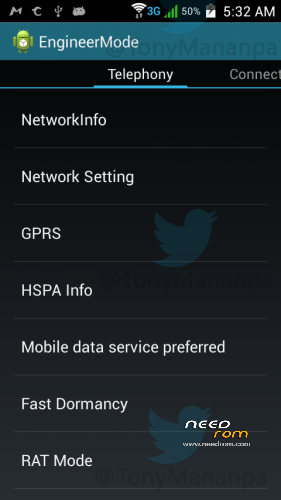
Open Phone app and digit: *#*#3646633#*#* (Engineer mode)
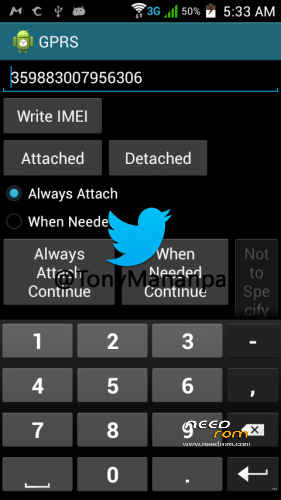
Go to GPRS and write your IMEI (phone back removing the battery)
Write – Message: "IMEI write successfully", and reboot your phone
ENJOY!
AND COMMENT.
HOW TO SOLVE INTERNAL DATA NOT ENOUGH:
With Link2SD full. And Minitool partition, insert a MicroSD in Windows PC and format with minitool, first partition as Primary and Fat32, second partition (assing 1GB) and format as primary and Ext4 or fat32, insert the microSD in the phone and turn on, open Link2SD and link to second partition as Ext4 or fat32, reboot, open again Link2SD and link all user apps to second partition (select move internal data).
※Please make a backup of your device before installing or updating ROM
Hello i have an error BROM ERROR : S_STORAGE_NOT_MATCH (3182) what i should do?
Try first erase (Repartitions) with Sp Flash Tools
how to get 8GB ???? please help
sir how to help this i use your firmware but after that stuck logo have a boot menu but not start rocovery not fastboot and not normal boot
what is password?
Who found a solution to the black screen of this cell. The whole process was successful but does not give the alconcluir screen image. If anyone has a solution, my email is yenierbaster@gmail.com or oversight can mismop forum here.
tanks you
где ссылка на загрузку?
help to find the firmware for Samsung s6 mt6571
Hello friend, I have a Chinese phone with a mtk6571 chips inside but its label says mtk6589, in its archives have tried almost all combinations but even my phone is still dead, me you could indicate simple steps that file scatter should I use and also that preloader files, boot, system, etc use? because I note that there are several with similar names?
After using the SP Flash Tools, and show OK, that I make the phone functions normally ?, Turn it on, press power for 1.3 minutes, pulling off the stack, or is there another trick ?.
Sorry so many questions, but I want to turn my phone. Thanks, my language is Spanish and thanks to google I can write, thanks again …
Thanks….:)