
- Title: S5 MTK6571 SM G900H HARD WORK BY TONYMANANPA
- Listed: June, 2015
- Last modified: 06/15/2015 6:29 am
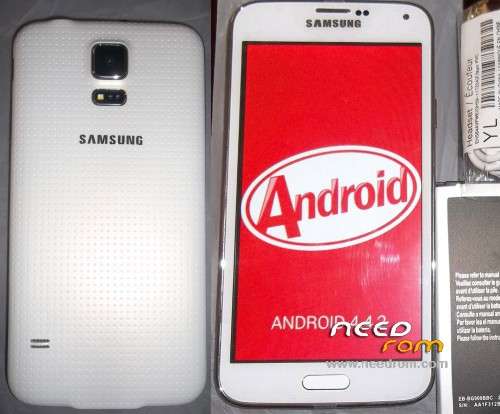
- Version: Android 4.4.2 modify by TonyMananpa (Unbrick)
You must be logged for ROM download.
48378 total views, 5 today
32 Total favorites

 Member Info
DESCRIPTION
HARD WORK!
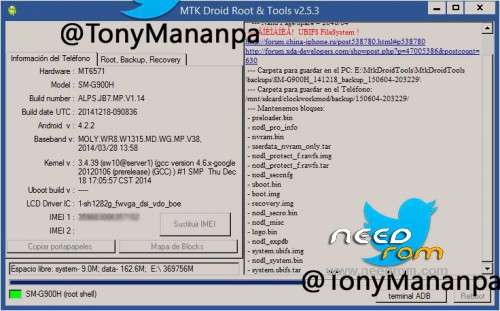
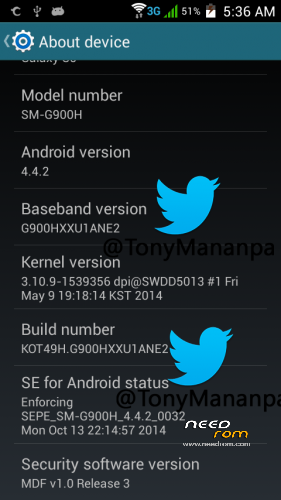
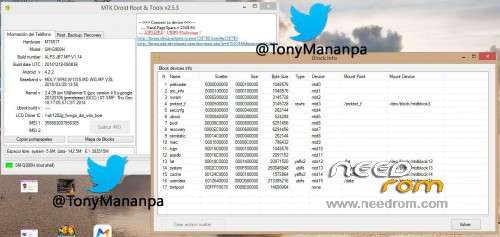
Hardware: MT6571
Model: SM-G900H
LCD Driver IC: 1_sh_1282g_fwvga_dsi_vdo_boe
Build Number: ALPS.JB7.MP.V1.14
Build date UTC: 20141218-090836
Baseband v: moly.wr8.w1315.md.wg.mp.v38 2014/03/28 13:58
FULL INSTRUCTIONS IN MY PACKAGE
**Try first erase all Nand Flash (Repartitions) with Sp Flash Tools**
View all images, step 1 and step 2
IT CONSISTS IN FLASH 2 TIMES:
1.- In SP Flash Tool: Select first: MT6571_Android_scatter_s806_lca2.txt and "Format All + Download"
2.- In SP Flash Tool: Select first: MT6571_Android_scatter_for_v5.txt and "Download" and only mark (check) PRELOADER and UBOOT.
FOR WRITE AGAIN YOUR IMEI:
Extract userdata_nvram_only.tar
Copy all files nvram folder to /data/nvram (with Root Explorer.apk)
Reboot your phone
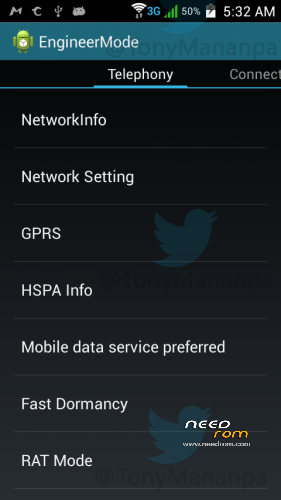
Open Phone app and digit: *#*#3646633#*#* (Engineer mode)
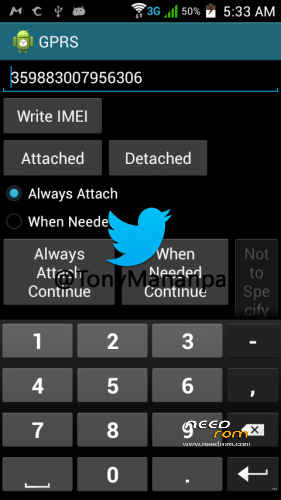
Go to GPRS and write your IMEI (phone back removing the battery)
Write – Message: "IMEI write successfully", and reboot your phone
ENJOY!
AND COMMENT.
HOW TO SOLVE INTERNAL DATA NOT ENOUGH:
With Link2SD full. And Minitool partition, insert a MicroSD in Windows PC and format with minitool, first partition as Primary and Fat32, second partition (assing 1GB) and format as primary and Ext4 or fat32, insert the microSD in the phone and turn on, open Link2SD and link to second partition as Ext4 or fat32, reboot, open again Link2SD and link all user apps to second partition (select move internal data).
※Please make a backup of your device before installing or updating ROM
Thanks pero bakit exe???
Is a Self-Extract 7-Zip package. 100% Safe.
bro i get black screen, heelp!! i have followed all these steps with caution. sorry for my bad english because i'm a brazilian
Tentar outras opções, selecionando outro de dispersão ou outra uboot, etc, que serve você, mas antes de eu dar o melhor full limpe toda célula de memória em Sp Flash Tool.
i try many kinds of roms,mt6571,,but it still doesn't work,,,what is the problem when flashing bin file using miracle,,it doesn't respond,,
buenos Dias.
esta rom es la unica que me ha flasheado, pero ahora no me da imagen… se queda negra la pantalla, alguien sabe la solucion a este problema?
S5 clon MTK 6571.
gracias!
sneyarenas@gmail.com
Prueba con las demas opciones, seleccionando otro scatter u otro uboot, etc, haber cual te sirve, pero antes es mejor dale wipe completo a toda memoria del celular en sp flash tools.
http://www.gsmchinamobile.com/.....d-firmware.html
i have white screen problem
i have white screen problem with this rom
for clone s5 mt6571 try http://www.gsmchinamobile.com/......html
http://www.gsmchinamobile.com/.....e-firmware.html
http://www.gsmchinamobile.com/.....d-firmware.html this is link for original firmware samsung galaxy s5 mt6571
hola muchas gracias por la rom, mi celular estaba muerto pero ahora ya prende, solo tengo un problema ahora y es que el celular no tiene sonido, ya probe todo lo demas del celular y esta bien menos el sonido. gracias por su atencion