
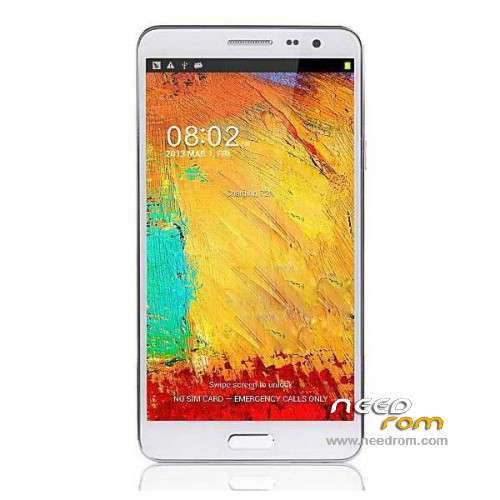
- Title: STAR N9800
- Listed: February, 2014
- Last modified: 07/30/2014 2:47 am
- Version: ROM Android 4.2.2
You must be logged for ROM download.
52351 total views, 3 today
1 Total favorites
 Member Info
DESCRIPTION
ROM Phone STAR N9800 – ROM Android 4.2.2
ONLY MT6592
Update Official ROM STAR N9800 Version: 2709_v92_jbla828_20140521
——————————————————————————————————————————————–
Update Official ROM STAR N9800 Version: 2709_v92_jbla828_20140308
——————————————————————————————————————————————–
Official ROM STAR N9800 Version: 2709_v92_jbla828_20140107
Changelog:
Gapps include – No Rooted
Language support : Multilang
Install ROM :
- Unpack FlashTools, and Click on Flash_tool.exe
- Select a the MT6592_Android_scatter_emmc.txt in ROM
- Wait file to be added into Flash Tool
- choose Option->USB Model,click USB Model
–> Choose Option->DA DownLoad All->Speed->High Speed, click High Speed
- Turn off your phone, remove the battery.
- "Press F9 (hit Download button)" OR " if upgrade ROM Firmware->Upgrade "
- and connect your phone into the computer via USB data cable.
- The process will start and a red progress bar will appear after color purple, yellow.
- And green circles display
- Finish !
- You can now safely disconnect your phone and turn it on.
※Please make a backup of your device before installing or updating ROM
Jastark ,can u upload that IMEI Backup ? maybe I can fix it somehow ,and post an edit here after that.Thanks for replying mate .
Yes, no problem for me. Can you please contact me, then I'll send it by wetransfer
Ok.
Pero hay problema con el audio. Suena como una lata cuando hablan
Ok
But there are problems with the audio. Sounds like a can and intense sound when speak
Gracias
Hello, i have installed ROM 20140107_e2709_v92_jbla828
- Unpack FlashTools, and Click on Flash_tool.exe
- Select a the MT6592_Android_scatter_emmc.txt in ROM
- Wait file to be added into Flash Tool
- choose Option->USB Model,click USB Model
–> Choose Option->DA DownLoad All->Speed->High Speed, click High Speed
- Turn off your phone, remove the battery.
- "Press F9 (hit Download button)" OR " if upgrade ROM Firmware->Upgrade "
- and connect your phone into the computer via USB data cable.
- The process will start and a red progress bar will appear after color purple, yellow.
- And green circles display
- Finish !
- You can now safely disconnect your phone and turn it on.
Now my phone have black screen and reboot all time. POWER no turn ON my phone, Flash tools no detect my PHONE.
Hello, i have installed ROM 20140107_e2709_v92_jbla828
- Unpack FlashTools, and Click on Flash_tool.exe
- Select a the MT6592_Android_scatter_emmc.txt in ROM
- Wait file to be added into Flash Tool
- choose Option->USB Model,click USB Model
–> Choose Option->DA DownLoad All->Speed->High Speed, click High Speed
- Turn off your phone, remove the battery.
- "Press F9 (hit Download button)" OR " if upgrade ROM Firmware->Upgrade "
- and connect your phone into the computer via USB data cable.
- The process will start and a red progress bar will appear after color purple, yellow.
- And green circles display
- Finish !
- You can now safely disconnect your phone and turn it on.
Now my phone have black screen and reboot all time. POWER no turn ON my phone, Flash tools no detect my PHONE.
My phone is star n9800
La cámara pasa de 13 MPX a 8 Mpx
:!!
Hi
Can you prepare lk.bin for Mt6592 if I provide you lk.bin file for MT6582? I need the Cam and LCM drivers of MT6582 to suit for MT6592…
Can you help me here?