
- Title: STAR X920E
- Listed: April, 2013
- Last modified: 05/08/2014 4:30 am
- Version: ROM Android 4.2.1
You must be logged for ROM download.
107309 total views, 6 today
2 Total favorites
 Member Info
DESCRIPTION
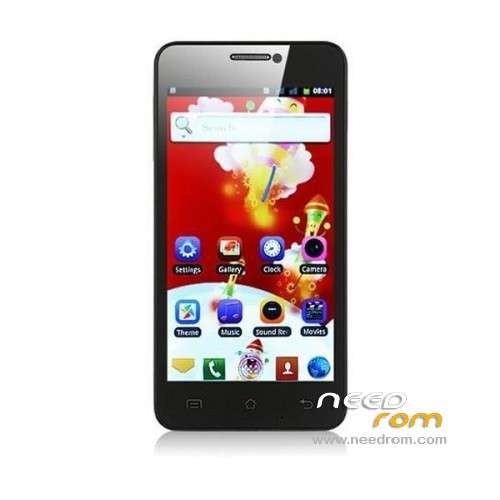
ROM STAR X920E – ROM Android 4.2.1
Update Official 20140429_e2001_v89_zlh_hd ( FOR e2001_v89_zlh_hd ONLY )
Changelog:
20140429 zhangchong
Update flash
20131025 ldd
Update the latest flash
———————————————————————————————————————————–
Update Official 20130830_e2001_v89_zlh_hd ( FOR e2001_v89_zlh_hd ONLY )
Changelog:
Open T card exchange
———————————————————————————————————————————–
Update Official 20130705_e2001_v89_zlh_hd ( FOR e2001_v89_zlh_hd ONLY )
Changelog: ( After version 20130507 )
Version update, louderspeaker max vol set to 172
Flash problem solving
———————————————————————————————————————————–
ROM 1 Official 20130327_e2001_v89_zlh_mto ( FOR e2001_v89_zlh_mto )
ROM 2 Official 20130321_e2001_v89_zlh_hd ( FOR e2001_v89_zlh_hd )
ROM 3 Official Update 20130326_e2001_v89_zlh_hd ( FOR e2001_v89_zlh_hd )
ROM 4 Official Update 20130423_e2001_v89_zlh_hd ( FOR e2001_v89_zlh_hd )
ROM 5 Official Update 20130507_e2001_v89_zlh_hd ( FOR e2001_v89_zlh_hd )
Changelog: Updated version, use the benefits come the screen driver – Updated version
———————————————————————————————————————————–
ROM 6 Official Update 20130423_e2001_v89_zlh_hd ( FOR e2001_v89_zlh_hd ) ( Fix Black screen )
""" when you flash click on UBOOT and selected "LK_CD2.bin" and flashed """"""
———————————————————————————————————————————–
Features ROM For e2001_v89_zlh_hd :
joined Google framework, adding ROOT
To update sensors and screen driver
Front camera default 500W
To remove the call records of the region
Correct distance sensor
Language support: Multilang
Install ROM :
1.Brush system: new download good rom directly put on the sd card brush, do not need to boot into the system!
2.android system and data quick format (wipe)
3.Some advanced settings, such as removing the battery information.
4. Powerful U disk mount function
5.Turned off press Volume + and power button to enter.
6. System backup and restore all the data, including data
Note: Do not use the restore factory settings with the SD card installed, because he will empty your external SD card. .
or
To unpack Flash run Flash_tool.exe
Select a the in scatter……txt in ROM
Click Flash_tool.exe interface Firmware-> Upgrade
Phone after taking the battery in put something
Connect the data cable
Brush finished with green circles appears
Recovery (THX Freed)
ROOT:
try with ROOT 1 : put sdcard reboot CWM and go ..
or
Try with ROOT 2 – ( RootTool) : Install maybe update RootTool after choise option 2 (4.0) connect mobile usb
IF problem 3G: ( THX lyzanxia for the file )
Install the tool, open the Writing Tools folder, click MauiMETA 3G ver 6.1216.0.msi installed, installed after the computer desktop will automatically create a shortcut, if Windows7 system, use the Run as Administrator software, a mouse right-click on the shortcut icon pop-up menu, select run as administrator, XP system directly double-click to open the can!
1. Open Tools, select Options — Conenectsmartphone into META mode

2. Reconnect, and then the phone off, remove the battery for 5 seconds and then loaded back Do not switch connected to a computer, connected for the first time need to install the driver, open the Device Manager, you can see an unrecognized hardware, the name of the CDC of Seria mouse Right-click on it and choose Update Driver, the installation was successful

3 installed drive, wait for the tool to display yellow, look at the picture below to select updata parameter:

4. The updata parameter is selected will pop up the following window, do not need to modify the

5. Select change NVRAM DB, select the database software

6. Select Load from file, select x920.ini parameter file

7. Select Download to flash you can, As:

※Please make a backup of your device before installing or updating ROM
@ boydivalor
I have the usb driver you suggested installed but now win7 will not recognize the phone. I believe this is the reason its not flashing properly. ANy suggestions?
I have an other problem. I'm on Linux, I can use CWM but it just says: 'installation aborted', without any further information. Anyone has some ideas?
@sti1lmatic
I think you're missing the Mediatek VCOM drivers, as happened with me.
When you connect the phone in flash mode ( VOL+ , '+' power ), over device manager, you should see for a few seconds the MT65XX PRE_LOADER with an ' ! ' … if it happens, you're missing drivers.
On windows 7, you need to install them manualy, but you've a short time window to do that.
Search over internet a bit the many ways that you can do that.
@koningwillem
Well, try to pick a windows machine…there is so few reduced people here helping, that finding someone under a linux will be almost impossible ! Sorry for that.
Ok, I will do it @ work. Thx for response
Sorry to bother again, I found a Windows machine and tried the flashtool. When I try to load the scatter file it says: "Error initializing scatter file failed. Please check the name of the scatter file which you load is legal"
Update to the latest version of Smart Phone Flash Tool, fixed that issue for me.
My English is very bad and why I use google translator. What happens is that I put the Fix 3G .. and eventually indicates that it has 3G, H, H +. But I have no internet connection … company Telcel mexico .. they recommend do … from already thank you very much.
Asegúrate que tienes las opciones adecuadas en DATA para tu APN (Access Point Names), para telcel.
hi all,
after installing the latest rom when i enter recovery i just get a blank screen. it does seem to enter recovery because the top option in recovery is "reboot now" and if i press the power button it does reboot.
has anyone else had this problem ??
Its very strange, after moving to the latest version of the ROM I had freezing and restarting problems also I only got a blank screen in recovery….
After a factory reset and re-install of the latest version it was still the same.
I have now reset again but this time gone back to version 6 and everything is back to normal………. I don’t understand, but at least I have a fully working phone again
This is getting harder, lower supporters, 2 much questions.
There is a new one!
I am at the latest version and…i cant charge the phone (offline), untul 100%…when i turn it on, it shows 84% battery…if i charge about 10 mins, it goes to 100% but then back to 85% again.
Already did the procedure for wipe batery stats but without sucess.
this rom work on star x920?
What should I do if I have error 4032?