
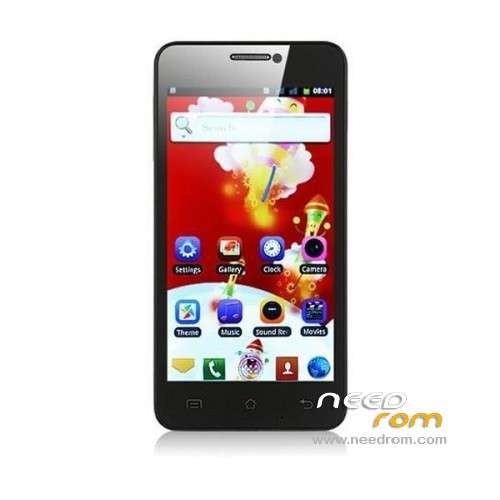
- Title: STAR X920E
- Listed: April, 2013
- Last modified: 05/08/2014 4:30 am
- Version: ROM Android 4.2.1
You must be logged for ROM download.
107306 total views, 3 today
2 Total favorites
 Member Info
DESCRIPTION
ROM STAR X920E – ROM Android 4.2.1
Update Official 20140429_e2001_v89_zlh_hd ( FOR e2001_v89_zlh_hd ONLY )
Changelog:
20140429 zhangchong
Update flash
20131025 ldd
Update the latest flash
———————————————————————————————————————————–
Update Official 20130830_e2001_v89_zlh_hd ( FOR e2001_v89_zlh_hd ONLY )
Changelog:
Open T card exchange
———————————————————————————————————————————–
Update Official 20130705_e2001_v89_zlh_hd ( FOR e2001_v89_zlh_hd ONLY )
Changelog: ( After version 20130507 )
Version update, louderspeaker max vol set to 172
Flash problem solving
———————————————————————————————————————————–
ROM 1 Official 20130327_e2001_v89_zlh_mto ( FOR e2001_v89_zlh_mto )
ROM 2 Official 20130321_e2001_v89_zlh_hd ( FOR e2001_v89_zlh_hd )
ROM 3 Official Update 20130326_e2001_v89_zlh_hd ( FOR e2001_v89_zlh_hd )
ROM 4 Official Update 20130423_e2001_v89_zlh_hd ( FOR e2001_v89_zlh_hd )
ROM 5 Official Update 20130507_e2001_v89_zlh_hd ( FOR e2001_v89_zlh_hd )
Changelog: Updated version, use the benefits come the screen driver – Updated version
———————————————————————————————————————————–
ROM 6 Official Update 20130423_e2001_v89_zlh_hd ( FOR e2001_v89_zlh_hd ) ( Fix Black screen )
""" when you flash click on UBOOT and selected "LK_CD2.bin" and flashed """"""
———————————————————————————————————————————–
Features ROM For e2001_v89_zlh_hd :
joined Google framework, adding ROOT
To update sensors and screen driver
Front camera default 500W
To remove the call records of the region
Correct distance sensor
Language support: Multilang
Install ROM :
1.Brush system: new download good rom directly put on the sd card brush, do not need to boot into the system!
2.android system and data quick format (wipe)
3.Some advanced settings, such as removing the battery information.
4. Powerful U disk mount function
5.Turned off press Volume + and power button to enter.
6. System backup and restore all the data, including data
Note: Do not use the restore factory settings with the SD card installed, because he will empty your external SD card. .
or
To unpack Flash run Flash_tool.exe
Select a the in scatter……txt in ROM
Click Flash_tool.exe interface Firmware-> Upgrade
Phone after taking the battery in put something
Connect the data cable
Brush finished with green circles appears
Recovery (THX Freed)
ROOT:
try with ROOT 1 : put sdcard reboot CWM and go ..
or
Try with ROOT 2 – ( RootTool) : Install maybe update RootTool after choise option 2 (4.0) connect mobile usb
IF problem 3G: ( THX lyzanxia for the file )
Install the tool, open the Writing Tools folder, click MauiMETA 3G ver 6.1216.0.msi installed, installed after the computer desktop will automatically create a shortcut, if Windows7 system, use the Run as Administrator software, a mouse right-click on the shortcut icon pop-up menu, select run as administrator, XP system directly double-click to open the can!
1. Open Tools, select Options — Conenectsmartphone into META mode

2. Reconnect, and then the phone off, remove the battery for 5 seconds and then loaded back Do not switch connected to a computer, connected for the first time need to install the driver, open the Device Manager, you can see an unrecognized hardware, the name of the CDC of Seria mouse Right-click on it and choose Update Driver, the installation was successful

3 installed drive, wait for the tool to display yellow, look at the picture below to select updata parameter:

4. The updata parameter is selected will pop up the following window, do not need to modify the

5. Select change NVRAM DB, select the database software

6. Select Load from file, select x920.ini parameter file

7. Select Download to flash you can, As:

※Please make a backup of your device before installing or updating ROM
hi all. any and all help would be much appreaciated.
i think i have just killed my star x920 i have done a full system whipe and then put on the wrong recovery (not freeds ) and now i can't boot past the htc like splash screen, i realy am stuck at this point. can anyone help me to get a working phone??
many thanks in advance Graeme
Anyone finding that the 3g fix is not working?
black screen… lol
hi there i have olso a star x920 with this model nr e2001v21_v89_zlh_hd.
is there a rom for this ?????
Is a specific modem required for the 3G fix?
3G not work. 3G+fix also not work
hi, anyone succeed with installation of these roms for x920e on x920 without "e" (model v89_zlh_hd )? thank you
For god's sake. Any help here!!! Same question here (with black screen).
i can confirm this work on my v89_zlh_hd (without any exxxx, tried rom 6), the only bug is sd one but i read somewhere that a factory reset is enough, i will try later. bye
use this
ROM 6 Official Update 20130423_e2001_v89_zlh_hd ( FOR e2001_v89_zlh_hd ) ( Fix Black screen )
But, Ignore this
""" when you flash click on UBOOT and selected "LK_CD2.bin" and flashed """"""
thats work for me
Can i use it on N920e? model name: e2006v20_v89_gq2009hd
Well, i dont see that """" when you flash click on UBOOT and selected "LK_CD2.bin" and flashed """""", now i tried the rom 6 and the phone is alive. But now see the htc logo and a long boot time. I'll keep looking for a solution to install apps in the real SD card.
Well my solution is: to intall apps in the real SD, root your phone, use ES explorer to browse to /etc folder, create a copy of VOLD.FSTAB and edit the original. Thats a list of 'partitions' ponting the real drive to a folder (an alias). The problems lies on sdcart0 and sdcard1, so invert the numbers and try it.
When trying these roms, internal memory got smaller. I need help reverting it.
Who has firmware for star x920 01_v89_zlh_hd 20130530 for flashtool?
I recorded the phone apk from google play and already has only black backlit screen. I need help.
just ignore """ when you flash click on UBOOT and selected "LK_CD2.bin" and flashed """""" and try again