
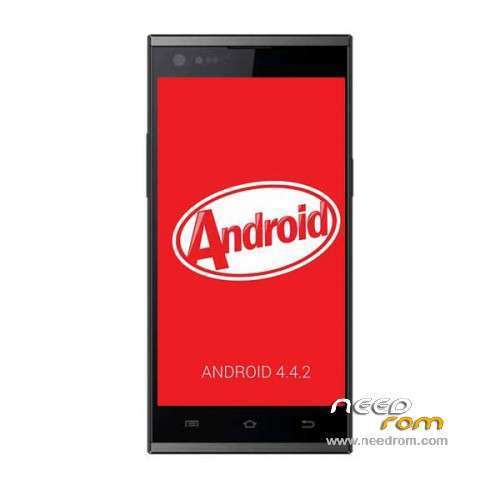
- Title: THL T100S 1363GH KK
- Listed: September, 2014
- Last modified: 10/13/2014 4:27 pm
- Version: ROM Android 4.4.2
You must be logged for ROM download.
67099 total views, 4 today
149 Total favorites
 Member Info
DESCRIPTION
ROM Phone THL T100S – ROM Android 4.4.2
ONLY MT6592 + Motherboard 1363GH
Update Official ROM THL T100S version: thl_T100S.159D.A2.KK.FHD.B1B5.EN.16P256.IMX135.MT6592GWP.20141009 – V1_WCDMA
————————————————————————————————————————————————————————————————–
Update Official ROM THL T100S version: thl_T100S.159D.A2.KK.FHD.B1B5.EN.16P256.IMX135.MT6592GW.20140929 – V1_WCDMA
————————————————————————————————————————————————————————————————–
Official ROM THL T100S version: thl_T100S.159D.A2.KK.FHD.B1B5.EN.16P256.IMX135.MT6592GW.20140909 – V1_WCDMA
ATTENTION This Rom is given For a Motherboard 1363GH
If your "Build number" = " thl_T100S.159D.A2.JB9.FHD………" = it's good, else not installed this rom
Gapps include – No Rooted
Language support: Multilang
Install ROM:
- Unpack FlashTools, and Click on Flash_tool.exe
- Select a the MT6592_Android_scatter.txt in ROM
- Wait file to be added into Flash Tool
- choose Option->USB Model,click USB Model
–> Choose Option->DA DownLoad All->Speed->High Speed, click High Speed
- Turn off your phone, remove the battery.
- "Press F9 (hit Download button)" OR " if upgrade ROM Firmware->Upgrade "
- and connect your phone into the computer via USB data cable.
- The process will start and a red progress bar will appear after color purple, yellow.
- And green circles display
- Finish !
- You can now safely disconnect your phone and turn it on.
※Please make a backup of your device before installing or updating ROM
why i can t find the kitkat rom on thl website? thx
Great! thanks! Some questions:
- Is smart wake working?
- Autobrightness works properly?
-Xposed, Gravity box?
Thanks!
What about a different motherboard?
Hi
Sorry for asking, but for instaling this rom it will be needed a rooted phone??
GPS locks fast! Some improvement in sound. Great rom, finally a kitkat. Will test further
@Bader Okab i flash the ROM, I use you rom beffore, but after I flash this ROM when the phone boots I have a message: Unfortunately, the process com.android.phone has stoped, can you help me please?
screenshots anyone???
Hi folks,
is it possible to instal super su from the custom recovery yet?
What abbout the led? Is it working?
And xposed?
Hi erveryone! Put the coincity recovery into the rom delete old recovery img. and rename the coincity recovery in recovery only and flash it with flashtool. It works fine and its rootet
flip cover dont work, the screen dont shuts down when i close the flip cover.
Anyone know how can i restore contacts sms in this rom?, i've made backup with 4.2.2 but 4.4.2 dont have backup and restore app