
- Title: THL T100S 1363GH KK
- Listed: September, 2014
- Last modified: 10/13/2014 4:27 pm
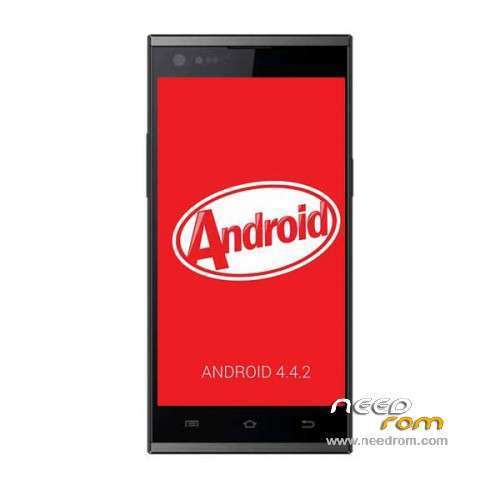
- Version: ROM Android 4.4.2
You must be logged for ROM download.
67099 total views, 4 today
149 Total favorites
 Member Info
DESCRIPTION
ROM Phone THL T100S – ROM Android 4.4.2
ONLY MT6592 + Motherboard 1363GH
Update Official ROM THL T100S version: thl_T100S.159D.A2.KK.FHD.B1B5.EN.16P256.IMX135.MT6592GWP.20141009 – V1_WCDMA
————————————————————————————————————————————————————————————————–
Update Official ROM THL T100S version: thl_T100S.159D.A2.KK.FHD.B1B5.EN.16P256.IMX135.MT6592GW.20140929 – V1_WCDMA
————————————————————————————————————————————————————————————————–
Official ROM THL T100S version: thl_T100S.159D.A2.KK.FHD.B1B5.EN.16P256.IMX135.MT6592GW.20140909 – V1_WCDMA
ATTENTION This Rom is given For a Motherboard 1363GH
If your "Build number" = " thl_T100S.159D.A2.JB9.FHD………" = it's good, else not installed this rom
Gapps include – No Rooted
Language support: Multilang
Install ROM:
- Unpack FlashTools, and Click on Flash_tool.exe
- Select a the MT6592_Android_scatter.txt in ROM
- Wait file to be added into Flash Tool
- choose Option->USB Model,click USB Model
–> Choose Option->DA DownLoad All->Speed->High Speed, click High Speed
- Turn off your phone, remove the battery.
- "Press F9 (hit Download button)" OR " if upgrade ROM Firmware->Upgrade "
- and connect your phone into the computer via USB data cable.
- The process will start and a red progress bar will appear after color purple, yellow.
- And green circles display
- Finish !
- You can now safely disconnect your phone and turn it on.
※Please make a backup of your device before installing or updating ROM
Anybody have a link for the ones without 159D in the firmware name?
For those who have problem with com.android.phone, try turning off automatic time zone and automatic time in date and time settings. This works with zp980+, dont know if it will work with thl t100s.
The Proximity Sensor don't work
No Proximity Sensor for me
@Bader I have rooted using TWRP and "UPDATE-SuperSU-v2.02.zip"
Swap out "recovery.img in package to TWRP recovery.img BEFORE flashing
Use Scatter file from "thl_T100S.159D.A2.JB9.FHD.EN.16P256.IMX135.MT6592GW.20140613" for some reason KitKat scatter file would not work for me?
Put "UPDATE-SuperSU-v2.02.zip" onto an SD card
Reboot into TWRP recovery
Choose Install
Browse to SD card and file "UPDATE-SuperSU-v2.02.zip"
Reboot and allow access for root permissions (in MTK Tools etc)
Hope this helps
FX
Hi all, I have installed the kitkat and now I lose everything from the account list after I power off or restart the phone, I tried 4-5 times to install and setup all my apps like facebook, viber, twiter, exchange mail, etc. and after restart, the phone like it's doing the factory reset every time to the app data. Can anyone guide me to resolve this issue. Thanks.
Are you guys able to use data connection after flashing this new rom? I need to flash back to 4.2.2 as the 3G connection isn't working properly.
The ROM is great! But the proximity sensor and light sensor don't work…. Other thing it's the problem when recording audio or video! Microphone have interference with cellular line i think and every video came with a lot of problems… Everything else work like a charm! Pls guys find a solution for these problems!
@Zeki95
Recording video with sound – i have no problem
@all THL will official pushout Kitkat for T100s at 25.09.2014
source: https://www.facebook.com/thlmo.....bilephone
yes, but sometimes the audio is registered with some noise like when you are in a tunnel with interference no good signal
light/proximity sensor LTR559 !!! not compiled in kernel ! or used wrong source code.