
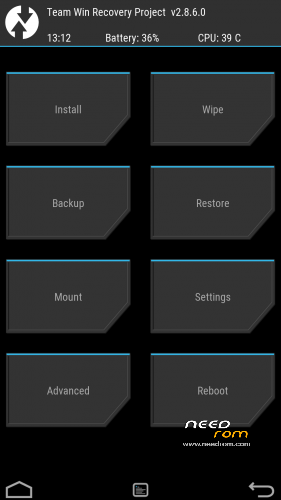
- Title: TWRP 2.8.7.3 V06
- Listed: January, 2016
- Last modified: 04/23/2016 6:55 pm
- Version: TWRP X17 NEW
You must be logged for ROM download.
20973 total views, 2 today
14 Total favorites
 Member Info
DESCRIPTION
ONLY WORK for ROM CUBOT_X17_5091C_V03_20151022
NEW TWRP for V04 version DECEMBER 2015 UPDATED
NEW TWRP for V06 version FEBRUARY 2016 UPDATED
Download and Install correctly Mediatek Preloader drivers.
Download Flashtool and unpack it in a folder..
Download and Unpack my TWRP Archive in a folder.
1- With flashtool load MT6753_Android_Scatter TWRP**.txt (it depends on wich rom version you have in your cubot)
2- Select download and connect smartphone to pc (smartphone must be powered off)… in few seconds will start the process and the new TWRP will be flashed.
To restore original stock recovery, you need load at point 1 the file MT6753_Android_Scatter.txt
P.S. to enter in the recovery, power off the smartphone, push VOL + and Power at the same time, you will see three words with VOL + you move selection, with VOL – you havw to select Recovery
Consider donate if i help you!
And please rate me 5 stars
TAKE CARE, ONLY FOR CUBOT X17
※Please make a backup of your device before installing or updating ROM
v06 recovery it is not working!!! why you guys are so happy there with so positive feedback? for v04 no questions, there is no problems with that.
Hello,
I have one problem the flash tool dont recognize the phone? I installed the drivers correctly i think. I use win10 x64.
I start the flash tool selected the scatter file and klick on download and connect the powered off phone to the pc but noting happened. Any tipps?
thank you
Hi. I'm not sure if this version of flash tool can work on win10. Search on google for new version 5.1600 and give a try
doesnt work for V06 even if oem is enabled..
flashing works perfectly but there is a problem with the twrp, when you hold power button and volume up the phone stars to boot, then screen turns black and it boots up normally
twrp can not be started
Same behavior here V06 does not work. Please fix it.
Cannot flash TWRP. My Cubot X17 only shows the Cubot boot logo and then the charging battery when I connect the phone after pushing Download button. Any hints?
i have same problem, someone pls help??
Can any of this work on the x17s since they are very similar phones?
I have tried the V06 on the X17S and its not working. I got the same behavior as the X17 users reported on the X17S as well: when you hold power button and volume up the phone stars to boot, then screen turns black and it boots up normally
But the old TWRP 2.7.8.0 for the X16 from here http://forum.xda-developers.co.....038;postcount=8 runs fine. If you want to root, take the latest SuperSU (V2.76) all previous versions stuck at bootlogo
Could you please upload the SuperSU you used.I got stuck at the boot logo using ver.2.76. Are you on Telegram?
i used this SuperSU https://download.chainfire.eu/.....60630161323.zip
If you still stuck at boot try wipe DALVIK/Cache, i also removed the folders AntBeyboard, Operaoem, OperaService and operamini with the Filemananger of TWRP because its reported as malware with several Antivirus-Software. I have done this before i flash the SuperSU
My ROM Version: CUBOT_X17_S_5092C_1_V01_20160305
Thanks its now rooted. I think the problem was the bloatware/malware. Do you have closed installed?
Sorry i mean do you have xposed framework installed?
No but you can try https://www.needrom.com/downlo.....ad/cubot-x17-5/ . I cant see any difference at hardware between the X17S and X17 so maybe it will work.
Thanks for your feedback, then the X17 users can also try to remove the malware/bloatware before flashing SuperSU. The V06 also came with this bloatware and since the V06 was released the rooting fails