
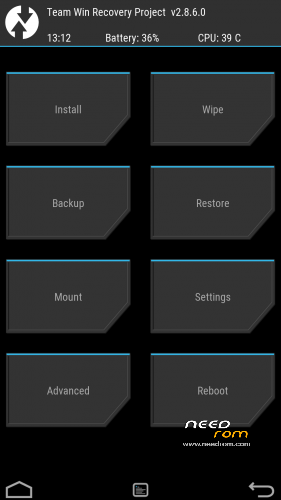
- Title: TWRP 2.8.7.3 V06
- Listed: January, 2016
- Last modified: 04/23/2016 6:55 pm
- Version: TWRP X17 NEW
You must be logged for ROM download.
20973 total views, 2 today
14 Total favorites
 Member Info
DESCRIPTION
ONLY WORK for ROM CUBOT_X17_5091C_V03_20151022
NEW TWRP for V04 version DECEMBER 2015 UPDATED
NEW TWRP for V06 version FEBRUARY 2016 UPDATED
Download and Install correctly Mediatek Preloader drivers.
Download Flashtool and unpack it in a folder..
Download and Unpack my TWRP Archive in a folder.
1- With flashtool load MT6753_Android_Scatter TWRP**.txt (it depends on wich rom version you have in your cubot)
2- Select download and connect smartphone to pc (smartphone must be powered off)… in few seconds will start the process and the new TWRP will be flashed.
To restore original stock recovery, you need load at point 1 the file MT6753_Android_Scatter.txt
P.S. to enter in the recovery, power off the smartphone, push VOL + and Power at the same time, you will see three words with VOL + you move selection, with VOL – you havw to select Recovery
Consider donate if i help you!
And please rate me 5 stars
TAKE CARE, ONLY FOR CUBOT X17
※Please make a backup of your device before installing or updating ROM
hello,
when i Install via Flashtool ist says Done, and if i want to go into TWRP there´s black screen for a few seconds and then it restarts. Hope you can help
Wait for an answer
Hey megthebest,
lots of thanks for your work, X17 could be successfully rooted (using Win10 64bit, SP flash tool 5.1644, TWRP V04), 5 stars are well deserved (and donation as well)
OK, so I wanted to flash this custom ROM https://www.needrom.com/downlo.....ad/cubot-x17-5/ so I first had to install TWRP V04.
Flash tool at first didn't recognize my phone, I plugged it in and out several times. What worked in the end was having flash tool ready in download mode, that is I pressed the "Download" button in advance and then I plugged in the phone via the USB cable while I kept the volume up button pressed. I kind of recognized my phone for a few moments and proceeded with the download. Worked OK.
Gentlemen,
I've tried to use the method described here to flash TWRP V06 on a X17. Can confirm – 1) Flashtool downloads recovery ok; 2) TWRP fails to fire up on boot; 3) ROM starts fine. Before I go ahead and give flashing TWRP V04 a try, can someone clarify for me: do I need to have V04 stock ROM on the X17 instead of the latest V06 in order to successfully flash TWRP V04? If so, will the SD-card option in stock recovery work to accomplish flashing ROM V04 over the newer V06? I've read the comments in this thread and kind of not getting the clear idea on this, sorry. Anyone with a successful experience care to advise?
Thanks!
Ok, no need to reply, got it sorted. Appears that to have it working on X17 running stock ROM V06 you need to:
1) use newer version of SP Flash Tool (I used 5.1620, here: https://androidurdu.net/sp-fla.....-tool-database/);
2) use megthebest's TWRP V04 (this: https://www.needrom.com/wp-con.....-New-RomV04.rar).
Good luck.
Worked perfectly fine with v4 ROM. Thx !