
- Title: Official 1608 VIBEUI 3.1
- Listed: February, 2016
- Last modified: 02/18/2016 9:03 pm
- Version: 6.0
You must be logged for ROM download.
24891 total views, 2 today
9 Total favorites
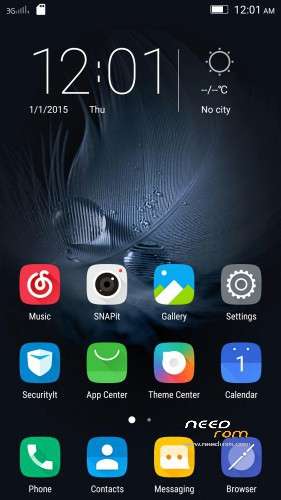
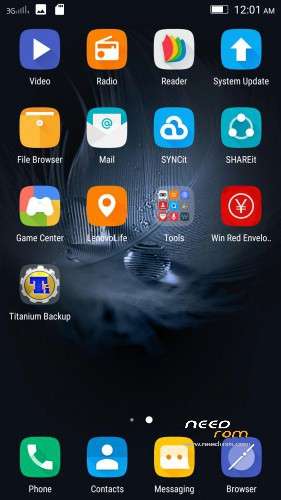
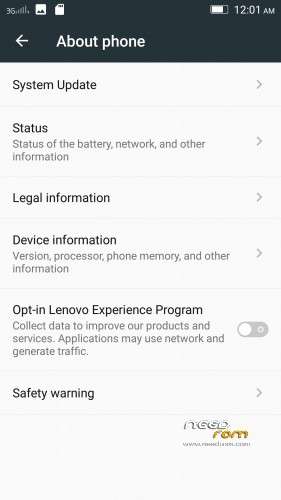
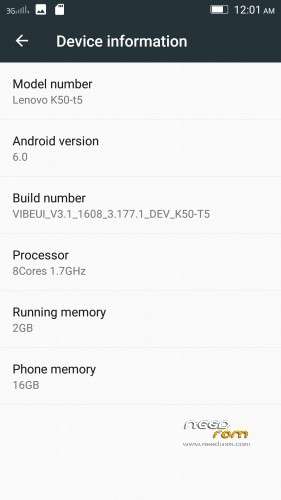

 Member Info
DESCRIPTION
Install instructions
- Install custom recovery (TWRP recommended).
- Boot into recovery mode.
- Now select wipe ( factory rest ).
- Advance wipe ( button blue ) & select partitions , dalvik cache, system , cache , user data ( just first user data )
- Select install & select downloaded zip file.
- Install success.
- Root ur phone from TWRP ( all version working )
- Flash directly gapps with TWRP and click try to solve " wizard setup " and click on clear date and click on permission management and allow all apps.
- Open ur app manager from setting and go to " google play store and play sotre " click on permission management and allow all apps
- Download repair android keyboard and install from ur phone with " file browser "
- Download repair black camera and unnistall snapit from application unnistall like " titatanium " and install black camera snapit with " file browser "
Enjoy
※Please make a backup of your device before installing or updating ROM
i try to port this rom to ulefone be touch 2, but it alway notify no os installed.
Please, help me.
dont try sur officiel rom compatible in k50t5
Not getting allow permission even after clicking on try to solve..,getting WLAN has stopped
You need to do one install at the time so after u installed the ROM let it boot set up your wi fi acc etc and afterwards reboot to recovery and flash the gapps This is the Rule no 1 buddy for our Phone )
)
Trying
TYSM BRODA

Great Work
does this rom has nvram error, if yes how to solve it.
yeeep has nvram ;( not solve it by devlepper lenovomm
Nvram error is not caused by the rom. It is actually caused by accidently erasing your wifi Mac address. You might have installed a incompatible rom perviously and it has had erased your mac address. Now everytime you turn on WiFi you will get a new random mac address which actually should not be the case. You have to have a fixed mac address. That's why Nvram error pop up. You can fix it using Sn writer. An official mediatek tool used for writing hardware information to the phone. You have to have ROW version of the OS to do that.
What lenovo did was they removed nvram checkup to stop people complaining on this error on some stable roms . If you do not have a record of your previous mac addres use 60:d9:a0:xx:xx:xx. It is Lenovo mac address range. xx could be auto generated online.
After flashing gaaps…play services stops :/
Plz give solution
read instruction
After flashing gaaps…play services stops :/
Plz give solution
I have the same problem
I did try many gapps – nano and pico and other nothin helps
read instruction sur
Got an Error while installing:
This package is for "Lenovo K50-t5" devices; this is a "Lenovo K50-T5"
Is there any way to go around this?
download gaain this rom with link ' google drive '
Why can't I install the zip file getting the following error?
Installing '/sdcard/rom/VIBEUI_V3.1_1608_3.1.zip'...Checking for ......E: Error executing updater binary in zip '/sdcard/rom/VIBEUI_V3.1_1608_3.1.zip'Error flashing zip '/sdcard/rom/VIBEUI_V3.1_1608_3.1.zip'>>>>> RECOVRY wtfriends 2015/05/18 <<<<<I have TWRP v2.8.6.0
update the recovery thats old one
download again with google drive sur
TWRP updated to ver 3.0 but still not able to install this rom.
I can flash rom "K3Note_ROOTED_vibeV3.1_1606_DEV" but not this one nor "VIBEUI_V3.1_1606_5.88.1_ST_K50-T5".
This is the error I got:
This package is for "lenovo k50-t5" devices; this is a "aio_otfp".Updater process ended with error 7
error installing zip file '/sdcard/rom/z.zip'
updating parition details ...
... done
download again
with google drive
As well as setup wizard problem keep getting "google text to speech stopped working" if try to solve keeps taking me back to begining of setup wizard
- Flash directly gapps with TWRP and click try to solve " wizard setup " and click on clear date and click on permission management and allow all apps.
- Open ur app manager from setting and go to " google play store and play sotre " click on permission management and allow all apps