
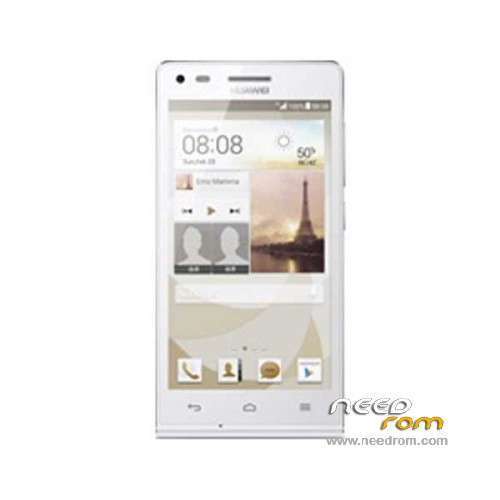
- Title: Ascend G6-U00
- Listed: March, 2014
- Last modified: 12/11/2014 7:44 pm
- Version: ROM Android 4.3
You must be logged for ROM download.
67094 total views, 4 today
19 Total favorites
 Member Info
DESCRIPTION
ROM Huawei Ascend G6-U00 – ROM Android 4.3
Update Official ROM Huawei Ascend G6-U00 Unicom version: G6-U00V100R001CHNC17B194
Changelog:
1. Close the current network problems, optimize system stability.
2. Close the Google security patches, improve system security.
—————————————————————————————————————————————————–
Update Official ROM Huawei Ascend G6-U00 Unicom version: G6-U00V100R001CHNC17B193
—————————————————————————————————————————————————–
Official ROM Huawei Ascend G6-U00 Unicom version: G6-U00V100R001CHNC17B178
Google service&login include - No Rooted
Language support: Multilang
ROM install :
Step one: Prepare an SD card, it is recommended to use Sandisk, Kingstone, or Kingmax, size is recommended that more than 1G.
Step Two: Formatting SD card (optional).
The step three: copy a large package path UPDATA.APP to the SD card dload UPDATA.APP.
Step four: Check the root directory of the SD card you dload UPDATA.APP.
Step 5: SD card into the phone is switched on in the main screen, press the Menu key, the system updates -> SD card upgrade -> confirm -> upgrade, backup data, select the backup data; upgrade.
Step Six: The upgrade process progress bar shows after the finish of the pending progress bar, the phone automatically restart.
or
Step one: Prepare an SD card, it is recommended to use Sandisk, Kingstone, or Kingmax, size is recommended that more than 1G.
Step Two: Formatting SD card (optional).
The step three: copy a large package path UPDATA.APP to the SD card dload UPDATA.APP.
Step four: Check the root directory of the SD card you dload UPDATA.APP.
Step Four: cell phone turned off, insert the SD card, while pressing the volume up button + volume down key switch button, the phone automatically enters the upgrade mode, and then begin the upgrade in Figure
Step Five: After the progress bar to go full fixed, the phone will automatically restart If you do not manually remove the battery.
※Please make a backup of your device before installing or updating ROM
This rom doesn't work for U00 model.
B193 is not multilang. Does anybody have multilang?
Other versions do not install. Writes instalation aborted.
hi i root this and have multi lang but notification panel stop working…
(G6-U00, Android 4.3-V100R001CHNC17B178SP01, China Unicom) instalation aborted help plz
Thank….. Verya good. B193 one step was installed.
B193 is working fine.need to download playstore apk . please upload more firmwares
thanks
where is rom G6-U00V100R001CHNC17B178
?
thanks
I just flashed the latest B194…. I'm finding impossible to root it. Using almost all methods and programs. When I reverted to the previous B193 I was able again to root it. So my personal experience is: B193 is easy to root, B194 is impossible to root at the moment.
How do you reverted it to b193?
Using the fastboot commands from PC…. Do You know it? If not, You can find the guide in the G6 group on facebook…
Yes i know it. But how i can do it?
Can you explain to me?
plaese help problam
Hi my phone g6-u00 a ROM with 194 Byldnambr I installed the phone did not routed through any program that had tried it and got another phone ROM is installed when you install the ROM I'm faced with error
file:/sdcard/dload/update.app.size=1142117668oemsbl version list check error . . write data error
Error :sd card update failure.sd card update abort