
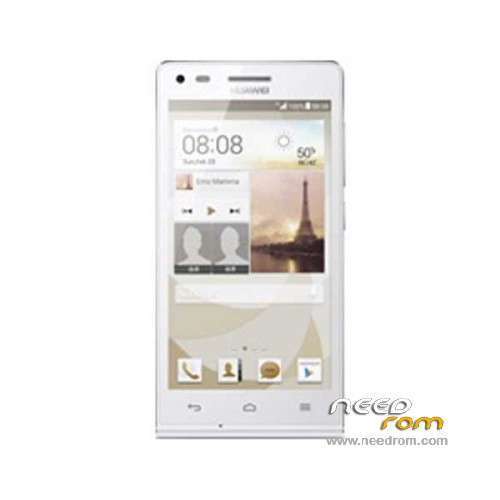
- Title: Ascend G6-U00
- Listed: March, 2014
- Last modified: 12/11/2014 7:44 pm
- Version: ROM Android 4.3
You must be logged for ROM download.
67094 total views, 4 today
19 Total favorites
 Member Info
DESCRIPTION
ROM Huawei Ascend G6-U00 – ROM Android 4.3
Update Official ROM Huawei Ascend G6-U00 Unicom version: G6-U00V100R001CHNC17B194
Changelog:
1. Close the current network problems, optimize system stability.
2. Close the Google security patches, improve system security.
—————————————————————————————————————————————————–
Update Official ROM Huawei Ascend G6-U00 Unicom version: G6-U00V100R001CHNC17B193
—————————————————————————————————————————————————–
Official ROM Huawei Ascend G6-U00 Unicom version: G6-U00V100R001CHNC17B178
Google service&login include - No Rooted
Language support: Multilang
ROM install :
Step one: Prepare an SD card, it is recommended to use Sandisk, Kingstone, or Kingmax, size is recommended that more than 1G.
Step Two: Formatting SD card (optional).
The step three: copy a large package path UPDATA.APP to the SD card dload UPDATA.APP.
Step four: Check the root directory of the SD card you dload UPDATA.APP.
Step 5: SD card into the phone is switched on in the main screen, press the Menu key, the system updates -> SD card upgrade -> confirm -> upgrade, backup data, select the backup data; upgrade.
Step Six: The upgrade process progress bar shows after the finish of the pending progress bar, the phone automatically restart.
or
Step one: Prepare an SD card, it is recommended to use Sandisk, Kingstone, or Kingmax, size is recommended that more than 1G.
Step Two: Formatting SD card (optional).
The step three: copy a large package path UPDATA.APP to the SD card dload UPDATA.APP.
Step four: Check the root directory of the SD card you dload UPDATA.APP.
Step Four: cell phone turned off, insert the SD card, while pressing the volume up button + volume down key switch button, the phone automatically enters the upgrade mode, and then begin the upgrade in Figure
Step Five: After the progress bar to go full fixed, the phone will automatically restart If you do not manually remove the battery.
※Please make a backup of your device before installing or updating ROM
Hi guys,
All versions are multi languges but they are limited to Chinese and En by a file.
you can easily make it multilanguage again:
first of all you have to root your phone
install the root browse (or solid browse) sofware
go to the following path:
data/cust/chanel/
or
cust/channel/
search for hw_defult.xml and delete it
then reset factory and enjoy!
Note: that file may be in different patch in your phone so you have to search by root brose in order to find it.
redstar63
did you know also for huawei ime (keyboard language) to unlock ?
I have tried every program that can not be routed to any song even 194 Bild
how to root b194?not workin vroot,eroot,king root,srs,shaum.tnx for helping
hi everybody
i root my huawei g6-u00 by iroot
you can also use kingo root (new version) to root it.
hi how to ROOT B194 NO WORKING APP vroot,eroot,king root,srs,shaum
HELP
i have also the same problem
after B194 installation no root and i can't downgrade to other rom version
any help please ?
no any way root b194 or downgrde?plz help for this problem,tnx
auss81 can you please help to downgrade
Using the fastboot commands from PC as you said ??
thanks in advance
download b193 firmware
extract it by huawei update extractor
download adb, extract it , and copy extracted file(boot.img and recovery.img) in it
now in adb folder hold shift then right click,and select open command windows here
put your android phone in fastboot
now type this commands:
fastboot flash boot boot.img
fastboot flash recovery recovery.img
now restart your phone and it will root wia least version of vroot(iroot).
usalehi
thanks for your support
salam.mamnon az rahnamee.vali in ba in ravesh ke mikham file recovery va boot ro write konam erer mideh va write nemikoneh.raveshe khasi vojod dareh?mamnon misham rahnamee konin
salam. rave6e khasi k nadare
age go6it toye halate fastboot ba6e o code ha ro bezani bayad be6e
سلام من بیلد نامبر 194 روت نمی شه با تمام برنامه ها تست کردم لظفا راهنمایی کن
سلام
توی نظرات قبلی گفتم که چیکار باید کرد