
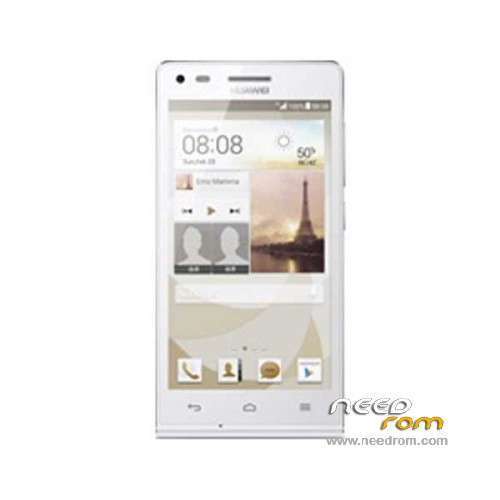
- Title: Ascend G6-U00
- Listed: March, 2014
- Last modified: 12/11/2014 7:44 pm
- Version: ROM Android 4.3
You must be logged for ROM download.
67094 total views, 4 today
19 Total favorites
 Member Info
DESCRIPTION
ROM Huawei Ascend G6-U00 – ROM Android 4.3
Update Official ROM Huawei Ascend G6-U00 Unicom version: G6-U00V100R001CHNC17B194
Changelog:
1. Close the current network problems, optimize system stability.
2. Close the Google security patches, improve system security.
—————————————————————————————————————————————————–
Update Official ROM Huawei Ascend G6-U00 Unicom version: G6-U00V100R001CHNC17B193
—————————————————————————————————————————————————–
Official ROM Huawei Ascend G6-U00 Unicom version: G6-U00V100R001CHNC17B178
Google service&login include - No Rooted
Language support: Multilang
ROM install :
Step one: Prepare an SD card, it is recommended to use Sandisk, Kingstone, or Kingmax, size is recommended that more than 1G.
Step Two: Formatting SD card (optional).
The step three: copy a large package path UPDATA.APP to the SD card dload UPDATA.APP.
Step four: Check the root directory of the SD card you dload UPDATA.APP.
Step 5: SD card into the phone is switched on in the main screen, press the Menu key, the system updates -> SD card upgrade -> confirm -> upgrade, backup data, select the backup data; upgrade.
Step Six: The upgrade process progress bar shows after the finish of the pending progress bar, the phone automatically restart.
or
Step one: Prepare an SD card, it is recommended to use Sandisk, Kingstone, or Kingmax, size is recommended that more than 1G.
Step Two: Formatting SD card (optional).
The step three: copy a large package path UPDATA.APP to the SD card dload UPDATA.APP.
Step four: Check the root directory of the SD card you dload UPDATA.APP.
Step Four: cell phone turned off, insert the SD card, while pressing the volume up button + volume down key switch button, the phone automatically enters the upgrade mode, and then begin the upgrade in Figure
Step Five: After the progress bar to go full fixed, the phone will automatically restart If you do not manually remove the battery.
※Please make a backup of your device before installing or updating ROM
مشکل اینجاست که فایهای بوت و ریکاوری از تو فست بوت رایت نمیشن و موقع رایتشون ارور میده.ممنون
والا نمیدونم چرا اینطوره
نگاه کن ببین گوشیت فضای خالی داره یا نه
هم مموری گوشی و هم کارت حافظه
شاید مشکل به این دلیل باشه
گوشی وایپ شده و همه چیش پاک شده
پیغام remote not allowed میزنه
مثل htc شده که حتما باید آنلاک بشاه تا بشه ریکاوری رایت کرد.
برای اینکار باید unlock کنم
there is a simple way to unlock bootloader:
1: go to this link and fill your mobile detail correct.
Reformatting Lock – EMUI
product type: smart phone
product model: G6-u00
product sn:16digit your mobile sn no
Product IMEI:your mobile imei (*#06#)
Product ID:How do I obtain the Product ID?
For a mobile phone, bring up the dialpad, and enter the characters (*#*#1357946#*#*)
Verification Code:
click submit.just a top off submit optione displayed your 16-digit bootloader unlock. creat 1 tex file and copy and save this code.
2: download HiSuite from this link and install in your pc
HiSuite – Android Smart Device Manager – Huawei Device., Co Ltd..
3: downlod adb from this link and copy in c:drive
https://mega.co.nz/#F!ohszGbTB.....PYBIzABfV2m9rgw
4: power off your phone. phone [must power off]conect usb cable to phone.wait 6second
after 6 second pressing/holding VOLUME DOWN and power buttons 20second after 20second fastboot mode displayed in your mobile screen.
now your pc found adb device . automatically installs ADB driver if not install you install manually.
5: now open cmd and type this comand.
cd c:\adb
fastboot oem get-bootinfo
fastboot oem unlock 16digit unlock code, for example, fastboot oem unlock 1234567812345678
6: Complete the device bootloader unlocking.
Enter the unlocking password. Your device then restarts. (If the password entered is correct,
the device will be restored to its factory settings, after which the device restarts and enters standby mode. The device’s bootloader is unlocked.
If the password entered is incorrect, a message is displayed and the device enters standby mode.)
7: Check whether the unlocking succeeded.
Repeat steps 5. In the computer’s command window, enter fastboot oem get-bootinfo,
the bootloader lock state of your device is displayed. Bootloader Lock State: LOCKED indicates that the bootloader is still locked.
Re-perform the unlocking procedure and check that the password is correctly entered.
Bootloader Lock State: UNLOCKED indicates that your device’s bootloader has been unlocked. You can then install a third-party firmware.
DON'T FORGET TO PRESS THANKS BUTTON..
tnx for reply
salam.mamnon az rahnameiton.moskel ba unlock bootloader hal shod va filha write shodan vali hanoz ham nemitonam downgraid konam.che jori mishe downgrad konam?mamnon
سلام ریکاوری g6-u00 نیومده رو گوشی نصب کنیم
buenas tardes , proceso funciona, tal como lo describen, pase de la version: G6-U00V100R001CHNC17B193 ala Update Official ROM Huawei Ascend G6-U00 Unicom version: G6-U00V100R001CHNC17B194 en 5 minutos, pero lo malo es que no tiene lenguaje español solo ingles o chino
I can’t download rom. How do?
Please…tell me sir…
Hello Do not bother version 4.4 or higher is offered for this model?
Hey all and needrom ,
We got new update with EMUI 3.0 , awesome made huawei. Everthing is perfect but need the international version.
Please update here in need rom also.
Thanks,
Ravi
I installed Huwaiyi G6-U00 Anroid 4.4.2.
fastboot does not open. please help