
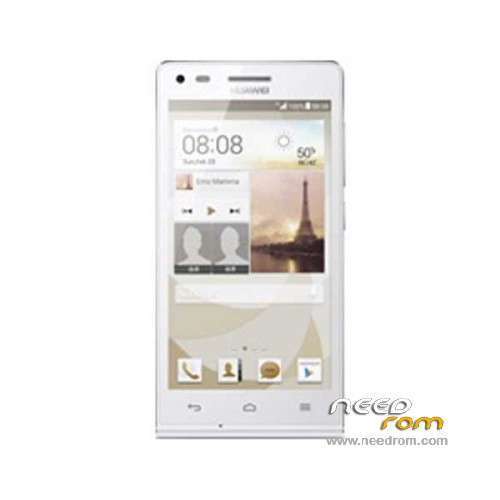
- Title: Ascend G6-U00
- Listed: March, 2014
- Last modified: 12/11/2014 7:44 pm
- Version: ROM Android 4.3
You must be logged for ROM download.
67095 total views, 5 today
19 Total favorites
 Member Info
DESCRIPTION
ROM Huawei Ascend G6-U00 – ROM Android 4.3
Update Official ROM Huawei Ascend G6-U00 Unicom version: G6-U00V100R001CHNC17B194
Changelog:
1. Close the current network problems, optimize system stability.
2. Close the Google security patches, improve system security.
—————————————————————————————————————————————————–
Update Official ROM Huawei Ascend G6-U00 Unicom version: G6-U00V100R001CHNC17B193
—————————————————————————————————————————————————–
Official ROM Huawei Ascend G6-U00 Unicom version: G6-U00V100R001CHNC17B178
Google service&login include - No Rooted
Language support: Multilang
ROM install :
Step one: Prepare an SD card, it is recommended to use Sandisk, Kingstone, or Kingmax, size is recommended that more than 1G.
Step Two: Formatting SD card (optional).
The step three: copy a large package path UPDATA.APP to the SD card dload UPDATA.APP.
Step four: Check the root directory of the SD card you dload UPDATA.APP.
Step 5: SD card into the phone is switched on in the main screen, press the Menu key, the system updates -> SD card upgrade -> confirm -> upgrade, backup data, select the backup data; upgrade.
Step Six: The upgrade process progress bar shows after the finish of the pending progress bar, the phone automatically restart.
or
Step one: Prepare an SD card, it is recommended to use Sandisk, Kingstone, or Kingmax, size is recommended that more than 1G.
Step Two: Formatting SD card (optional).
The step three: copy a large package path UPDATA.APP to the SD card dload UPDATA.APP.
Step four: Check the root directory of the SD card you dload UPDATA.APP.
Step Four: cell phone turned off, insert the SD card, while pressing the volume up button + volume down key switch button, the phone automatically enters the upgrade mode, and then begin the upgrade in Figure
Step Five: After the progress bar to go full fixed, the phone will automatically restart If you do not manually remove the battery.
※Please make a backup of your device before installing or updating ROM
gps in model hanoz dorost nashode.
I strongly recommend you to upgrade to Kitkat:
http://cn.club.vmall.com/threa.....623178-1-1.html
extract the zip file and copy the "UPDATE.APP" in "dload" folder in your sd card root (create the folder if not exist).
go to the Settings-All- About Phone-System update -Local update-Confirm-Upgrade
it takes about 3 mins to upgrade.
in order to have a multilanguage rom, you can root your phone by "kingo root " and then install root browser (or solid browser) and look for "hw_defults.xml"
you have to deleat that file and reset factory.
enjoy it !!!!
redstar63, where is "hw_defylts.xml"?
gioffry76: As I said you have to search using Solid browser (or any kind of root browser). It maybe in different patchs in different phones.
Comment: To guys who complain about gps, gps works perfectly in this rom.
سلام بنده این گوشی رو ریست کردم
گوشی خاموش شد وقتی که روشن شد تو حالت فرمت دیتا میمونه از طریق فست بوت فلش زدم حل نشد
و به منوی ریکاوری نمیره
لطفا کمک کنید؟
Hey we re 2016 soon, why cant we find any real u00 rom?
Just find update or G6-U10_Firmware_V100R001C900B146CUSTC408D004_English_Android 4.3 JB_EMUI 2.0 Lite, but no real rom..
من گوشی هواوی ٖرابااین رام فلاش زدم بخاطر زبان فارسی همه چیز فارسی شد بجز صفحه کیبرد وپیام نگاری G6u00G6u00V100R001CHNC00B362حالا به مشکل پرش آنتن برخوردم خاهشن کمک کنید من رام اصلی راگفتن باید بزنم باکس هم ندارم فلش تولز دارم
I flashed my phone Rabaayn Huawei for the Persian language Farsi everything except keyboards and message encryption G6u00G6u00V100R001CHNC00B362 Now came the difficult jump antenna Khahshn help me tame my original Xbox Ragftn should I not have Flash Tools
HICH IS ARABIC PLEASE
tank you ….