
- Title: Ascend Mate 4.2.2
- Listed: October, 2013
- Last modified: 07/18/2014 4:43 pm
- Version: ROM Android 4.2.2
You must be logged for ROM download.
59913 total views, N/A today
1 Total favorites

 Member Info
DESCRIPTION
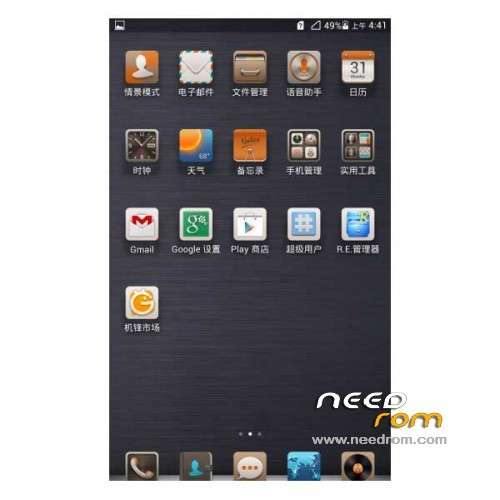
ROM Phone HUAWEI Ascend Mate – ROM Android 4.2.2
Features ROM:
Update 07/17/2014 Based on version EMUI_B929
ROM 1 : Version Unicom – Gapps include – Multilang
———————————————————————————————————————————
Update 06/19/2014 Based on version EMUI_B927
ROM 1 : Version Unicom – Gapps include – Multilang
———————————————————————————————————————————
Update 02/24/2014 Based on version EMUI_B907
ROM 1 : Version Unicom – Gapps include – Multilang
ROM 2 : Version Mobile – Gapps include – Multilang
———————————————————————————————————————————
ROM – 01/22/2014 Based on version EMUI_B907
ROM 1 : Version Unicom – Gapps include – Multilang
ROM 2 : Version Mobile – Gapps include – Multilang
Gapps include – Rooted
Language support: Multi Lang
ROM install :
1 – Download and unrar ROM
2 – phone is in "USB Debugging"
3 – cell phone connection to the computer in the initialization state
4 – Run the file "flash_all.bat " and tap just enter
5 – End of the brush, press and hold the volume up on the phone and computer by pressing any key
Phone automatically restarts when you see the Huawei logo, release the phone volume + key
6 – The phone will automatically pair of clear, double clear finished restart automatically and start the system
※Please make a backup of your device before installing or updating ROM
works in version 2 gb?
In this rom you cannot hide the navigation bar which is verry annoyng when you especially play games
Search for "build.prob tricks – hide navigation bar" in google. In this file you can modify your system.
upload update tomorrow
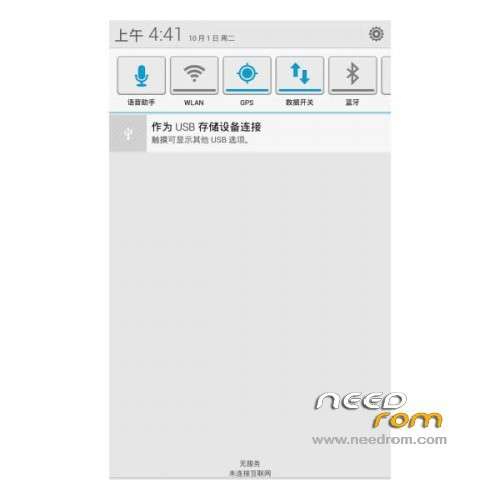
Notification Panel is inactive,bro. Please update it.
first point, the batch file is in a wrong code page so the first condition con not be answared.. but there you can enter 1 or 2. 1 for FLASH and 2 for EXIT. Alle texts are not english, was written in mandarin. After answaring with 1 you have to type <ENTER> again to skip the pause function.
Now my question, why this is a rom for two providers? Is there the provider logo the difference? are there any things what I have to checking before. Build etc? Is the multilanguage starting like the europien phone with an english set up to find the correct foreign languag? Or do I have to set up a chinise setup after flashing?
v good rom but change the defult launcher to stock android and some one tell me whenever i hide the buttons cant get back how to do this thnx
link to rom2 does not work.. should i use the unicom upgrade?
thanks from sunny italy
thanks
What is unicom? and mobile?
Can someone please explain step by step in detail how to install the new ROM to the phone? It seems I have a problem with this. After unpacking the downloaded data to the separate folder on my computer I did conect my Acden Mate by USB cable and as instructed by the developer (above) I did try to install the new firmware by clicking on flash_all.bat file. New green windows opens and that all. It won't go any further no matter what I do. Pressing any key doas not help. Whast am I missing here?
Hi Valdek,
This is how i update my HAM.
Connect your phone in USB Debbuging Mode.
(when you connect your phone choose the hisuite mode, if your connecting it for the first time let the driver install and the hisuite app open, as soon as you see the hisuite appears on your phone then its ok to unplug the usb)
plug the the phoe via usb let the pc recognise it choose hisuite on your phone
run the flash_all.bat
a window with chinese language in green backgound will appear, select 1 and then enter using your pc keyboard
another window with chinese language in red backgound will appear, press enter again on your pc keyboard
you will see that it is communicating with your phone, this time your phone will reboot with Huawei Ascend Mate Logo.
Just wait till it's do the upgrade and your phone will automatically reboot.
Dont touch anything on your phone.
That's it……