
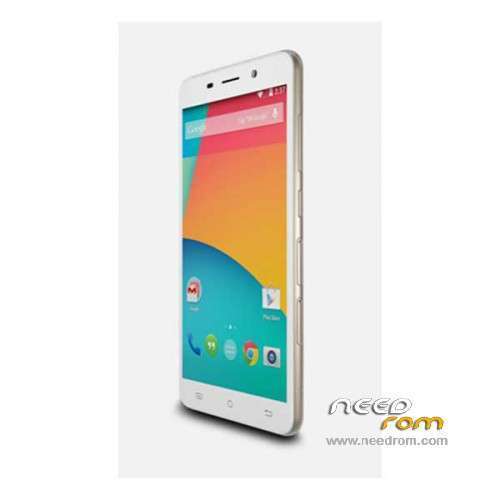
- Title: Cubot X9
- Listed: November, 2014
- Last modified: 03/28/2016 5:50 pm
- Version: ROM Android 4.4.4
You must be logged for ROM download.
73287 total views, 3 today
48 Total favorites
 Member Info
DESCRIPTION
ROM Mobile Cubot X9 – ROM Android 4.4.4
ONLY MT6592
ROM 1 – Update Official ROM Cubot X9 Version: CUBOT_4271C_Z61W5_V22 – KOT49H – sinsoft92_cwet_kk
——————————————————————————————————————————————————-
ROM 1 – Official ROM Cubot X9 Version: CUBOT_4271C_Z61W5_V20 – KOT49H – sinsoft92_cwet_kk
——————————————————————————————————————————————————-
ROM 2 – Add another Official ROM Cubot X9 Version: CUBOT_4271C_Z61W5_V11 – KOT49H – sinsoft92_cwet_kk
ONLY CAM: OV8865 and TP: IMX214
Gapps include – No Rooted
Language support: Multilang
Install ROM:
- Unpack FlashTools, and Click on Flash_tool.exe
- Select a the MT6592_Android_scatter.txt in ROM
- Wait file to be added into Flash Tool
- choose Option->USB Model,click USB Model
–> Choose Option->DA DownLoad All->Speed->High Speed, click High Speed
- Turn off your phone.
- "Press F9 (hit Download button)" OR " if upgrade ROM Firmware->Upgrade "
- and connect your phone into the computer via USB data cable.
- The process will start and a red progress bar will appear after color purple, yellow.
- And green circles display
- Finish !
- You can now safely disconnect your phone and turn it on.
※Please make a backup of your device before installing or updating ROM
Hi
are you sure X9? I can't find this model on official cubot web site.
yep and google is your friend
Cubot X9 smartphone is equipped with 8MP (interpolated 13MP) rear camera and 5MP (interpolated 8MP) front facing camera.
Main features:
–5" IPS HD SCREEN, 1280*720 pixels
–Android 4.4 Kitkat OS
–MTK6592M Octa-core processor, 1.5GHz
–2GB RAM + 16GB ROM
–Dual Camera, 8MP Back, 5MP Front
–2200 mAh battery
The Slimmest Smartphone in the History CUBOT With Space Titanium Alloy As a New Flagship – See more at: http://www.cubot-x9.com/
I now this, but the main features are very close to X6 for this reason I ask if you are sure about the model.
tryed to put on X6 after flash done it didn't colud turn on
so i flashed it back
tryed to put on X6 after flash done it didn't colud turn on
so i flashed it back
DAS IST JA WOHL AUCH DOOF.
Hey – how do we get an ios ROM for this device?
You said in the description to remove battery but this is not possible as is inside the phone and x9 has no removable back cover.Maybe you mean only to power off our phone?
It’s the first model of china phones that has no removable back cover to take out the battery.How am i supposed to make it work?Just power off my phone and then click download on flashtool?
If I want to update with V06 is necessary update with V05 before?
whats the size of the internal memory since it originally comes with 1gb available for apps… does it have a partition?
what is new at version 08?
Flash ROM from version 3 straight to version 7, due to update in wireless connection and some system bugs, I am just started to like the version 3 ui, the version 7 is plain ui with less option, the 100MB less in size maybe the version 3 ui difference compared to this version 7.
hi every time i try flash one off these roms for my cubot x9 i get errror brom s-da–sdmmc write failed 3153 do u know what this could be