
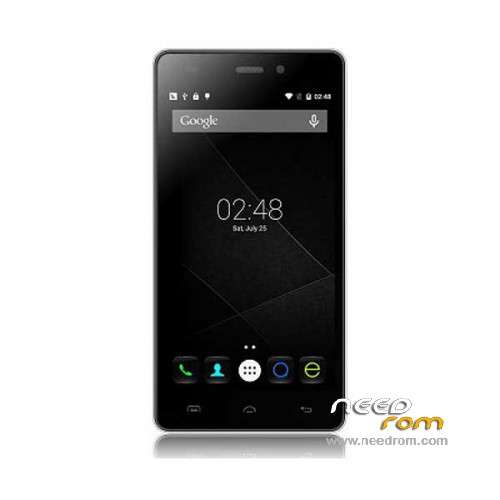
- Title: Doogee X5 Pro
- Listed: December, 2015
- Last modified: 07/04/2016 11:33 pm
- Version: ROM Android 5.1
You must be logged for ROM download.
42832 total views, 5 today
30 Total favorites
 Member Info
DESCRIPTION
ROM Mobile Doogee X5 Pro – ROM Android 5.1
ONLY MT6735M
ROM 1 – Update Official ROM Doogee X5 Pro version: DOOGEE-X5pro-Android5.1-R17-2016.07.01 – t93bm-dg-a37-33pgu-hd-128g16g-fdd137820-bom68 – full_hct6735m_35gu_l-user 5.1 LMY47D
ATTENTION this ROM is not compatible with ROM 2
————————————————————————————————————————————————————————————————
ROM 1 – Update Official ROM Doogee X5 Pro version: DOOGEE-X5pro-Android5.1-R12-2016.01.15 – t93bm-dg-a37-33pgu-hd-128g16g-fdd137820-bom68 – full_hct6735m_35gu_l-user 5.1 LMY47D
ATTENTION this ROM is not compatible with ROM 2
————————————————————————————————————————————————————————————————
ROM 2 – Official ROM Doogee X5 Pro version: DOOGEE-X5pro-64+8-Android5.1-2015.12.21 – t93bm-dg-a37f–33pgu-hd-64g8g-fdd137820-dg- full_hct6735m_35gu_l-user 5.1 LMY47D
ATTENTION this ROM is not compatible with ROM 1
————————————————————————————————————————————————————————————————
ROM 1 – Official ROM Doogee X5 Pro version: DOOGEE-X5pro-Android5.1-R09-2015.12.01 – t93bm-dg-a37-33pgu-hd-128g16g-fdd137820-bom68 – full_hct6735m_35gu_l-user 5.1 LMY47D
Gapps include – No Rooted
Language support: Multilang
Install ROM:
Install with SP MDT:
1). Turn off the smartphone. Cable is not connected to the computer.
2). Remove the battery and insert it again
3). Connect your phone to a computer cable. The operating system detects a new device
4). Disconnect the cable from the computer.
5). Run SPMultiPortFlashDownloadProject.exe
6). Choose File> Open File Agent download and specify the file MTK_AllInOneDA.bin (it is in the folder SP_MDT).
7). Click Scatter File and select the MT6735M_Android_scatter.txt file (it's in the folder with the rom).
8). Click "Start all".
9). Connect your phone to a computer cable. The program should see and blink. If the phone is not detected, then unplug it from the computer,
remove and insert the battery (if the battery is removable) and reconnect it to the computer.
10). After (OK) click Stop and disable any phone.
11). Completed.
※Please make a backup of your device before installing or updating ROM
hello.
can you make a twrp backup file of this rom,please
i acendately erase the rom and now the only thing i have is twrp recovery.
and the pc doesn t recognize the phone.
press download key when connected to pc and try to press power bottom and up + key until it start flashing
thanks ^_^
Thank you
Rom file has checksum error. how can I solve it?
hola solucionaste el problema?
move the folder to desk top and rename it because file adress is too loong
on my phone i have R09, can i update with yours ROM 2 ?
and can you explain differences
im sorry its dumb question but is this a guide to root x5 pro?
no, the other one with trwp
no se enchufa el movil por que con esta rom ???????????????????
darme soluciones que estoy sin movil porfa