
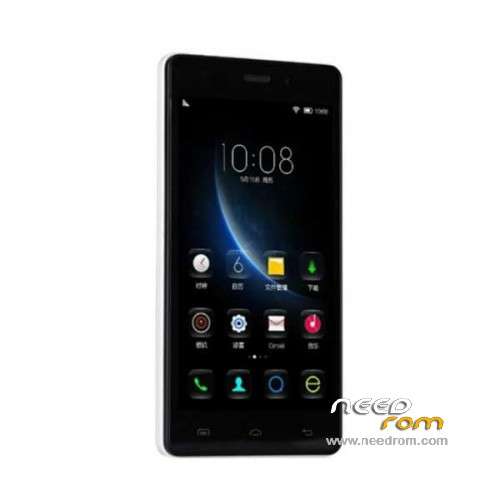
- Title: Doogee X5
- Listed: December, 2015
- Last modified: 05/06/2016 12:57 am
- Version: ROM Android 5.1
You must be logged for ROM download.
83700 total views, 4 today
61 Total favorites
 Member Info
DESCRIPTION
ROM Mobile Doogee X5 – ROM Android 5.1
ONLY MT6580
ROM 3 – Official ROM Doogee X5 version: DOOGEE-X5-B-Android5.1-2016.05.04 – g931bm-dg-a37-wg-hd-64g8g-ddr3 – full_hct6580_weg_a_l-user 5.1 LMY47I
Not compatible with ROM 1 or ROM 2
—————————————————————————————————————————————————————-
ROM 1 – Update Official ROM Doogee X5 version: DOOGEE-X5-Android5.1-V19-2016.03.31 – g931bm-dg-a37-wg-hd-64g8g – full_hct6580_weg_a_l-user 5.1 LMY47I
—————————————————————————————————————————————————————-
ROM 2 – Official ROM Doogee X5 version: DOOGEE-X5-Android5.1-W900-V09-20160226 – g931bm-dg-a37-wg-hd-64g8g-b128 – full_hct6580_weg_a_l-user 5.1 LMY47I
I don't know if this ROM is compatible with ROM 1 or ROM 3
—————————————————————————————————————————————————————-
ROM 1 – Update Official ROM Doogee X5 version: DOOGEE-X5-Android5.1-V18-2016.02.22 – g931bm-dg-a37-wg-hd-64g8g – full_hct6580_weg_a_l-user 5.1 LMY47I
—————————————————————————————————————————————————————-
ROM 1 – Update Official ROM Doogee X5 version: DOOGEE-X5-Android5.1-V17-2016.01.31 – g931bm-dg-a37-wg-hd-64g8g – full_hct6580_weg_a_l-user 5.1 LMY47I
—————————————————————————————————————————————————————-
ROM 1 – Update Official ROM Doogee X5 version: DOOGEE-X5-Android5.1-V17-2015.12.25 – g931bm-dg-a37-wg-hd-64g8g – full_hct6580_weg_a_l-user 5.1 LMY47I
—————————————————————————————————————————————————————-
ROM 1 – Official ROM Doogee X5 version: DOOGEE-X5-Android5.1-V16-2015.12.04 – g931bm-dg-a37-wg-hd-64g8g – full_hct6580_weg_a_l-user 5.1 LMY47I
Gapps include – No Rooted
Language support: Multilang
Install ROM:
Install with SP MDT:
1). Turn off the smartphone. Cable is not connected to the computer.
2). Remove the battery and insert it again
3). Connect your phone to a computer cable. The operating system detects a new device
4). Disconnect the cable from the computer.
5). Run SPMultiPortFlashDownloadProject.exe
6). Choose File> Open File Agent download and specify the file MTK_AllInOneDA.bin (it is in the folder SP_MDT).
7). Click Scatter File and select the MT6580_Android_scatter.txt file (it's in the folder with the rom).
8). Click "Start all".
9). Connect your phone to a computer cable. The program should see and blink. If the phone is not detected, then unplug it from the computer,
remove and insert the battery (if the battery is removable) and reconnect it to the computer.
10). After (OK) click Stop and disable any phone.
11). Completed.
※Please make a backup of your device before installing or updating ROM
Zdrávím,
Funguje v této verzi přiřazení vyzvánění ke kontaktu s připojenou SD kartou? V předchozích verzích to nefungovalo.
Greetings,
It works in this version assign a ringtone to a contact with the SD card? In previous versions, it did not work.
Rejoice! Now it works.
can i also flash this rom via TWRP?
Here is a problems with ringtones from sd-card assighning to contacts (Doogee x5). Ask me,please, which flash resolve this problem without rooting (number? date? how to flashing)? Thanks!!!
i used this flash tool.. this ROM is work.. thanks
https://www.sendspace.com/file...../rvqwyw
V18 bad update
Why ??
X5-25.rar ?!
The name of rar archive is important ?
WHY
what is wrong ?!
Hi
I have a problem. When (step 9) I connect the phone start to charge the battery and don't apears connected to the pc
When the mobile is On and conect to the pc, appears in the pc. What I can do? help me, please
guys what s new in V18 ?
ROM 2 someone install???? is it good ??????
I install, works good.
Rooted and now wait for twrp v.3.
Many thanks.
What version is this ? Any difference between this and V18 ?
3g supports 900 mhz with Rom2 ?
Hello! Update firmware for X5 pro 64+8? 1g+8gb