
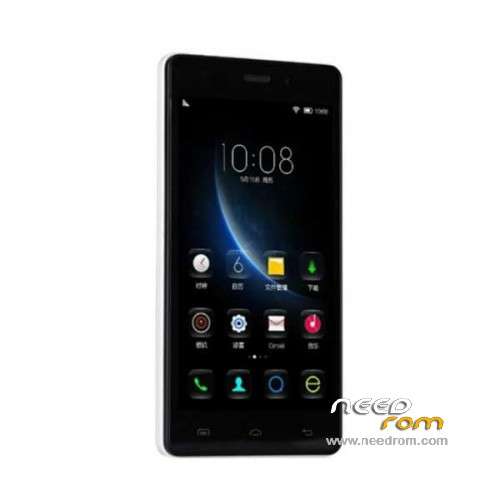
- Title: Doogee X5
- Listed: December, 2015
- Last modified: 05/06/2016 12:57 am
- Version: ROM Android 5.1
You must be logged for ROM download.
83701 total views, 5 today
61 Total favorites
 Member Info
DESCRIPTION
ROM Mobile Doogee X5 – ROM Android 5.1
ONLY MT6580
ROM 3 – Official ROM Doogee X5 version: DOOGEE-X5-B-Android5.1-2016.05.04 – g931bm-dg-a37-wg-hd-64g8g-ddr3 – full_hct6580_weg_a_l-user 5.1 LMY47I
Not compatible with ROM 1 or ROM 2
—————————————————————————————————————————————————————-
ROM 1 – Update Official ROM Doogee X5 version: DOOGEE-X5-Android5.1-V19-2016.03.31 – g931bm-dg-a37-wg-hd-64g8g – full_hct6580_weg_a_l-user 5.1 LMY47I
—————————————————————————————————————————————————————-
ROM 2 – Official ROM Doogee X5 version: DOOGEE-X5-Android5.1-W900-V09-20160226 – g931bm-dg-a37-wg-hd-64g8g-b128 – full_hct6580_weg_a_l-user 5.1 LMY47I
I don't know if this ROM is compatible with ROM 1 or ROM 3
—————————————————————————————————————————————————————-
ROM 1 – Update Official ROM Doogee X5 version: DOOGEE-X5-Android5.1-V18-2016.02.22 – g931bm-dg-a37-wg-hd-64g8g – full_hct6580_weg_a_l-user 5.1 LMY47I
—————————————————————————————————————————————————————-
ROM 1 – Update Official ROM Doogee X5 version: DOOGEE-X5-Android5.1-V17-2016.01.31 – g931bm-dg-a37-wg-hd-64g8g – full_hct6580_weg_a_l-user 5.1 LMY47I
—————————————————————————————————————————————————————-
ROM 1 – Update Official ROM Doogee X5 version: DOOGEE-X5-Android5.1-V17-2015.12.25 – g931bm-dg-a37-wg-hd-64g8g – full_hct6580_weg_a_l-user 5.1 LMY47I
—————————————————————————————————————————————————————-
ROM 1 – Official ROM Doogee X5 version: DOOGEE-X5-Android5.1-V16-2015.12.04 – g931bm-dg-a37-wg-hd-64g8g – full_hct6580_weg_a_l-user 5.1 LMY47I
Gapps include – No Rooted
Language support: Multilang
Install ROM:
Install with SP MDT:
1). Turn off the smartphone. Cable is not connected to the computer.
2). Remove the battery and insert it again
3). Connect your phone to a computer cable. The operating system detects a new device
4). Disconnect the cable from the computer.
5). Run SPMultiPortFlashDownloadProject.exe
6). Choose File> Open File Agent download and specify the file MTK_AllInOneDA.bin (it is in the folder SP_MDT).
7). Click Scatter File and select the MT6580_Android_scatter.txt file (it's in the folder with the rom).
8). Click "Start all".
9). Connect your phone to a computer cable. The program should see and blink. If the phone is not detected, then unplug it from the computer,
remove and insert the battery (if the battery is removable) and reconnect it to the computer.
10). After (OK) click Stop and disable any phone.
11). Completed.
※Please make a backup of your device before installing or updating ROM
com port is coming and going not goes stable what to do
hello, someone test the rom 2 in Doogee x5 mf 6580? You have a problem? Thank you
the rom 2 working ok? you have a problen? tkank
Hi. The Rom2 is compatible whit all the Doogee x5 Phones?? What,s the difference?? The install is like the other rom1? Thanks for the repply. Bye
I don’t understand your comment; “I don’t know if this ROM2 is compatible with ROM 1″. My understanding is that if I have one of the ROM1s, it will be completely suplanted when I flash ROM2. Therefore, what is the compatibility issue about? Please tell me.
News about ROM 2? I'm very interested arounf the word W900… is it 3G 900Mhz support?
They'd better be in Android 6.0 released than this time. And even better if the kernel source was given
Is there any OTA update for v15 to v18?
anybody found TWRP that works with v18? ive tried to flash a few but none worked sadly, I dont want to roll back to v17 just to get twrp working!!
try to flash it with flashify
rom 2 is for a newer revision