
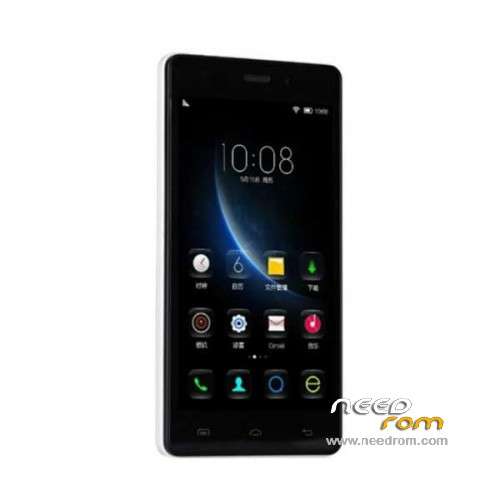
- Title: Doogee X5
- Listed: December, 2015
- Last modified: 05/06/2016 12:57 am
- Version: ROM Android 5.1
You must be logged for ROM download.
83703 total views, 7 today
61 Total favorites
 Member Info
DESCRIPTION
ROM Mobile Doogee X5 – ROM Android 5.1
ONLY MT6580
ROM 3 – Official ROM Doogee X5 version: DOOGEE-X5-B-Android5.1-2016.05.04 – g931bm-dg-a37-wg-hd-64g8g-ddr3 – full_hct6580_weg_a_l-user 5.1 LMY47I
Not compatible with ROM 1 or ROM 2
—————————————————————————————————————————————————————-
ROM 1 – Update Official ROM Doogee X5 version: DOOGEE-X5-Android5.1-V19-2016.03.31 – g931bm-dg-a37-wg-hd-64g8g – full_hct6580_weg_a_l-user 5.1 LMY47I
—————————————————————————————————————————————————————-
ROM 2 – Official ROM Doogee X5 version: DOOGEE-X5-Android5.1-W900-V09-20160226 – g931bm-dg-a37-wg-hd-64g8g-b128 – full_hct6580_weg_a_l-user 5.1 LMY47I
I don't know if this ROM is compatible with ROM 1 or ROM 3
—————————————————————————————————————————————————————-
ROM 1 – Update Official ROM Doogee X5 version: DOOGEE-X5-Android5.1-V18-2016.02.22 – g931bm-dg-a37-wg-hd-64g8g – full_hct6580_weg_a_l-user 5.1 LMY47I
—————————————————————————————————————————————————————-
ROM 1 – Update Official ROM Doogee X5 version: DOOGEE-X5-Android5.1-V17-2016.01.31 – g931bm-dg-a37-wg-hd-64g8g – full_hct6580_weg_a_l-user 5.1 LMY47I
—————————————————————————————————————————————————————-
ROM 1 – Update Official ROM Doogee X5 version: DOOGEE-X5-Android5.1-V17-2015.12.25 – g931bm-dg-a37-wg-hd-64g8g – full_hct6580_weg_a_l-user 5.1 LMY47I
—————————————————————————————————————————————————————-
ROM 1 – Official ROM Doogee X5 version: DOOGEE-X5-Android5.1-V16-2015.12.04 – g931bm-dg-a37-wg-hd-64g8g – full_hct6580_weg_a_l-user 5.1 LMY47I
Gapps include – No Rooted
Language support: Multilang
Install ROM:
Install with SP MDT:
1). Turn off the smartphone. Cable is not connected to the computer.
2). Remove the battery and insert it again
3). Connect your phone to a computer cable. The operating system detects a new device
4). Disconnect the cable from the computer.
5). Run SPMultiPortFlashDownloadProject.exe
6). Choose File> Open File Agent download and specify the file MTK_AllInOneDA.bin (it is in the folder SP_MDT).
7). Click Scatter File and select the MT6580_Android_scatter.txt file (it's in the folder with the rom).
8). Click "Start all".
9). Connect your phone to a computer cable. The program should see and blink. If the phone is not detected, then unplug it from the computer,
remove and insert the battery (if the battery is removable) and reconnect it to the computer.
10). After (OK) click Stop and disable any phone.
11). Completed.
※Please make a backup of your device before installing or updating ROM
Thanks for all updates, the rom 3 not working for me, the first boot logo screen appears and the bytes appear and after 5 sec the phone re-boot. Why?
thanks
I understood why, the rom 3 is for the DDR3, so 2 versions of DOOGEE X5 with DDR2 and DDR3.
it should specify on the website.
from Rom 3 error with card sd (sd card damaged) and imei no valid …..how to fix it this
you are the best bro thank you
Socr@te , you are always amazing ………….
100% works thank you…….
Hey all, need help. I followed the steps, but I always get this msg: https://gyazo.com/2e0ab1255cbc.....10ae93204028fe6 no matter which ROM I am trying to flash. What's wrong?
if I use SP MDT software I get this after pressing star all: https://gyazo.com/158f6789987d.....f76a9bb7fbd1338
İ am download rom 1 but i dont know how am i make it to my x5??
Thanks
link not wort
Thank you for the updates .Great job!