
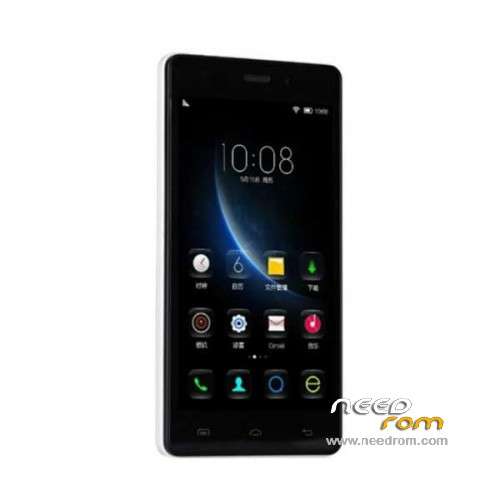
- Title: Doogee X5
- Listed: December, 2015
- Last modified: 05/06/2016 12:57 am
- Version: ROM Android 5.1
You must be logged for ROM download.
83702 total views, 6 today
61 Total favorites
 Member Info
DESCRIPTION
ROM Mobile Doogee X5 – ROM Android 5.1
ONLY MT6580
ROM 3 – Official ROM Doogee X5 version: DOOGEE-X5-B-Android5.1-2016.05.04 – g931bm-dg-a37-wg-hd-64g8g-ddr3 – full_hct6580_weg_a_l-user 5.1 LMY47I
Not compatible with ROM 1 or ROM 2
—————————————————————————————————————————————————————-
ROM 1 – Update Official ROM Doogee X5 version: DOOGEE-X5-Android5.1-V19-2016.03.31 – g931bm-dg-a37-wg-hd-64g8g – full_hct6580_weg_a_l-user 5.1 LMY47I
—————————————————————————————————————————————————————-
ROM 2 – Official ROM Doogee X5 version: DOOGEE-X5-Android5.1-W900-V09-20160226 – g931bm-dg-a37-wg-hd-64g8g-b128 – full_hct6580_weg_a_l-user 5.1 LMY47I
I don't know if this ROM is compatible with ROM 1 or ROM 3
—————————————————————————————————————————————————————-
ROM 1 – Update Official ROM Doogee X5 version: DOOGEE-X5-Android5.1-V18-2016.02.22 – g931bm-dg-a37-wg-hd-64g8g – full_hct6580_weg_a_l-user 5.1 LMY47I
—————————————————————————————————————————————————————-
ROM 1 – Update Official ROM Doogee X5 version: DOOGEE-X5-Android5.1-V17-2016.01.31 – g931bm-dg-a37-wg-hd-64g8g – full_hct6580_weg_a_l-user 5.1 LMY47I
—————————————————————————————————————————————————————-
ROM 1 – Update Official ROM Doogee X5 version: DOOGEE-X5-Android5.1-V17-2015.12.25 – g931bm-dg-a37-wg-hd-64g8g – full_hct6580_weg_a_l-user 5.1 LMY47I
—————————————————————————————————————————————————————-
ROM 1 – Official ROM Doogee X5 version: DOOGEE-X5-Android5.1-V16-2015.12.04 – g931bm-dg-a37-wg-hd-64g8g – full_hct6580_weg_a_l-user 5.1 LMY47I
Gapps include – No Rooted
Language support: Multilang
Install ROM:
Install with SP MDT:
1). Turn off the smartphone. Cable is not connected to the computer.
2). Remove the battery and insert it again
3). Connect your phone to a computer cable. The operating system detects a new device
4). Disconnect the cable from the computer.
5). Run SPMultiPortFlashDownloadProject.exe
6). Choose File> Open File Agent download and specify the file MTK_AllInOneDA.bin (it is in the folder SP_MDT).
7). Click Scatter File and select the MT6580_Android_scatter.txt file (it's in the folder with the rom).
8). Click "Start all".
9). Connect your phone to a computer cable. The program should see and blink. If the phone is not detected, then unplug it from the computer,
remove and insert the battery (if the battery is removable) and reconnect it to the computer.
10). After (OK) click Stop and disable any phone.
11). Completed.
※Please make a backup of your device before installing or updating ROM
Thanks for the update
Thanks, or all updates, i will try the latest ROM 03, thanks again……
thanks for all updates, the rom 3 not working withe me
Bugs on the home screen , disconfigurada screen and distorted. Featuring as if faulty in the machine's video card. Reinistalei the Official , and did not happen the same situation . Note: Only in Rom 3w900 ROM for ddr2 smartphones
thanks very good..!!
Why all DOOGEE X5 and X5pro phones are charging 3 and a half hours? How can I fix this problem? It's very annoying! Please help!
use a good charger and cable. My doogee x5 charges at 900-1000ma and charges fast. Buy a usb charger doctor on ebay or aliexpress to check your charger/cable
my computer doesnt dettect the phone
thenks
Hi, I have buyed 2 Doogee X5, my phone offers update via FOTA and after system update, the phone is not working fine… When phone is charging, touch screen is more sensible and you can't press because the screen moves like if you do swipes… When battery reach 15% phone turns off (maybe it be a battery problem), and the big problem is that after a minutes it goes very slow, I had tried using app to free RAM, but it doesn't works, I had try change config, so process in background are killed (I selected only 2 process running in background) and it didn't solve problem…
Both Phones came with ROM 1 DOOGEE-X5-Android5.1-V17-2015.12.25, my phone was updated to DOOGEE-X5-Android5.1-V18-2016.02.22 after 1 hour of turned on, other phone never offers update and works very fine.
I'll try ROM 1 – Update Official ROM Doogee X5 version: DOOGEE-X5-Android5.1-V18-2016.02.22 – g931bm-dg-a37-wg-hd-64g8g – full_hct6580_weg_a_l-user 5.1 LMY47I, and then I'll post how it works.
Any tip is welcome to avoid made mistake with flash.
Regards!
Is the charging faster on V15 than the V18?