
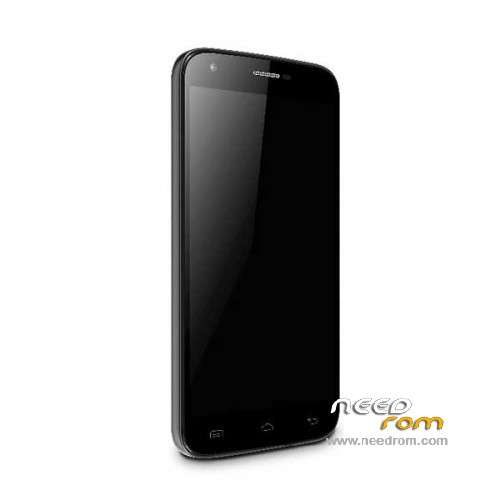
- Title: Doogee Y100 Pro
- Listed: July, 2015
- Last modified: 04/26/2016 4:38 pm
- Version: ROM Android 5.1
You must be logged for ROM download.
54805 total views, N/A today
40 Total favorites
 Member Info
DESCRIPTION
ROM Mobile Doogee Valencia 2 Y100 Pro - ROM Android 5.1
ONLY MT6735M
ROM 3 – Official ROM Doogee Valencia 2 Y100 Pro version: DOOGEE-Valencia2_Y100pro-Android5.1-B13-AUO3.3-20160419 – full_n316b-user 5.1 LMY47D
mt6735m_n316b_a31tbsauo_daoge_cc_128gbitp16d3_lp1_lte_3m-fdd-cs_mul
I don't know if this ROM is compatible with ROM 1
——————————————————————————————————————————————————————————
ROM 2 – Official ROM Doogee Valencia 2 Y100 Pro version: DOOGEE-Valencia2_Y100pro-Android5.1-B23-20160308 – full_n316b-user 5.1 LMY47D
mt6735m_n316b_a31t-y100pro_daoge_cc_128gbitp16d3_lp1_lte_3m-fdd-cs_mul
I don't know if this ROM is compatible with ROM 1
——————————————————————————————————————————————————————————
ROM 1 – Update Official ROM Doogee Valencia 2 Y100 Pro version: DOOGEE-Valencia2_Y100pro-Android5.1-R08-20151229
——————————————————————————————————————————————————————————
ROM 1 – Official ROM Doogee Valencia 2 Y100 Pro version: DOOGEE-Valencia2_Y100pro-KL-Android5.1-20151102 – full_n316b-user 5.1 LMY47D
mt6735m_n316b_a31tbs-croatia_daoge_cc_128gbitp16d3_lp1_lte_3m-fdd-cs_mul
This ROM is given for country : Croatia
——————————————————————————————————————————————————————————
ROM 1 – Update Official ROM Doogee Valencia 2 Y100 Pro version: DOOGEE-Valencia2_Y100pro-Android5.1-R08-20150831
——————————————————————————————————————————————————————————
ROM 1 – Official ROM Doogee Valencia 2 Y100 Pro version: DOOGEE-Valencia2_Y100pro-Android5.1-R06-20150730
mt6735m_n316b_a31tbs_daoge_cc_128gbitp16d3_lp1_lte_3m-fdd-cs_mul – full_n316b-user 5.1 LMY47D
Gapps include – No Rooted
Language support: Multilang
Install ROM:
- Unpack FlashTools, and Click on Flash_tool.exe
- Select "scatter-Loading" and search MT6735M_Android_scatter.txt in ROM
- Wait file to be added into Flash Tool
- Select "Download Only" or if upgrade "Firmware upgrade"
- Turn off your phone, remove the battery (if the battery is removable) and replace it after some seconds (and don't turn on the phone).
- Press “Download” button to start
- and connect your phone into the computer via USB data cable.
- The process will start and a red progress bar will appear after color purple, yellow.
- And green circles display
- Finish !
- You can now safely disconnect your phone and turn it on.
※Please make a backup of your device before installing or updating ROM
Hello,
this scatter file didn't work for me, once firmware update process it's done & trying to reboot the phone, screen lights up WITHOUT logo & freezes.
Tried 3-4 times, then downgraded to the original version to recover my phone.
ame thing with me
This update is not installed. Strange behavior screen, I think the error screen driver.
Why the latest version in OTA is r07?
Hello friends. I am experiencing some problems with connecting to 4G. The phone finds 4G networks when I'm scanning the networks but when i try to connect to 4G it only connects to 3G. Anyone with same issue? Any solution for this? Just to mention I'm on latest OTA update R07.
4G also did not work until I updated to R07. Now a great part of the 4G network.
You have the right settings in your phone ??
I can't use flash tool in windows 10 someone could help to use with the last debian ? thanks you so much ! my phone bug a lot because i erase too many system app (google etc) with app "system app remover" (jumobile.com)
updated version is screwed, don't use it
Hi !
I have problem my Doogee y100pro
the loudspeaer of the telephone does not sound when a call comes,and I when playing music .was somebody's problem this?
Thanks!
For me it is a problem. The loudspeaker does not sound, totally mute. Help me! Please! Thanks. Judit from Hungary
please i need the r07 update
my phone also have problem with loudspeaker on stock rom…there is no sound