
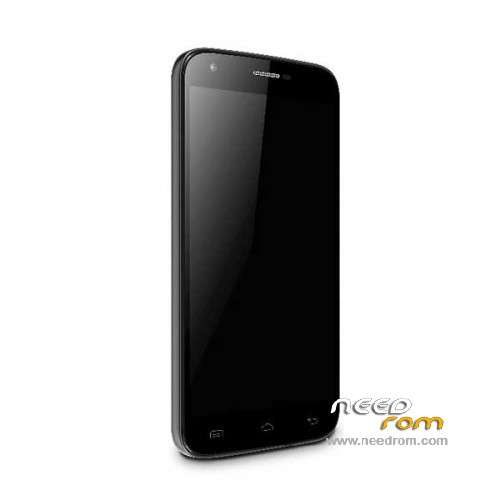
- Title: Doogee Y100 Pro
- Listed: July, 2015
- Last modified: 04/26/2016 4:38 pm
- Version: ROM Android 5.1
You must be logged for ROM download.
54807 total views, N/A today
40 Total favorites
 Member Info
DESCRIPTION
ROM Mobile Doogee Valencia 2 Y100 Pro - ROM Android 5.1
ONLY MT6735M
ROM 3 – Official ROM Doogee Valencia 2 Y100 Pro version: DOOGEE-Valencia2_Y100pro-Android5.1-B13-AUO3.3-20160419 – full_n316b-user 5.1 LMY47D
mt6735m_n316b_a31tbsauo_daoge_cc_128gbitp16d3_lp1_lte_3m-fdd-cs_mul
I don't know if this ROM is compatible with ROM 1
——————————————————————————————————————————————————————————
ROM 2 – Official ROM Doogee Valencia 2 Y100 Pro version: DOOGEE-Valencia2_Y100pro-Android5.1-B23-20160308 – full_n316b-user 5.1 LMY47D
mt6735m_n316b_a31t-y100pro_daoge_cc_128gbitp16d3_lp1_lte_3m-fdd-cs_mul
I don't know if this ROM is compatible with ROM 1
——————————————————————————————————————————————————————————
ROM 1 – Update Official ROM Doogee Valencia 2 Y100 Pro version: DOOGEE-Valencia2_Y100pro-Android5.1-R08-20151229
——————————————————————————————————————————————————————————
ROM 1 – Official ROM Doogee Valencia 2 Y100 Pro version: DOOGEE-Valencia2_Y100pro-KL-Android5.1-20151102 – full_n316b-user 5.1 LMY47D
mt6735m_n316b_a31tbs-croatia_daoge_cc_128gbitp16d3_lp1_lte_3m-fdd-cs_mul
This ROM is given for country : Croatia
——————————————————————————————————————————————————————————
ROM 1 – Update Official ROM Doogee Valencia 2 Y100 Pro version: DOOGEE-Valencia2_Y100pro-Android5.1-R08-20150831
——————————————————————————————————————————————————————————
ROM 1 – Official ROM Doogee Valencia 2 Y100 Pro version: DOOGEE-Valencia2_Y100pro-Android5.1-R06-20150730
mt6735m_n316b_a31tbs_daoge_cc_128gbitp16d3_lp1_lte_3m-fdd-cs_mul – full_n316b-user 5.1 LMY47D
Gapps include – No Rooted
Language support: Multilang
Install ROM:
- Unpack FlashTools, and Click on Flash_tool.exe
- Select "scatter-Loading" and search MT6735M_Android_scatter.txt in ROM
- Wait file to be added into Flash Tool
- Select "Download Only" or if upgrade "Firmware upgrade"
- Turn off your phone, remove the battery (if the battery is removable) and replace it after some seconds (and don't turn on the phone).
- Press “Download” button to start
- and connect your phone into the computer via USB data cable.
- The process will start and a red progress bar will appear after color purple, yellow.
- And green circles display
- Finish !
- You can now safely disconnect your phone and turn it on.
※Please make a backup of your device before installing or updating ROM
Urgent help needed
hello, i have bricked my phone. Just the black screen, doesnt power and doesnt charge.
In sp flash tools, i am able to format the phone but the download tab doesnt work. After sometime, it pops out a BROM ERROR… (2005) about powering too early. And this is after i only plug in the phone after clicking on download.
Also, the format option only worked when i plugged in the phone without the battery.
Is there anyone that can help me with a solution.
Hello , I do not understand it , unfortunately . Which file should I install now that I get the update on your phone? The files must be copied to the phone? Request for detailed info .hello, like rooting mobile doogee y100 pro
the program is not what is on the-last-version of 04-01.2016
Thank you friend, works perfect here
как вернуть заводскую прошивку через SD карту. через FlashTols не получается совсем… если можно, то подробно объясните. БОЛЬШОЕ СПАСИБО
Hi,
I have y100pro 2gb ram 16gb rom and I have big problem…
After autoupdate my phone not start in intitializing apps (it took 24 hours and nothing), after hard restart and in recovery menu I test root file system and after end test phone write "test failed" new app 132, modivied app 1. and errors are in /system/xbin and bin.
I test upload new rom with this manual but flash tool not processing
Same problem to many roms, many of them missing links, even at oficial web site, could somebody helps please
ok fix!!!!!!
finally the croatian rom fix it
Hello …I have a problem…My phone hard Brick..please help me
Hi,
I have y100pro 2gb ram 16gb rom and I have big problem…
After autoupdate my phone not start in intitializing apps (it took 24 hours and nothing), after hard restart and in recovery menu I test root file system and after end test phone write "test failed" new app 132, modivied app 1. and errors are in /system/xbin and bin.
I test upload new rom with this manual but flash tool not processing
i'm too
Please does this version add the encryption feature in security?