
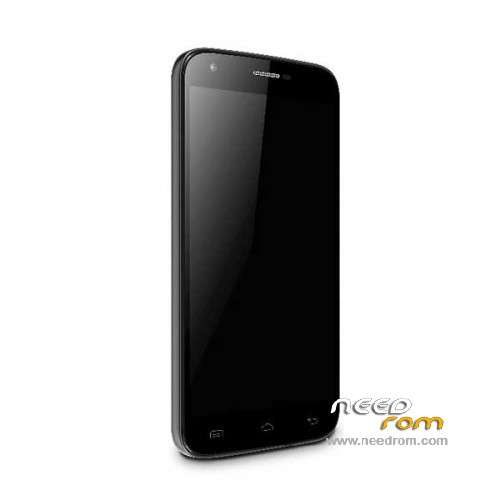
- Title: Doogee Y100 Pro
- Listed: July, 2015
- Last modified: 04/26/2016 4:38 pm
- Version: ROM Android 5.1
You must be logged for ROM download.
54808 total views, N/A today
40 Total favorites
 Member Info
DESCRIPTION
ROM Mobile Doogee Valencia 2 Y100 Pro - ROM Android 5.1
ONLY MT6735M
ROM 3 – Official ROM Doogee Valencia 2 Y100 Pro version: DOOGEE-Valencia2_Y100pro-Android5.1-B13-AUO3.3-20160419 – full_n316b-user 5.1 LMY47D
mt6735m_n316b_a31tbsauo_daoge_cc_128gbitp16d3_lp1_lte_3m-fdd-cs_mul
I don't know if this ROM is compatible with ROM 1
——————————————————————————————————————————————————————————
ROM 2 – Official ROM Doogee Valencia 2 Y100 Pro version: DOOGEE-Valencia2_Y100pro-Android5.1-B23-20160308 – full_n316b-user 5.1 LMY47D
mt6735m_n316b_a31t-y100pro_daoge_cc_128gbitp16d3_lp1_lte_3m-fdd-cs_mul
I don't know if this ROM is compatible with ROM 1
——————————————————————————————————————————————————————————
ROM 1 – Update Official ROM Doogee Valencia 2 Y100 Pro version: DOOGEE-Valencia2_Y100pro-Android5.1-R08-20151229
——————————————————————————————————————————————————————————
ROM 1 – Official ROM Doogee Valencia 2 Y100 Pro version: DOOGEE-Valencia2_Y100pro-KL-Android5.1-20151102 – full_n316b-user 5.1 LMY47D
mt6735m_n316b_a31tbs-croatia_daoge_cc_128gbitp16d3_lp1_lte_3m-fdd-cs_mul
This ROM is given for country : Croatia
——————————————————————————————————————————————————————————
ROM 1 – Update Official ROM Doogee Valencia 2 Y100 Pro version: DOOGEE-Valencia2_Y100pro-Android5.1-R08-20150831
——————————————————————————————————————————————————————————
ROM 1 – Official ROM Doogee Valencia 2 Y100 Pro version: DOOGEE-Valencia2_Y100pro-Android5.1-R06-20150730
mt6735m_n316b_a31tbs_daoge_cc_128gbitp16d3_lp1_lte_3m-fdd-cs_mul – full_n316b-user 5.1 LMY47D
Gapps include – No Rooted
Language support: Multilang
Install ROM:
- Unpack FlashTools, and Click on Flash_tool.exe
- Select "scatter-Loading" and search MT6735M_Android_scatter.txt in ROM
- Wait file to be added into Flash Tool
- Select "Download Only" or if upgrade "Firmware upgrade"
- Turn off your phone, remove the battery (if the battery is removable) and replace it after some seconds (and don't turn on the phone).
- Press “Download” button to start
- and connect your phone into the computer via USB data cable.
- The process will start and a red progress bar will appear after color purple, yellow.
- And green circles display
- Finish !
- You can now safely disconnect your phone and turn it on.
※Please make a backup of your device before installing or updating ROM
i dont unterstand, i was trying for days and allways got some type of error trying to fix my y100 pro and finally with the croatian version i could do it but then nothing happen the phone dont start and is completly dead, i dont know what more i can do, the phone was corretly flashed but nothing happens, help me pleaseeee
just charged for a hour and now its alive again omg im so happy
Tested ROM 2 (B23), working OK.
hello procedures but now I no longer turn on my phone and try to re-do not recognize the usb not charging the battery.
All this from accepting an update
HELP!!
I have a Doogee y100 pro , bought on gearbest , after some time it has been used , less than a month , she stops in the recovery home screen , with the selection pointer flowing over 3 entries without stopping . I then downloaded the rom " DOOGEE_Valencia2_Y100_PRO_stock_ROM_Android5.1 – R05-20150710 " using the Flashtools , I was able to flash it . result , will not turn on the phone more and not even charge the battery . If I try to flashtool to reflash the rom or format everything and reflash does not make me do anything , exits marked " brom error : S_brom_chksum16_mem_result_diff ( 2020) . [ H / W ] Fail to download DA to baseband chip 's internal SRAM ! The internal SRAM has That leads to the problem 16 -bit checksum error !. [ HINT ] :
WHAT CAN I DO ??? THANKS
I have same problem with my Doogee Y 100 PRO bought also on Gearbest, after less than three monts I have faced with same problem.
Have you fixed your phone or not.
i have doodgee velncia 2 y100 how i know witch room is for my phone
room 1 or 2 or 3
plzzz i cant use my phone it loced with thif loced i remove the sim card and i forger it the password plzzz tell me
Gracias.. solucione mi problema pero tuve inconvenientes con algunas rooms que aperecian dañanas al descomprirlas..
thank
I have a Doogee Y100 PRO, bought on Gearbest. After three months it has been used phone stops in the recovery home screen, with the selection pointer flowing over 3 entries without stopping. It shows three options for booting but not able to do anything, the pointer flowing endlessly. Help please !!!!!
I used SP Flash tool and after flashing I can not see anything on the screen, only lines
What is wrong?
tried to upgrade to ROM3 from ROM2 in my Doogee Valencia Y100 Pro and it doesn't works. blank screen startup. Next phone won't be a Doogee, we better buy a Ulefone.
fucking chinese inventors…