
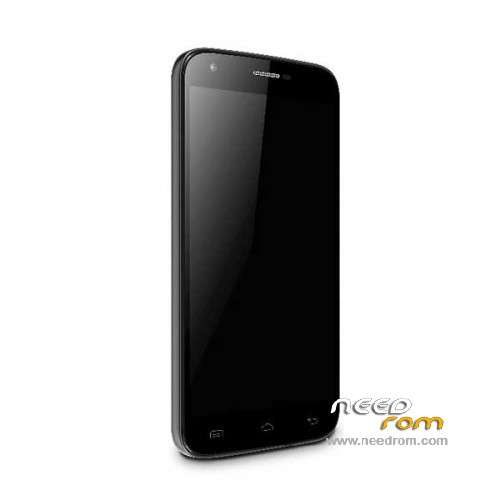
- Title: Doogee Y100 Pro
- Listed: July, 2015
- Last modified: 04/26/2016 4:38 pm
- Version: ROM Android 5.1
You must be logged for ROM download.
54806 total views, N/A today
40 Total favorites
 Member Info
DESCRIPTION
ROM Mobile Doogee Valencia 2 Y100 Pro - ROM Android 5.1
ONLY MT6735M
ROM 3 – Official ROM Doogee Valencia 2 Y100 Pro version: DOOGEE-Valencia2_Y100pro-Android5.1-B13-AUO3.3-20160419 – full_n316b-user 5.1 LMY47D
mt6735m_n316b_a31tbsauo_daoge_cc_128gbitp16d3_lp1_lte_3m-fdd-cs_mul
I don't know if this ROM is compatible with ROM 1
——————————————————————————————————————————————————————————
ROM 2 – Official ROM Doogee Valencia 2 Y100 Pro version: DOOGEE-Valencia2_Y100pro-Android5.1-B23-20160308 – full_n316b-user 5.1 LMY47D
mt6735m_n316b_a31t-y100pro_daoge_cc_128gbitp16d3_lp1_lte_3m-fdd-cs_mul
I don't know if this ROM is compatible with ROM 1
——————————————————————————————————————————————————————————
ROM 1 – Update Official ROM Doogee Valencia 2 Y100 Pro version: DOOGEE-Valencia2_Y100pro-Android5.1-R08-20151229
——————————————————————————————————————————————————————————
ROM 1 – Official ROM Doogee Valencia 2 Y100 Pro version: DOOGEE-Valencia2_Y100pro-KL-Android5.1-20151102 – full_n316b-user 5.1 LMY47D
mt6735m_n316b_a31tbs-croatia_daoge_cc_128gbitp16d3_lp1_lte_3m-fdd-cs_mul
This ROM is given for country : Croatia
——————————————————————————————————————————————————————————
ROM 1 – Update Official ROM Doogee Valencia 2 Y100 Pro version: DOOGEE-Valencia2_Y100pro-Android5.1-R08-20150831
——————————————————————————————————————————————————————————
ROM 1 – Official ROM Doogee Valencia 2 Y100 Pro version: DOOGEE-Valencia2_Y100pro-Android5.1-R06-20150730
mt6735m_n316b_a31tbs_daoge_cc_128gbitp16d3_lp1_lte_3m-fdd-cs_mul – full_n316b-user 5.1 LMY47D
Gapps include – No Rooted
Language support: Multilang
Install ROM:
- Unpack FlashTools, and Click on Flash_tool.exe
- Select "scatter-Loading" and search MT6735M_Android_scatter.txt in ROM
- Wait file to be added into Flash Tool
- Select "Download Only" or if upgrade "Firmware upgrade"
- Turn off your phone, remove the battery (if the battery is removable) and replace it after some seconds (and don't turn on the phone).
- Press “Download” button to start
- and connect your phone into the computer via USB data cable.
- The process will start and a red progress bar will appear after color purple, yellow.
- And green circles display
- Finish !
- You can now safely disconnect your phone and turn it on.
※Please make a backup of your device before installing or updating ROM
upload the r07 rom please
gracias, me salvaste
Hi, when I click on download button and connect the phone, the progress bar doesn't start.. do you have idea what it's going on?
I had the same thing on my first try. So turn on the phone with cable connected until it is seen by computer. Turn it off after, take off the cable and take out battery 10s. Then put it back the battery, click on download button of flashtool and put the cable back. It worked for me.
Merci (thanks à lot), the intitial ROM works and "saved" me.
In revenge, the updated ROM (Doogee Valencia 2 Y100 Pro – Update R08) is only a demo version and phone mobile activities seem to be not activated.
My Valencia2 Y100pro has the Android 5.1 – R8-20150925 on it. And the Cellular connection here in Central Florida is horrible. Sometimes I can drive in town for 1hr. without a connection. When I get a good connection I have to stop and make my call. If I move 30 feet I lose it again. Is there an update to fix this problem ? Thank You…….
The loudspeaker does not sound, totally mute. Please, help me. Thanks. Judit from Hungary.
Szia!
Nekem is ez volt a problémám. Hangbeállításokat visszaállítottam gyárira, és megjavult. Valszeg az alacsony energiaszint kapcsolta le.
I'ts alive!!!!!!! Thanks a lot… I've used this link, works faster for me:
https://mega.nz/#!6lJkxIKb!nDf.....2nZt5k_1lWATzWo
Regards!!!!!!!!
No logro conseguir la rom de mtk 6735P
This update screwed up my device . I get an (ERROR 2020) S_BROM_CHKSUM16_MEM_RESULT_DIFF error when trying to flash rom with SPFT and no response from the device at all. Though flashed quite a few phones with SPFT in the past with success. Any help would be appreciated!
http://4pda.ru/forum/index.php.....#038;p=18679945
Инстукцию написал Lexap666. Плюсы ставить ему.
1) Качаем прошивку, драйвера и Flashtool;
2) Устанавливаем драйвера и запускаем Flashtool;
3) Настраиваем Flashtool: Options-Baudrate-460800, Options-USB mode.
4) Нажимаем на кнопку "Scatter-loading" и выбираем scatter-файл в папке с прошивкой. Галки должны стоять ВСЕ (Даже на Preloader и Dsp_bl).
5) Снимаем заднюю крышку телефона и подключаем его к компьютеру через USB без батарейки.
6) Нажимаем во Flashtool "Download".
7) Замыкаем контакт(можно пинцетом с тонким жалом) KC0L0 (на фото под спойлером отмечен красным) на землю(GND) (на фото отмечено зеленым). Компьютер определит устройство, установит драйвера и пойдет процесс прошивки. После этого можно размыкать.
hello, i have bricked my phone. Just the black screen, doesnt power and doesnt charge.