
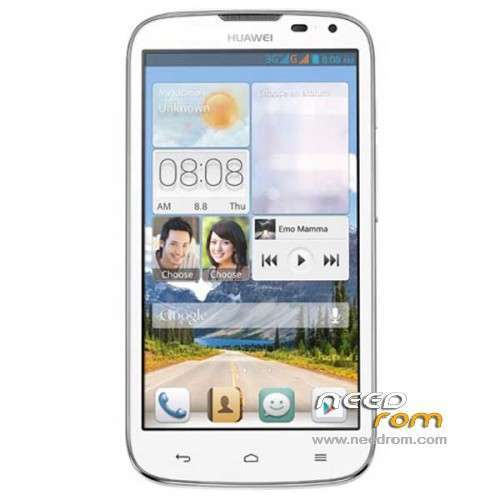
- Title: HUAWEI G610-U20
- Listed: January, 2014
- Last modified: 12/15/2014 4:45 pm
- Version: ROM Android 4.2.1
You must be logged for ROM download.
179053 total views, 5 today
86 Total favorites
 Member Info
DESCRIPTION
ROM HUAWEI G610-U20 – ROM Android 4.2.1
Update ROM 2 : Official for G610-U20 "V100R001C00" version: G610-U20 V100R001C00B121
——————————————————————————————————————————————————
ROM 1 : Official for G610-U20 "V100R001C96" version: G610-U20 V100R001C96B116
ROM 2 : Official for G610-U20 "V100R001C00" version: G610-U20 V100R001C00B116
Look your version on your mobile before install
Gapps include – No Rooted
Language support: Multilang
ROM install :
Step one: Prepare an SD card, it is recommended to use Sandisk, Kingstone, or Kingmax, size is recommended that more than 1G.
Step Two: Formatting SD card (optional).
The step three: copy a large package path UPDATA.APP to the SD card dload UPDATA.APP.
Step four: Check the root directory of the SD card you dload UPDATA.APP.
Step 5: SD card into the phone is switched on in the main screen, press the Menu key, the system updates -> SD card upgrade -> confirm -> upgrade, backup data, select the backup data; upgrade.
Step Six: The upgrade process progress bar shows after the finish of the pending progress bar, the phone automatically restart.
or
Step one: Prepare an SD card, it is recommended to use Sandisk, Kingstone, or Kingmax, size is recommended that more than 1G.
Step Two: Formatting SD card (optional).
The step three: copy a large package path UPDATA.APP to the SD card dload UPDATA.APP.
Step four: Check the root directory of the SD card you dload UPDATA.APP.
Step Four: cell phone turned off, insert the SD card, while pressing the volume up button + volume down key switch button, the phone automatically enters the upgrade mode, and then begin the upgrade in Figure
Step Five: After the progress bar to go full fixed, the phone will automatically restart If you do not manually remove the battery.
※Please make a backup of your device before installing or updating ROM
Hi.
My Build number is
G610-U20 V100R001C81B115
Which build should I use?
u should use the 1 rom thx
Rom 1
hi to all plz help me after install 1st firmwere phone goes to white display????
wats you original firmware? just follow the ROM no. correspnds to the sequence of your orginal firmware either C00## use ROM 2 or C18## use ROM1. Dont use defective SD card also, ROm update intended for G610 U20, I read that there is G610 with snapdragon hardware definetly not applicable.. try access recovery 3efor update..
Anyone there who already able to unlock bootlooder of thier G610 U20, cant find one.. cannot install CWM.. custom rom, etc.. might risky if will try, might result to bootloop. Not even avaialable on Huauwei site, old fon only..
Dear Friend How to Download
d3coder3 try these links http://www.pandawillforum.com/.....highlight=g610s and http://4pda.ru/forum/index.php.....0#entry27561226
please rom for huawei g610 u15 iusacell please,a need for a rom.
My current version is G610-U20 V100R001C00B115 . Has anyone had any success with the C00B116 ROM? and if so, what was your original ROM version? Thanks!
Iflashed this rom few days ago but i decided to change miuiv5 its so smooth to use
I INSTALLED CWM on HUAWEI G610-U20 V100R001C00B115 with uncletools and its NOW BOOT LOOP ,downloaded rom1 tried above methods NO WORK (NOW WHT TO DOOO?
We need custom roms. Please!!!