
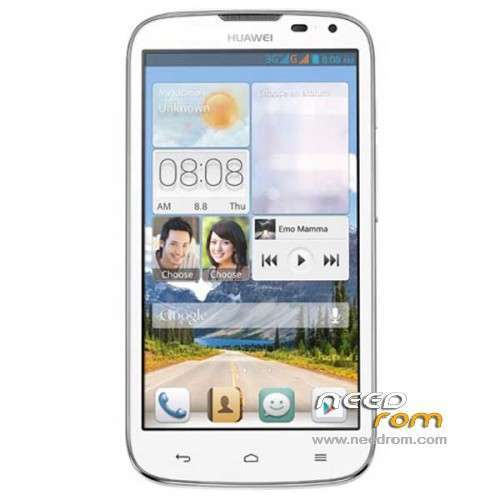
- Title: HUAWEI G610-U20
- Listed: January, 2014
- Last modified: 12/15/2014 4:45 pm
- Version: ROM Android 4.2.1
You must be logged for ROM download.
179052 total views, 4 today
86 Total favorites
 Member Info
DESCRIPTION
ROM HUAWEI G610-U20 – ROM Android 4.2.1
Update ROM 2 : Official for G610-U20 "V100R001C00" version: G610-U20 V100R001C00B121
——————————————————————————————————————————————————
ROM 1 : Official for G610-U20 "V100R001C96" version: G610-U20 V100R001C96B116
ROM 2 : Official for G610-U20 "V100R001C00" version: G610-U20 V100R001C00B116
Look your version on your mobile before install
Gapps include – No Rooted
Language support: Multilang
ROM install :
Step one: Prepare an SD card, it is recommended to use Sandisk, Kingstone, or Kingmax, size is recommended that more than 1G.
Step Two: Formatting SD card (optional).
The step three: copy a large package path UPDATA.APP to the SD card dload UPDATA.APP.
Step four: Check the root directory of the SD card you dload UPDATA.APP.
Step 5: SD card into the phone is switched on in the main screen, press the Menu key, the system updates -> SD card upgrade -> confirm -> upgrade, backup data, select the backup data; upgrade.
Step Six: The upgrade process progress bar shows after the finish of the pending progress bar, the phone automatically restart.
or
Step one: Prepare an SD card, it is recommended to use Sandisk, Kingstone, or Kingmax, size is recommended that more than 1G.
Step Two: Formatting SD card (optional).
The step three: copy a large package path UPDATA.APP to the SD card dload UPDATA.APP.
Step four: Check the root directory of the SD card you dload UPDATA.APP.
Step Four: cell phone turned off, insert the SD card, while pressing the volume up button + volume down key switch button, the phone automatically enters the upgrade mode, and then begin the upgrade in Figure
Step Five: After the progress bar to go full fixed, the phone will automatically restart If you do not manually remove the battery.
※Please make a backup of your device before installing or updating ROM
My build number is: G610-U20 V100R001C00B124
Hi. It seems that my build number is higher.
Should I update?
THANKS
THANKS MYSET OK
g610-u20
My Build number is M9zby15314004579
black lcd place help me
THANK.S 2 file is ok
ROM 2 – HUAWEI G610-U20 – C00
I Want huawei G610-U20 B126 firmware!
nice and thanks
ineed stock rom for_FlashTool
SIR my phone getin black display after using rom 1..rno recovery after using this rom..any help…