
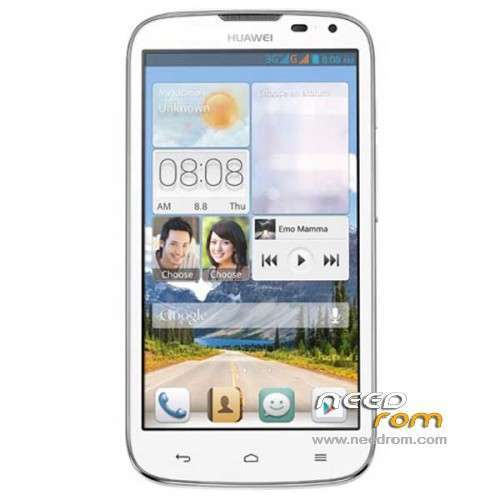
- Title: HUAWEI G610-U20
- Listed: January, 2014
- Last modified: 12/15/2014 4:45 pm
- Version: ROM Android 4.2.1
You must be logged for ROM download.
179059 total views, 11 today
86 Total favorites
 Member Info
DESCRIPTION
ROM HUAWEI G610-U20 – ROM Android 4.2.1
Update ROM 2 : Official for G610-U20 "V100R001C00" version: G610-U20 V100R001C00B121
——————————————————————————————————————————————————
ROM 1 : Official for G610-U20 "V100R001C96" version: G610-U20 V100R001C96B116
ROM 2 : Official for G610-U20 "V100R001C00" version: G610-U20 V100R001C00B116
Look your version on your mobile before install
Gapps include – No Rooted
Language support: Multilang
ROM install :
Step one: Prepare an SD card, it is recommended to use Sandisk, Kingstone, or Kingmax, size is recommended that more than 1G.
Step Two: Formatting SD card (optional).
The step three: copy a large package path UPDATA.APP to the SD card dload UPDATA.APP.
Step four: Check the root directory of the SD card you dload UPDATA.APP.
Step 5: SD card into the phone is switched on in the main screen, press the Menu key, the system updates -> SD card upgrade -> confirm -> upgrade, backup data, select the backup data; upgrade.
Step Six: The upgrade process progress bar shows after the finish of the pending progress bar, the phone automatically restart.
or
Step one: Prepare an SD card, it is recommended to use Sandisk, Kingstone, or Kingmax, size is recommended that more than 1G.
Step Two: Formatting SD card (optional).
The step three: copy a large package path UPDATA.APP to the SD card dload UPDATA.APP.
Step four: Check the root directory of the SD card you dload UPDATA.APP.
Step Four: cell phone turned off, insert the SD card, while pressing the volume up button + volume down key switch button, the phone automatically enters the upgrade mode, and then begin the upgrade in Figure
Step Five: After the progress bar to go full fixed, the phone will automatically restart If you do not manually remove the battery.
※Please make a backup of your device before installing or updating ROM
Hi. My problem is that the SD Card is detected but itsays "no APP files found in SD card". But I extracted the zip to the SD card.
Agha man roye g610-u00 rom original g610-u20 zadam , ghashang kar mikone vali imei invalid mizane o sim nemikhoone, kasi imei writing ya repair balade maro rah bendaze, dame hame garm
هنوز برای هوااوی 610 نیومده برنامه ای که اینکار رو انجام بده و کسی میدونه که این فایل الان فارسی داره یا نه؟؟
but due to this firmware my mobile LCD is became black
plx help what i do?
Have any one cheak their phone's imei on imei cheak When cheaking mine it says that its a old motorola v3 phone.
i copied dload folder containing UPDATA.APP file into the mem card, but in recovery mode, theres nothing shown in the dload folder. what is the problem? plz reply as soon as possible. i'M tensed
I have a problem with my google play and gmail. they dont connect to internet (Can`t establish a reliable connection to the server).
What should I do. helo please
lol …doesnt work -_-
build is
GG610-220v100r001c00
What the rom should I use
My build number er is G610-220V100R001C00B121
what rom should I use
is it working to huawei g610-u20 that already install xperia c rom ?