
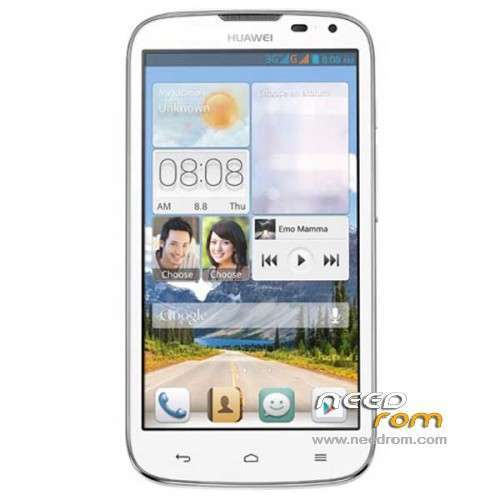
- Title: HUAWEI G610-U20
- Listed: January, 2014
- Last modified: 12/15/2014 4:45 pm
- Version: ROM Android 4.2.1
You must be logged for ROM download.
179059 total views, 11 today
86 Total favorites
 Member Info
DESCRIPTION
ROM HUAWEI G610-U20 – ROM Android 4.2.1
Update ROM 2 : Official for G610-U20 "V100R001C00" version: G610-U20 V100R001C00B121
——————————————————————————————————————————————————
ROM 1 : Official for G610-U20 "V100R001C96" version: G610-U20 V100R001C96B116
ROM 2 : Official for G610-U20 "V100R001C00" version: G610-U20 V100R001C00B116
Look your version on your mobile before install
Gapps include – No Rooted
Language support: Multilang
ROM install :
Step one: Prepare an SD card, it is recommended to use Sandisk, Kingstone, or Kingmax, size is recommended that more than 1G.
Step Two: Formatting SD card (optional).
The step three: copy a large package path UPDATA.APP to the SD card dload UPDATA.APP.
Step four: Check the root directory of the SD card you dload UPDATA.APP.
Step 5: SD card into the phone is switched on in the main screen, press the Menu key, the system updates -> SD card upgrade -> confirm -> upgrade, backup data, select the backup data; upgrade.
Step Six: The upgrade process progress bar shows after the finish of the pending progress bar, the phone automatically restart.
or
Step one: Prepare an SD card, it is recommended to use Sandisk, Kingstone, or Kingmax, size is recommended that more than 1G.
Step Two: Formatting SD card (optional).
The step three: copy a large package path UPDATA.APP to the SD card dload UPDATA.APP.
Step four: Check the root directory of the SD card you dload UPDATA.APP.
Step Four: cell phone turned off, insert the SD card, while pressing the volume up button + volume down key switch button, the phone automatically enters the upgrade mode, and then begin the upgrade in Figure
Step Five: After the progress bar to go full fixed, the phone will automatically restart If you do not manually remove the battery.
※Please make a backup of your device before installing or updating ROM
hello all!
Can i install this rom on my huawei g610-T11. because i have no gapps in my firmware
the samsung s4 ui not run in g610-u20 please giv me boot.img work in this model
Hi dear friends my phone is [SIZE="5"]g610-u20[/SIZE] I wanna be installed costom ROM samsung s4 ui on the phone but I any model this rom into the boot loop problem help me and give me a kernel if seems to be healthy in my possession Pop the grateful
I tried but got stuck in a boot with another kernel
and i instal miui v5 & color os v2 this dvice
my dvice
g610-u20
rom:stock b125
recovery:ydss 2.0
link for this rom:
Quote:
https://www.needrom.com/mobile.....-g610-u00-s4ui/
hello – i install u20 rom update and touch is not working – any solution ???
Search for the Version V100R001C00B124.
I’m from Germany. I din’t found it anywhere.
Help?
Hi I'm new my G610-U20is build G610-U20 V100R001C00B121, my question is if these two supports and is stock rom
i need help i need update.app for g610-u20 v100r001c00b110
im so worried after flashing the link ROM 1 my phone become black screen, no display, maybe i update the wrong rom, my build number is G610-U20 V100R001C81B115 please i need help, how to fix it?
hey guyz i found a solution on how to fix a black screen after flashing a wrong rom for this unit
hi,i downloaded both files but it didnt work,pls some body tell me what shall i do?
after flash this G610-U20 V100R001C00B116 ver phone is dead only vibrate and blank display hang