
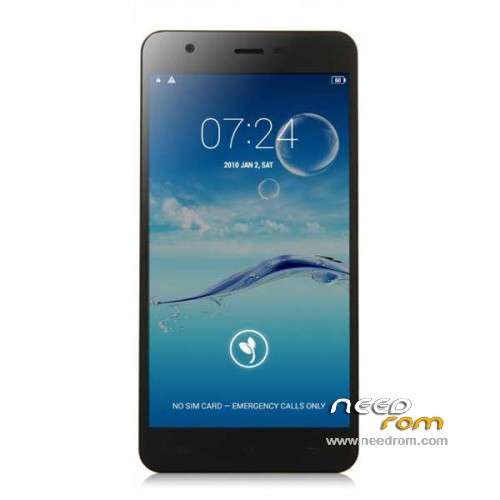
- Title: JIAYU S3
- Listed: January, 2015
- Last modified: 05/08/2015 7:28 pm
- Version: ROM Android 4.4.4
You must be logged for ROM download.
259218 total views, 15 today
217 Total favorites
 Member Info
DESCRIPTION
ROM Phone JIAYU S3 – ROM Android 4.4.4
ONLY MT6752
Update ROM 1 - S3S 20150507-083407- mt6752_h560_s3s_jyt_cc_128-24_kk_lte_5m-cs_tphone – KTU84P – Advanced – 3G Ram – no gapps – Multilang
Install Flash or OTA
———————————————————————————————————————————————————————————
Update ROM 2 – S3 20150430-131240 – mt6752_h560_s3_jyt_cc_kk_lte_5m-cs_tphone – KTU84P – Basic – 2G Ram - no gapps – Multilang
Install Flash or OTA
———————————————————————————————————————————————————————————
Update ROM 1 – S3S 20150411-154516 – mt6752_h560_s3s_jyt_cc_128-24_kk_lte_5m-cs_tphone – KTU84P – Advanced – 3G Ram – no gapps – Multilang
Install Flash or OTA
———————————————————————————————————————————————————————————
Update ROM 2 – S3 20150411-155027 – mt6752_h560_s3_jyt_cc_kk_lte_5m-cs_tphone – KTU84P – Basic – 2G Ram - no gapps – Multilang
Install Flash or OTA
———————————————————————————————————————————————————————————
ROM 4 – S3SW 20150314-141844 – mt6752_h560_s3sw_jyt_cc_128-24_kk_lte_5m-cs_mul_tphone – KTU84P – Advanced – 3G Ram – gapps – Multilang
———————————————————————————————————————————————————————————
Update ROM 2 – S3 20150319-073039 – mt6752_h560_s3_jyt_cc_kk_lte_5m-cs_tphone – KTU84P – Basic – 2G Ram - no gapps – Multilang
You've a Tuto for install
———————————————————————————————————————————————————————————
Update ROM 1 – S3S 20150127-151447 – mt6752_h560_s3s_jyt_cc_kk_lte_5m-cs_ldata_tphone – KTU84P – Advanced – 3G Ram – no gapps – Multilang
Update ROM 2 – S3 20150204-161147 – mt6752_h560_s3_jyt_cc_kk_lte_5m-cs_tphone – KTU84P – Basic – 2G Ram - no gapps – Multilang
Update ROM 3 – S3W 20150205-141543 – mt6752_h560_s3w_jyt_cc_kk_lte_5m-cs_mul_tphone – KTU84P – Basic – 2G Ram - gapps – Multilang
———————————————————————————————————————————————————————————
ROM 3 – S3W 20150123-225823 – mt6752_h560_s3w_jyt_cc_kk_lte_5m-cs_mul_tphone – KTU84P – Basic – 2G Ram
ONLY WCDMA
Gapps include – No Rooted
Language support: Multilang
———————————————————————————————————————————————————————————
Update ROM 2 – S3 20150120-121651 – mt6752_h560_s3_jyt_cc_kk_lte_5m-cs_tphone – KTU84P – Basic – 2G Ram
———————————————————————————————————————————————————————————
Official ROM JIAYU S3 version :
ATTENTION Two version :
ROM 1 – S3S 20150113-142450 – mt6752_h560_s3s_jyt_cc_kk_lte_5m-cs_ldata_tphone – KTU84P – Advanced – 3G Ram
ROM 2 – S3 20150117-172407 – mt6752_h560_s3_jyt_cc_kk_lte_5m-cs_tphone – KTU84P – Basic – 2G Ram
Gapps not include – No Rooted
Language support: Multilang
Install ROM :
- Unpack FlashTools, and Click on Flash_tool.exe
- Select a the MT6752_Android_scatter.txt in ROM
- Wait file to be added into Flash Tool
- choose Option->USB Model,click USB Model
–> Choose Option->DA DownLoad All->Speed->High Speed, click High Speed
- Turn off your phone
- "Press F9 (hit Download button)" OR " if upgrade ROM Firmware->Upgrade "
- and connect your phone into the computer via USB data cable.
- The process will start and a red progress bar will appear after color purple, yellow.
- And green circles display
- Finish !
- You can now safely disconnect your phone and turn it on.
※Please make a backup of your device before installing or updating ROM
is ROM 4 official? will it recieve OTA updates ?
why can´t I flash the ROM 4 from the recovery?
it says no MD5 file found
and I have download it twice and the same error….
I turned off my phone, clicked download, pluged it to my computer, but nothing happens.
for those who do not see anything happen … first make sure the device is working propoerly regardless of flashtool, that is: turn device off and connect it to micro$oft windows, if it does not show as working properly then maybe no or wrong mediatek usb driver was installed. But if it shows as working properly then download should work, albeit that myself I needed to try several times as well….
I tried to install Rom 3 but it didnt work. I had preloader ticked and as a result I cannot turn my phone back on. Is there any way that I can reinstall the preloader?
Please help! Both sims don't work after flash…
Dial *#4634# if IMEI is lost..
must be installed with the preloader, because other handy man since the hack should take out.
MtkDroidTools_v253 works with the phone still 3gb version because root is not recognized so I can not create backup
Hello,
I am new to ROM flashing. I have the advanced S3 (with 3G RAM) and I want to flash the following file:
ROM 4 – S3SW 20150314-141844 – mt6752_h560_s3sw_jyt_cc_128-24_kk_lte_5m-cs_mul_tphone – KTU84P – Advanced – 3G Ram – gapps – Multilang
I downloaded and did everything as in the instructions but when I conect the phone when it is turned on using a data cable it just charges and does not upload ROM.
What am I doing wrong?
Why there is still no rom for 2GB Basic with GAPPS?
Right, so I made a massive mess of this.
I initially followed this to install the SW version of the S3 android.
http://www.spemall.com/forum/t.....yu-s3-advanced/
Nothing happened until I started playing around with the drivers. Then I got about 2% into the process and the flashtool crashed.
No every time I try again I get this:
http://s13.postimg.org/xd4d3hm.....jb/s3_mess.png
I can't turn on the phone anymore, it lingers in the Jyaiu screen but it charges an I can get into recovery mode.
Also, like an idiot, I did not make a backup.
I am thinking it has something to do with the drivers as the flashtool is unable to communicate with the phone, but I have no idea how to fix it!
Can someone please help me?
Hi there,
If you can get into recovery, I presume you mean TWRP/CWM, you can try flash a ROM that is compatible with that form or recovery. The ‘AOSP’ ROM for example:
http://tfandroid.es/en/rom-jia.....e-aosp-v1-tf-2/
Once you have the phone up-and-running again to some degree, maybe try the official upgrade route again (after making a backup of course!) using the latest VCOM drivers:
http://www.chinaphonearena.com.....tutorial-videos
Also, are you using Windows 7 or Windows 8/8.1 for the procedure? I understand Windows 8/8.1 can be a little picky regarding the required drivers for SP Flashtool. I’ll be more than likely trying this out myself later, so hopefully it’ll all go smoothly!
Best of luck!