
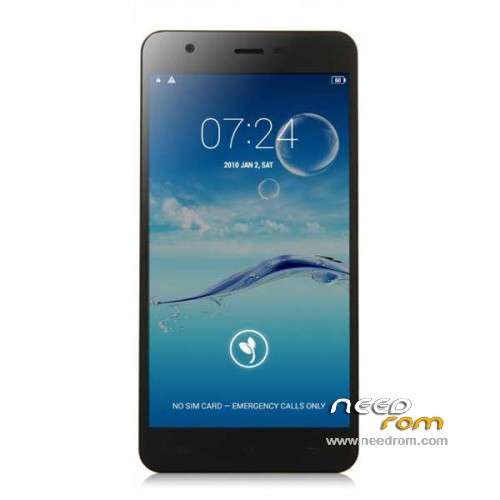
- Title: JIAYU S3
- Listed: January, 2015
- Last modified: 05/08/2015 7:28 pm
- Version: ROM Android 4.4.4
You must be logged for ROM download.
259222 total views, 19 today
217 Total favorites
 Member Info
DESCRIPTION
ROM Phone JIAYU S3 – ROM Android 4.4.4
ONLY MT6752
Update ROM 1 - S3S 20150507-083407- mt6752_h560_s3s_jyt_cc_128-24_kk_lte_5m-cs_tphone – KTU84P – Advanced – 3G Ram – no gapps – Multilang
Install Flash or OTA
———————————————————————————————————————————————————————————
Update ROM 2 – S3 20150430-131240 – mt6752_h560_s3_jyt_cc_kk_lte_5m-cs_tphone – KTU84P – Basic – 2G Ram - no gapps – Multilang
Install Flash or OTA
———————————————————————————————————————————————————————————
Update ROM 1 – S3S 20150411-154516 – mt6752_h560_s3s_jyt_cc_128-24_kk_lte_5m-cs_tphone – KTU84P – Advanced – 3G Ram – no gapps – Multilang
Install Flash or OTA
———————————————————————————————————————————————————————————
Update ROM 2 – S3 20150411-155027 – mt6752_h560_s3_jyt_cc_kk_lte_5m-cs_tphone – KTU84P – Basic – 2G Ram - no gapps – Multilang
Install Flash or OTA
———————————————————————————————————————————————————————————
ROM 4 – S3SW 20150314-141844 – mt6752_h560_s3sw_jyt_cc_128-24_kk_lte_5m-cs_mul_tphone – KTU84P – Advanced – 3G Ram – gapps – Multilang
———————————————————————————————————————————————————————————
Update ROM 2 – S3 20150319-073039 – mt6752_h560_s3_jyt_cc_kk_lte_5m-cs_tphone – KTU84P – Basic – 2G Ram - no gapps – Multilang
You've a Tuto for install
———————————————————————————————————————————————————————————
Update ROM 1 – S3S 20150127-151447 – mt6752_h560_s3s_jyt_cc_kk_lte_5m-cs_ldata_tphone – KTU84P – Advanced – 3G Ram – no gapps – Multilang
Update ROM 2 – S3 20150204-161147 – mt6752_h560_s3_jyt_cc_kk_lte_5m-cs_tphone – KTU84P – Basic – 2G Ram - no gapps – Multilang
Update ROM 3 – S3W 20150205-141543 – mt6752_h560_s3w_jyt_cc_kk_lte_5m-cs_mul_tphone – KTU84P – Basic – 2G Ram - gapps – Multilang
———————————————————————————————————————————————————————————
ROM 3 – S3W 20150123-225823 – mt6752_h560_s3w_jyt_cc_kk_lte_5m-cs_mul_tphone – KTU84P – Basic – 2G Ram
ONLY WCDMA
Gapps include – No Rooted
Language support: Multilang
———————————————————————————————————————————————————————————
Update ROM 2 – S3 20150120-121651 – mt6752_h560_s3_jyt_cc_kk_lte_5m-cs_tphone – KTU84P – Basic – 2G Ram
———————————————————————————————————————————————————————————
Official ROM JIAYU S3 version :
ATTENTION Two version :
ROM 1 – S3S 20150113-142450 – mt6752_h560_s3s_jyt_cc_kk_lte_5m-cs_ldata_tphone – KTU84P – Advanced – 3G Ram
ROM 2 – S3 20150117-172407 – mt6752_h560_s3_jyt_cc_kk_lte_5m-cs_tphone – KTU84P – Basic – 2G Ram
Gapps not include – No Rooted
Language support: Multilang
Install ROM :
- Unpack FlashTools, and Click on Flash_tool.exe
- Select a the MT6752_Android_scatter.txt in ROM
- Wait file to be added into Flash Tool
- choose Option->USB Model,click USB Model
–> Choose Option->DA DownLoad All->Speed->High Speed, click High Speed
- Turn off your phone
- "Press F9 (hit Download button)" OR " if upgrade ROM Firmware->Upgrade "
- and connect your phone into the computer via USB data cable.
- The process will start and a red progress bar will appear after color purple, yellow.
- And green circles display
- Finish !
- You can now safely disconnect your phone and turn it on.
※Please make a backup of your device before installing or updating ROM
@skullor
Inserted sim, network registration was immediate, made calls and it is working flawlessly!
Al of this might have been obvious but it wasn't for me so I thought a step by step guide would be usefull for newbies like me!
@mistress_gi – Nice one!
Thank you very much
I was stragling with my phone
Till I flash Rom 4 (this is International version)
Now my Jiayu S3 3GB is fantastic phone
solved many issues
Many thanks
Hi Freesalah,
About ROM4.
Do you know if it has 4G (LTE)?
Thanks in advance,
Regards,
FJorgeR.
Hi there,can i get OTA updates after flashing rom 4.
Thanks in advance…
Thank you Mikkelbb, worked like a charm.
No problem.. we still dont have developers we really need to help each other.. i have a new tip we cant still move apps to sd but we can now move games to sd via GL to SD.. you can mobe games with obb files using this..
@mikkeibb true we rili need developers.,,. Moving apps to sd.. Wud rili b what remains to make our device… Perfect… usin GL to SD.. Will rili help gamers..
I do not consider not be able to move apps to SD to be a major
limitation. One can always link apks, dex, libs and/or data to SD with
Link2SD. In fact: moving apps to SD would, as far as I remember,
create (potentially hundreds) of mounts, which, in their turn, would
start slowdown device, whereas Link2SD simply creates symbolic links,
abeit, agreed, to a dedicated linux partition on SD.
Hi guys,
one question. After I flashed ROM 2 20150319 my stock media (music) player is not working. Can I somehow restore this app.
Acctualy I found original Music apk and flashed it.
hey guys
i wana buy a phone but i stuck in purchace\ing the jiayu s3 or elephone p7000
plz some one help me
does the elephone p7000 have removeable bettery and if not so, would you care?
How to flash ROM4 without loosing previous system settings (xposed, notifications, ringtones, wallpapers etc.) ?
see previous post
[...] flash custom 'download' working, and, by unticking preloader, recovery and userdata in Flashtool, nothing was lost.[...]
hello i upgrade my jiayu s3 3gb lates version firmware S3SW 20150314-141844 and the serial namber was change.
my serial namber now is: 0123456789ABCDEF; how to restore correct serial number?
Just FYI my serno also is 0123456789ABCDEF and it was 0123456789ABCDEF also before upgrade (when ROM was S3SW 20150213-171816).
What was your previous ROM?
In any case if there is a way to update s/n that would be great.
Previous ROM was S3SW 20150213-171816
perhaps following would do
SN WriteTool
Home » – Gapps-Tools-Tuto » TOOLS » SN WriteTool v2.1504.00
I'll try it any day now.
I tried SN WriteTool v2.1504.00 which went fine for a while and asked for barcode (I assume serial number) and then complained about bad database file. I had selected database file from SP Flash_Tool v5.1452.00.000… not really sure what I was doing but serial number did not change…