
- Title: Lenovo A850 ROW
- Listed: December, 2013
- Last modified: 12/05/2013 3:35 am
- Version: ROW V17 2013/09/22
You must be logged for ROM download.
100833 total views, 2 today
207 Total favorites
 Member Info
DESCRIPTION
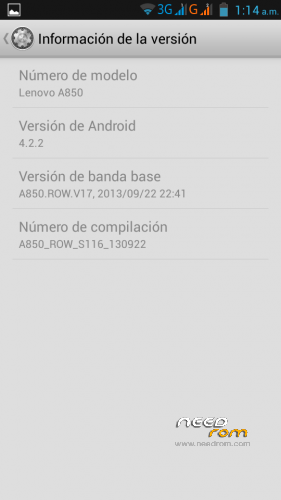
Android: 4.2.2
Baseband: A850.ROW.V17, 2013/09/22 22:41
Compilation: A850_ROW_S116_130922
Autoupdate: Yes
ROM Type: Stock, untouched, Official from Lenovo for Rest of World (ROW) – Outside China
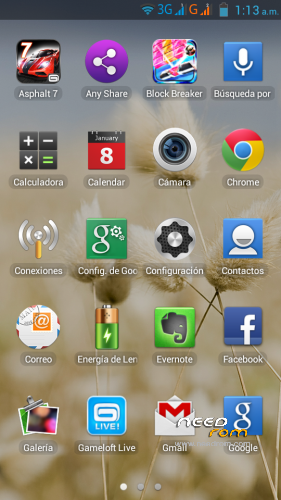
Store: Google Play
Languages: Bahasa Indonesia, Bahasa Melayu, English, Español, Français, Tiếng Việt, Русский, Српски, Українська, 中文, العربية.
Preloaded Applications:
AccuWeather®
Chrome
Evernote®
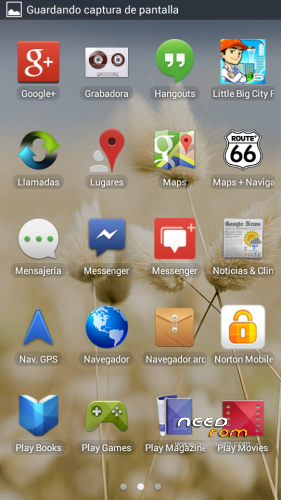
Facebook & Facebook Messenger
Lenovo® AnyShare
Norton Mobile Security
Route 66 Navi + Maps
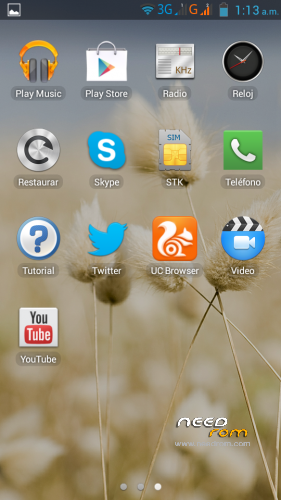
Skype™
Twitter
UC browser
Games:
Asphalt 7
Block Break 3 Unlimited
Little Big City
Gameloft Store
- Uncompress downloaded ROM, FlashTools and Drivers.
- Uncompress target_bin.7z from ROM folder.
- Turn off your phone, remove the battery.
- CONNECT YOUR PHONE VIA USB
- Select Drivers folder if needed
- DISCONNECT YOUR PHONE NOW!
- Open FlashTools Folder.
- DO NOT CONNECT YOUR PHONE
- Run Flash_tool.exe
- Select MT6582_Android_scatter in uncompressed target_bin.7z folder
- Choose Option -> USB Mode, click USB Mode
- Choose Option -> DA DownLoad All -> Speed -> High Speed -> click High Speed
- Check option "DA DL All With Check Sum" if it's not checked.
- Click "Firmware Upgrade" BEFORE CONNECTING YOUR PHONE
- Check your phone is off and battery is removed.
- CONNECT YOUR PHONE VIA USB when FlashTools shows "Searching"
- Wait Flash, when a green circle appears, you must DISCONNECT your Phone from USB.
- Check option "DA DL All With Check Sum" if it's not checked.
- Click "Download" BEFORE RECONNECTING YOUR PHONE
- Check your phone is off and battery is removed.
- CONNECT YOUR PHONE VIA USB when FlashTools shows "Searching"
- Wait Flash
- When a green circle appears, you can disconnect USB, reseat the battery and power up your device. It will take several minutes for it to boot up.
NOTE: NEVER CLICK ON FORMAT, NEVER, YOU WILL LOOSE YOUR NVRAM.
Enjoy your OFFICIAL ROM with the official APPs and Games.
※Please make a backup of your device before installing or updating ROM
Thanks for share this is the best rom I think …
friends fought my phone was with Chinese rom but this is very good even google play the best you guys are worth it boms'm from Brazil and could not stand this Chinese rom rs thanks.sorry if this translation is bad but it was one more thank you google translator ves
How about the ability to move apps to SD Card?
ROW versions does not have setting to set Install to SD Card & move to sdcard…i prefer the Asian version fw
Aftub > thanks…will try that…i don't understand russian and google translate not really help much…lol…can u keep me up to date with A850's latest firmwares? i really appreciate yr kindness
Turkish language?
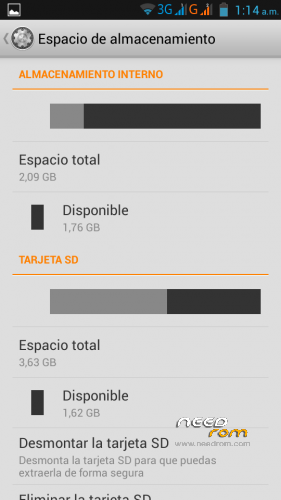
The system does not support move Apps to SDCard.
Of course It can read and write to the SDCard any file (music, videos, documents).
SDcard works well, but the system does not allow move the Apps.
The App must be prepared for SDCard if you want to move it. Asphalt 7, for instance, requires an SDCard to RUN, and uses it.
It's the last OFFICIAL ROW at current date.
It only includes the languages from description.
can somone help me with how to get the rom on the phone? Is there a youtube link?
I somhow cant connect with usb…
thanks!
Lets put it this way, how do I get the right driver to work on my pc and cominicate with the A850?
The driver
https://mega.co.nz/#%21Yxcj0KR.....PUJHrz7d49aPJ_Y
Does not work?
Not for me.It still gets "Mediateck Preloader USB VCOM" And I dont think this is him. Richt?
Hi, I think is the best rom, Thanks
Thanks josemariia. (De nada José María).
He instalado varias en el A850 y con esta funciona muy rápido, no he tenido ningún problema. No me gustan los programas intrusivos que registran todo lo que hago de Google y los he deshabilitado, y funciona a las mil maravillas, No permite pasar programas a la SD y la original en chino si permitía, pero yo no lo necesito. Esta toda en castellano (EEUU) y trae programas instalados que se puedes desinstalar sin ser Root o deshabilitar facilmente. En las notificaciones, el Led cambia de color según que notifique, naranja, rojo o verde, a mí antes eso no me lo hacía. Un saludo.
Leo que funciona el LED de notificaciones. ¿Se enciende de color verde al recibir un Whatsapp o sólo funciona con las llamadas?, ¿sigue el efecto acuarela de las fotos?, saludos
Agree! Although there is no option to move apps to SDCard, this rom is very stable. Installed most of the rom in this forum and finally remain in this rom.
como has hecho lo de los leds de colores?
Henk, it's ALL OK.
Turn off phone and remove batteries and SIMM cards, Disconnect Phone from USB, Open FlashTools and select Scatter, Click Firmware Upgrade on FlashTools, Wait the program says searching, Connect Phone, wait phone finish flash and get a green Circle, disconnect phone, Check DL ALL and Click Download, Wait the program says searching, Connect the Phone, wait phone finish flash and get a green Circle.
All OK? Do twice if necessary.
Note: If you have Chinese ROM you must do first a "Firmware Upgrade" before a "Download" in FlashTools.
NEVER USE FORMAT, NEVER. IF YOU USE format YOU WILL LOOSE THE NVRAM.
Thanks!! Thats it, first the Upgrade on FlashTools, then the Download. And it's working!
If somone finds a rom in Dutch, (Nederlands) Let me know!
Cheers
i use fromat and my phone can't on…can you help me..and what is NVRAM
hi,
can you add Czech language "cestina" ???
Luky, I'm sorry, this is NOT a custom ROM, it only have languages that Lenovo has fixed in his ROM.
You can wait for an AutoUpdate from Lenovo or try a custom ROM.
I recommend you wait an autoupdate.
If you want to try, you have custom ROMs in this page and in russian and spanish forums.
https://www.needrom.com/phone-...../serial-a/a850/
Search in Google:
- Lenovo A850 forums Russia
- Lenovo A850 moviles dual sim
Good luck.