
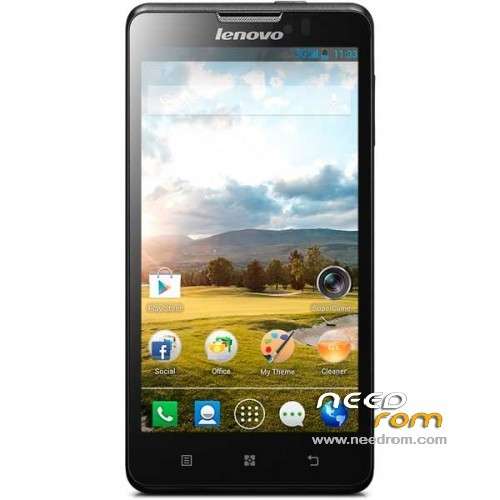
- Title: Lenovo P780
- Listed: July, 2013
- Last modified: 07/20/2013 2:11 am
- Version: ROM Android 4.2.1
You must be logged for ROM download.
87930 total views, 1 today
6 Total favorites
 Member Info
DESCRIPTION
ROM Lenovo P780 – ROM Android 4.2.1
ROM features :
Based on the latest official 4.2.1 Lenovo P780_S125_130529
Fix camera
Gapps include – Rooted
Language support: MultiLang
Install ROM :
- Unpack FlashTools, and Click on Flash_tool.exe
- Select a the MT6589_Android_scatter_emmc.txt in ROM
- Wait file to be added into Flash Tool
- choose Option->USB Model,click USB Model
–> Choose Option->DA DownLoad All->Speed->High Speed, click High Speed
- Turn off your phone, remove the battery.
- "Press F9 (hit Download button)" OR " if upgrade ROM Firmware->Upgrade "
- and connect your phone into the computer via USB data cable.
- The process will start and a red progress bar will appear after color purple, yellow.
- And green circles display
- Finish !
- You can now safely disconnect your phone and turn it on.
※Please make a backup of your device before installing or updating ROM
Greek language?
Where can i find only gapps for p780?
And German language?
Does it really support MultiLang? Would be great!
Use this one: http://goo.im/gapps/gapps-jb-2.....1212-signed.zip
Best Firmware ever =
-Best batery comsumtion, phone using 2 days turn on wifi gps, stay on messenger, facebook…normal use 5-7days
-Very fast reactions
- volume down key backlight
-shake to lock
-stable, no freeze, no reboots
… and how to remove the battery (it is built in …)
You cant remove it, but u cant use the reset (red button near battery) instead.
platbr: Do you mean to hold the reset or something else. I have tried many ways but it doesn't seem to work…
Installed successfully at second try with upgrade firmware option. No need to remove the battery if switched off for a few minutes (at least it worked in this case!!).
Really good rom with apex launcher, chinese apps deleted and play store instaled. Spanish available. It is multilanguage.
can i have a guide for install this?
Hi Ivaneltitan,
Could you please repreat how you did it, step by step? I have been following all the instruction but I just could not really follow. It appeared differently on my mobile.
Thanks
Vhis
after install no imei ???
have bug this rom?
Can you add CWM with english language?
I have problem with exchange email, i cant open email (dump). Other works good.
Everyting works fine. Best rom for p780 and support multilanguage. Perfect. 5 stars!
How did you remove the battery?
Hello,
By Gapps include – Rooted you mean all Google apps right? I've this phone since yesterday and would like to have Google Apps, but not able to install them. Is this ROM will do this?
Thank you in advance!
Camera not working – Unfortunately, Lenovo super camera and gallery has stopped. Any solution?
I had the same issue. If you still interested for solution I have found super camera standalone .apk . you need to have rooted your phone , download and install Root explorer. Once you have it download aplication into your SD card. Use your root explorer and and change permission of your directory system/app to RW ( standard should be R). Copy super camera .apk by using root explorer to system/app directory. Change permission to the file to rwx for all user and reboot system. Once rebooted use again root explorer and double click on your super camera.apk. System will ask if you want to overwirite stndard system application . Agree and proceed to installation.
http://www73.zippyshare.com/v/.....80250/file.html
The only problem observed that cache is not being cleared after each use of camera and at next attempt of utilize the camera system report that camera is occupied by the other software. Need to just clear the cache.