
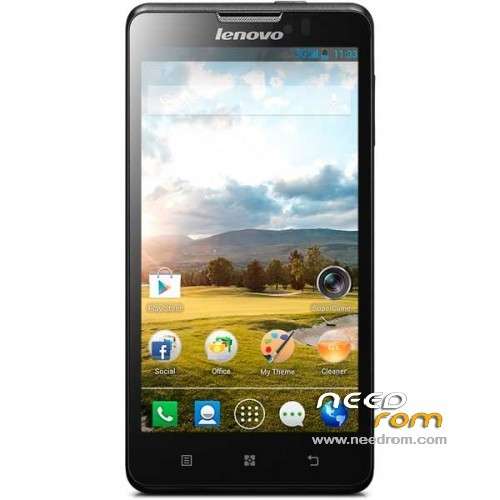
- Title: Lenovo P780
- Listed: July, 2013
- Last modified: 07/20/2013 2:11 am
- Version: ROM Android 4.2.1
You must be logged for ROM download.
87935 total views, 6 today
6 Total favorites
 Member Info
DESCRIPTION
ROM Lenovo P780 – ROM Android 4.2.1
ROM features :
Based on the latest official 4.2.1 Lenovo P780_S125_130529
Fix camera
Gapps include – Rooted
Language support: MultiLang
Install ROM :
- Unpack FlashTools, and Click on Flash_tool.exe
- Select a the MT6589_Android_scatter_emmc.txt in ROM
- Wait file to be added into Flash Tool
- choose Option->USB Model,click USB Model
–> Choose Option->DA DownLoad All->Speed->High Speed, click High Speed
- Turn off your phone, remove the battery.
- "Press F9 (hit Download button)" OR " if upgrade ROM Firmware->Upgrade "
- and connect your phone into the computer via USB data cable.
- The process will start and a red progress bar will appear after color purple, yellow.
- And green circles display
- Finish !
- You can now safely disconnect your phone and turn it on.
※Please make a backup of your device before installing or updating ROM
Please , Somebody help me.. I bought my Lenovo P780 and my little Kid play with it and block the screen.. Now I can't enter and use my phone, I don't know the paswword or secret code… So How I can "Reset Factory" for use my phone again, please hel me…I see the Manual and not say nothing.
May be you solve the problem, but if you not try this: Switch off the phone, Power Button + Volume Up + Volume Down (recovery in english), then select with volume buttons wipe data/ factory reset and push power button.
FoxFi or PDANet+ (which includes FoxFi) are both excellent substitutes for the broken hotspot feature in the P780 S125 130529 firmware (tested).
Best rom! I tested Samsung Touchwiz rom and 4.2.2, and miui, but this is the best! Everything is working in it.
Will this solve the problem with the P780 not being able to connect to 900Mhz mobile networks ?
P780 RESTARTING all the time when WLAN is switch on.
Android version:4.2.2
Build num:VIBEROM_V1.0_1347_3_ST_P780
HELP!
Unpack FlashTools, and Click on Flash_tool.exe ОК
- Select a the MT6589_Android_scatter_emmc.txt in ROM ОК
- Wait file to be added into Flash Tool ОК
- choose Option->USB Model,click USB Model ОК
–> Choose Option->DA DownLoad All->Speed->High Speed, click High Speed ОК
- Turn off your phone, remove the battery. NOK
- "Press F9 (hit Download button)" OR " if upgrade ROM Firmware->Upgrade " OK
- and connect your phone into the computer via USB data cable. OK
- The process will start and a red progress bar will appear after color purple, yellow. NOK
- And green circles display NOK
- Finish ! NOK
I have a big problem with lenovo super camera. After 1 month, it isn't work. Unfortunately another camera apps don't work too. If i install from cwm the lenovo super camera, it works until the next power on-off. What is the problem? How can i fix it? Only reinstall whole rom?
hi. I need help. I have root and instaled cmw recovery 6.0.1.5. Afer this the phone entered in recovery. I have restarted to copy the rom in the sd card, but the phone wont boot. I tried all buttons including the litthe red reset button.Please HELP!
hi. I need help. I have root and instaled cmw recovery 6.0.1.5. Afer this the phone entered in recovery. I have restarted to copy the rom in the sd card, but the phone wont boot. I tried all buttons including the litthe red reset button.Please HELP!
romanian language suport?
I have this ROM and it support Romana language as it says in the settings. However do not expect everything to be fully translated or to be translated correctly. I bought this phone also because it had Dutch language. It's not badly translated, but it could be better.
So I left it in english.
Btw: it's one of the better ROM's out here, less crappy unneeded apps, fantastic battery control app,…
This ROM adds the ability to view and write SMS / MMS message in landscape mode?