
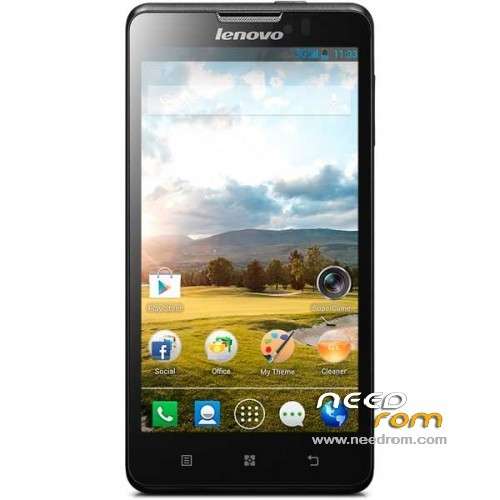
- Title: Lenovo P780
- Listed: July, 2013
- Last modified: 07/20/2013 2:11 am
- Version: ROM Android 4.2.1
You must be logged for ROM download.
87931 total views, 2 today
6 Total favorites
 Member Info
DESCRIPTION
ROM Lenovo P780 – ROM Android 4.2.1
ROM features :
Based on the latest official 4.2.1 Lenovo P780_S125_130529
Fix camera
Gapps include – Rooted
Language support: MultiLang
Install ROM :
- Unpack FlashTools, and Click on Flash_tool.exe
- Select a the MT6589_Android_scatter_emmc.txt in ROM
- Wait file to be added into Flash Tool
- choose Option->USB Model,click USB Model
–> Choose Option->DA DownLoad All->Speed->High Speed, click High Speed
- Turn off your phone, remove the battery.
- "Press F9 (hit Download button)" OR " if upgrade ROM Firmware->Upgrade "
- and connect your phone into the computer via USB data cable.
- The process will start and a red progress bar will appear after color purple, yellow.
- And green circles display
- Finish !
- You can now safely disconnect your phone and turn it on.
※Please make a backup of your device before installing or updating ROM
guys i need help , the flash tools is not runing at all , i followed all the steps mentioned above however its not runing at all . flash tool is hanging @ 0% and its like nothing connected to the PC.
even i tried to switch my mobile off for 15 miniuts then connect it to the pc but i got the same result.
PLEASE HELP ME i have purchased my mobile from china and its completely in chinese :(
:(
FOR MY TO FLASH TOOL NOT WORK MAN
i managed to let it work after many tries , and the camera issue is fixed as well thanks to bartlomiej_szumierz
Hi, I have problem with WiFi tehthering – when I try to go in apropriate settings, I got a message like "Application not working". Similar by some other settings… Anyone facing same problem?
Hi,
I also have a P780 with a Chinese ROM installed per default.
I have downloaded the ROM, but the steps described are not correct.
- Unpack FlashTools, and Click on Flash_tool.exe
OK
- Select a the MT6589_Android_scatter_emmc.txt in ROM
OK
- Wait file to be added into Flash Tool
OK
- choose Option->USB Model,click USB Model
–> Choose Option->DA DownLoad All->Speed->High Speed, click High Speed
This option does not exist, you can only pick one of the following;
1. "Do not switch speed"
2. "Force to High speed"
What option to choose???
- Turn off your phone, remove the battery.
This battery can not be removed…????
- "Press F9 (hit Download button)" OR " if upgrade ROM Firmware->Upgrade "
- and connect your phone into the computer via USB data cable.
Phone simply gets turned on, and nothing happens…. Any suggestions from anybody?
- The process will start and a red progress bar will appear after color purple, yellow.
- And green circles display
- Finish !
TO REMOVE BATTERY U SHOOD OPEN THE PHONE AND RENUNCE TO UR GUARANTY
Hi,
I also have a P780 with a Chinese ROM installed per default.
I have downloaded the ROM, but the steps described are not correct.
- Unpack FlashTools, and Click on Flash_tool.exe
OK
- Select a the MT6589_Android_scatter_emmc.txt in ROM
OK
- Wait file to be added into Flash Tool
OK
- choose Option->USB Model,click USB Model
–> Choose Option->DA DownLoad All->Speed->High Speed, click High Speed
This option does not exist, you can only pick one of the following;
1. "Do not switch speed"
2. "Force to High speed"
What option to choose???
- Turn off your phone, remove the battery.
This battery can not be removed…????
- "Press F9 (hit Download button)" OR " if upgrade ROM Firmware->Upgrade "
- and connect your phone into the computer via USB data cable.
Phone simply gets turned on, and nothing happens…. Any suggestions from anybody?
- The process will start and a red progress bar will appear after color purple, yellow.
- And green circles display
- Finish !
Hi Jort, Here are some links that helped me solve the problem.
Hope this will save you some time I had to invest in order to have it up and running eventually.
If you have questions don't hesitate
My current situation:
- Working phone with some traces of chinese
- Some apps crashing (Exchange email, Photo, …) Solution: use alternate app
- Some functions not available:
1- disabling of some notification like events in the calendar (todos)
2- System sound not customizable
3- …
- Some lag during normal operation
BUT it is a fantastic phone for an affordable price! !!!
Before doing anything make sure to take a backup of your Imei. To do this use the app "MobileUncle".
Once backuped up, make sure to have the PC software functioning correctly et your P780 recognized
Lastly,
1- shutdown your phone
2- Start the PC software provided (Flashtool)
3- Load the file MT6589_Android_scatter_emmc.txt as described
4- Be sure to check the checksum option on the top of the screen
5- Hit F9
6- Connect the USB cable and download process should start
7- Upgrade process takes max 3 min
Here are some links
http://netisense.blogspot.be/2.....lenovo-a60.html
http://android.stackexchange.c.....r-factory-reset
http://forum.xda-developers.co.....d.php?t=2206421
http://androidurdu.com/mtk6577.....-guidedownload/
Thank you very Much for this post
after 1 month of buying this phone today I was able to flash it to english and is working all right as of now after installing driver you need to switch of the phone and then satrt the flash tool then remove the cable . then press firmwire upgrade in flash tool plug the phone in usb cable then it will start update. finally when the green circle comes on flash tool scrren just remove the usb cable and switch on phone . you are done
Thnaks for all who supported me to make me use my P 780 phone
I had flashed this rom. All things are OK. I'm interesting of this rom because it has Vietnamese!
Bạn có bị lỗi Hostport không ? mình chạy bản này không dùng được Hostport, bật lên báo lỗi rồi dựng lại luôn .
Bạn test thử máy bạn xem có bị không nhé .
Thanks
It have italian language?
Yes it has italian language.
But, have problem with Personal hotspot : I can not open it => Unfortunately, settings has stopped
Who can help me to fix it ?
Thank all
i need good rom for my phone p780 lenovo some help ?
The chinese store where I bought my P780 did send me a multiligual rom version (with Playstore). However, it lacks several apps that to my information originally were included.
The most I'd like to have the energysaving module (Zhiheng) that should be able (I quote): – to turn off idle CPU cores and close idle processing software; – intelligently adjust CPU speed according to different application requirements; – automatically correct battery capacity; – adjust screen brightness.
Especially the first option: turning off idle CPU cores is as far as I know not available in the Playstore or anywhere else. All the apps I've seen only adjust the clockspeed of the CPU. Also I miss: Lenovo Security Center (with remote device sweep and tracking); Voice Memo/Dial and Lenovo Compass
So my questions would be: are those functions present in this (or another) ROM version?
And if not: has anyone an idea how to get these?
Any help would be great
Yes, in my case, adjust cpu frequency function is worked in this rom