
- Title: Lenovo S650 ROW S111 (Multilanguage ROM)
- Listed: January, 2014
- Last modified: 07/21/2014 7:12 pm
- Version: S650 ROW S111 - S116 || Android 4.2.2 ||
You must be logged for ROM download.
116449 total views, 3 today
10 Total favorites
 Member Info
DESCRIPTION
Official LENOVO ROM S650 – Android 4.2.2
Google Apps: Included
Root: Not Rooted
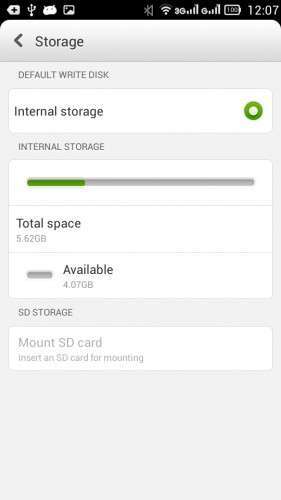
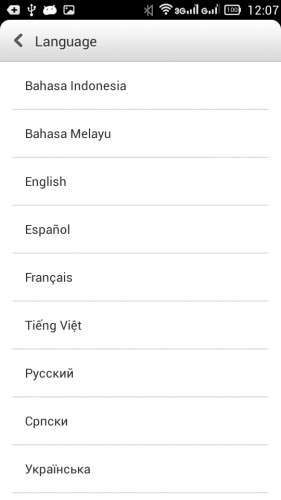
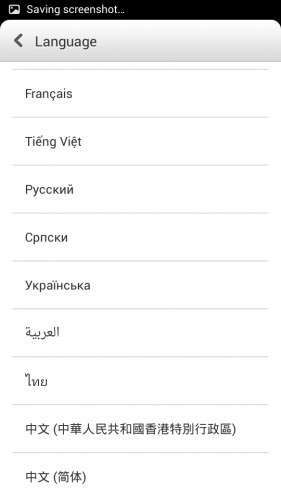
Supported Languages: Russian , Ukrainian, English, Arabic, Spanish, French, Chinese, Vietnamese, Indonesian, Malaysian, Thai
Keyboard Languages: Multilanguage
___________________________________
- Download first the tools and drivers attached in this post
___________________________________
Mirror 1: S650_ROW_S111_131115
Mirror 2: S650_ROW_S111_131115
___________________________________
S650 ROW S116 ROM Download, flash tools included
Mirror 1: S650_ROW_S116_140423
___________________________________
ROM Installation:
- Unpack the ROM
- Unpack FlashTools, and Click on Flash_tool.exe
- Select a the MT6582_Android_scatter.txt from the unpacked ROM

- Wait file to be added into Flash Tool
- Choose Option –> USB Model, click USB Model
–> Choose Option –> DA DownLoad All –>Speed –> High Speed, click High Speed
- Turn off your phone, remove the battery. (YES remove the battery)
- "Press F9 (hit Download button) " OR " if upgrade ROM Firmware->Upgrade "
- Now connect your phone into the computer via USB data cable.
**(Windows 8 users may get some problems with the drivers, disable driver Signature
https://www.youtube.com/watch?v=NM1MN8QZhnk)**
- The process will start and a red progress bar will appear –> purple–> yellow.
- When done, Green circle pops up!!
- You can now safely disconnect your phone and turn it on.
New updates available
– Check for update, install –> S112 –> S113
– Now S116 availabe OTA or download the ROM from S650 ROW S116 link
※Please make a backup of your device before installing or updating ROM
Hel me please!
Here's the message from the computer :
" The folder you specified doesn't contain a compatible software driver for your device. If the folder contains a driver, make sure it is designed to work with Windows for 32-bit systems."
Any advice on it that I should follow?
Hallo,
There are two attached files for drivers. Did you check both?
what are these files? Not much on the subject
These files called drivers_ ….,there is two attached files for drivers, they should work.
why USB keep searching only?
anyone help please
When USB keep searching just disconnect it from phone and connect again. And if the drivers already installed it will recognize the phone and the upgrade process continues without any problems
I'll try to update the post this week.
plz help some thing wrong reorr sp flash tools 8038
Did you follow the steps in the post? Use the flash tool attached in the post.
i cant find the scatter loading file in the ROM. help anyone?
Unzipp the rom, then navigate to the new folder
S650_ROW_S111_131115_user_1311151759\ out \copybin \target_bin \target_bin
hi
bei mir geht nicht flashtoo öfnnen aber wo ist die datei.
- Select a the MT6582_Android_scatter_emmc.txt in ROM.
wooooooooo geht nicht
where is the datei - Select a the MT6582_Android_scatter_emmc.txt in ROM
whoo is it
Unzipp the rom, then navigate to the directory folder S650_ROW_S111_131115_user_1311151759\out\copybin\target_bin\target_bin
there you will see it
Hello,
I can not put this rom on my smartphone. I do everything and it doesent start to upload? ??
Help, help…
What is the problem exactly? Did you get any error?? Does you PC recognize your phone, send me pm if you still need help?
Hi All
This is quickest download link ;)
http://4pda.ru/forum/lofiversi.....hp?t545987.html
Thank you