
- Title: Marsapa rom KK v1
- Listed: August, 2014
- Last modified: 08/02/2014 8:22 pm
- Version: 4.4.2
You must be logged for ROM download.
27205 total views, 4 today
 Member Info
DESCRIPTION
First rom based on the new firmware KK leaked on the net, you have to use to install sp flash tool v5, you download the archive, how to jb because this is the only way to install the new TWRP recovery made for KK, but the next rom will install normally through recovery.
Before flashing the fw, missing cache and userdata, you'll have to do a full wipe in recovery, power off the device and flash it in download mode.
Attention, the firmware flash may cause the loss of the IMEI then create a backup before flashing with the mobile uncle to save to sd, the first time the new fw if you do not have phone line means that you have deleted the IMEI then open the mobile uncle (already included in the rom) and proceed to restore IMEI.
Marsapa KK rom Changelog v1:
1. Deodex Full;
2. Pre-root;
3. Zipalign;
4. Int.d Support;
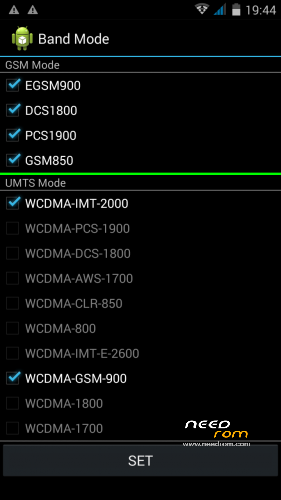
5. Band at 900 MHz;
6. AOSP Theme;
7. Supercamera Lenovo;
8. Walkam Sony;
9. Viper4AndroidFX;
10. Xposed framework (to be activated);
11. Gravitybox KK (to activate);
12. Tewks Script and optimization;
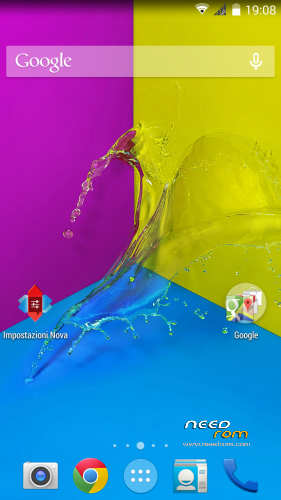
13.Nova launcher;
14. Miscellaneous app pre-loaded.
N.B. in the case of brom-error 1013 I think, unplug the power cord and plug it the PC, it does not open the door and most likely because of the cable is not good
If you have the new recovery twrp KK flash the rom in recovery http://www.adrive.com/public/6GvvYH/V3_marsapa_KK_v1.zip
※Please make a backup of your device before installing or updating ROM
This is how did I installed KK and get GPS to work.
1.start with or Install a working 1.0.8 using format all + download, GPS working
2. Install MT6582 – iNew v3e Kitkat update , GPS keeped working (dont remember if by download or firmware upgrade)
3. Install using download Marsapa rom KK v1 GPS now works but slow fixing
4. Run MTgps included in Marsapa rom follow instructions (you must have root)
5. Go to Engineer Mode / YGPS the usual full/hot/a-gps restart, in a few seconds you´ll have satellites fixed and working.
After many hours lost trying to solve the gps problem this was the solution I found to get it working.
hi
how to know if my inew phone have NT35512 display or not, where to find that information about lcad drive of the phone
using MTKdroidTools.
anyway there are already drivers for that chip or even a rom with them included.