
- Title: Play Edition V2
- Listed: October, 2016
- Last modified: 03/15/2022 2:09 pm
- Version: 6.0
You must be logged for ROM download.
44240 total views, 10 today
28 Total favorites

 Member Info
DESCRIPTION
Features:
V2.
-more stable
-LED notification
-many bugfixes
-more UI optimizations
-based on ZOPO firmware.
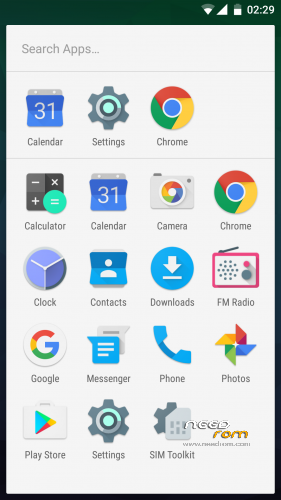
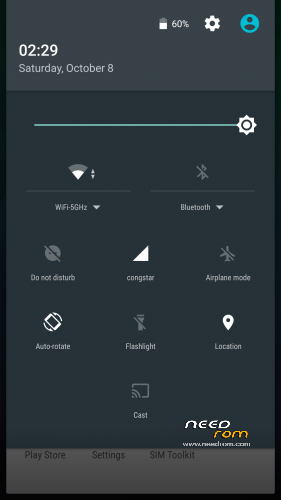
-modded like Google Play Edition
-OnePlus 3 sounds
-fully AOSP look and feel
-multilang
-no root
please make a factory wipe BEFORE you flash the rom. i have includet a script which improves ext4 filesystem performance. but if you wipe, TWRP overwrite the modification. however i have uploaded the mod for manual flashing (ext4-performance-mod.zip)
How to get the best battery performance (improves really a lot)
- open the settings app and search (right top corner) for "scanning" (in your language) and disable WiFi & Bluetooth scanning
please rate this ROM. some people give only 1 star for no reason. bad rating confuse especially n00bs, so they never try the rom
ROM Install
Step 1: Download my ROM and copy on a SD card
Step 2: Reboot and press Volume UP+DOWN buttons to enter the custom recovery
Step 3: Wipe
Step 4: Install the ROM
※Please make a backup of your device before installing or updating ROM
jio calling not working
Dear Dr. Root
Really enjoying using your roms as my daily driver since the Nexus days. With this onde only one problem. How the hell do I get rid of the good search bar on top of my home screen? Any ideas?
Keep up the good work.
Best regards
Can add be mode and power battery, with that two option never use another rom. Thanks for all.
Sorry, vr mode. Thanks
New idea can be wifi calling mode or apk is a good option too.
Thanks again.
Is this Rom Runtime Dalvik? not ART? I installed this rom and check it as Dalvik.
never mind. It app error. this rom runtime is ART
He intentado instalar esta ROM en mi Lenovo K3 Note K50 T3s con recovery TWRP 3.0.3-0 y me ha dado "error: creating fstab". Tras este error no me dejaba hacer wipes ni instalar otras ROMs.
Solución: restaurar copia de seguridad o volver a flashear recovery.
is this will work in a7000 plus?
stuck in boot
help me
Can I use Magisk 19.3 for root?
Thanks