
- Title: Play Edition V2
- Listed: October, 2016
- Last modified: 03/15/2022 2:09 pm
- Version: 6.0
You must be logged for ROM download.
44240 total views, 10 today
28 Total favorites
 Member Info
DESCRIPTION
Features:
V2.
-more stable
-LED notification
-many bugfixes
-more UI optimizations
-based on ZOPO firmware.
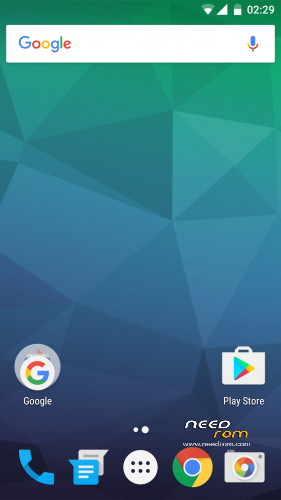
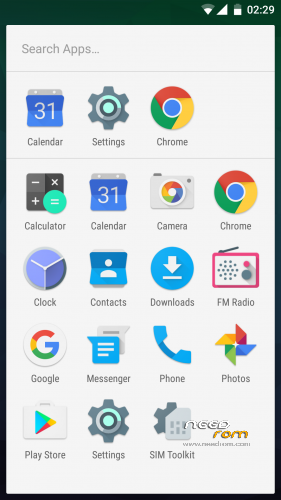
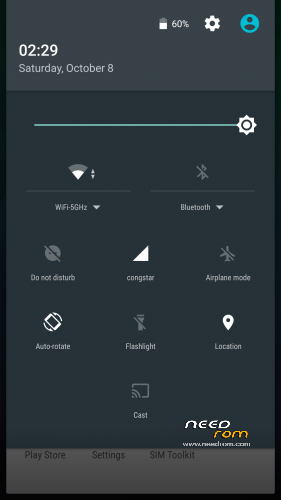
-modded like Google Play Edition
-OnePlus 3 sounds
-fully AOSP look and feel
-multilang
-no root
please make a factory wipe BEFORE you flash the rom. i have includet a script which improves ext4 filesystem performance. but if you wipe, TWRP overwrite the modification. however i have uploaded the mod for manual flashing (ext4-performance-mod.zip)
How to get the best battery performance (improves really a lot)
- open the settings app and search (right top corner) for "scanning" (in your language) and disable WiFi & Bluetooth scanning
please rate this ROM. some people give only 1 star for no reason. bad rating confuse especially n00bs, so they never try the rom
ROM Install
Step 1: Download my ROM and copy on a SD card
Step 2: Reboot and press Volume UP+DOWN buttons to enter the custom recovery
Step 3: Wipe
Step 4: Install the ROM
※Please make a backup of your device before installing or updating ROM
Dear developer,
Smoothest rom ever seriously everything works great but u know uhm this rom surely needs a good camera app i can't use the google camera, please provide miui camera app for me, thank u
you could try the lenovo camera app.
https://www.needrom.com/downlo.....camera-row-5-8/
Camera FV-5 (& Cinema FV-5 for videos), FreeDCam, Open Camera, Snap Camera HDR and Footej Camera are worth trying
Oh, Thanks & I also found 1 bug with snapchat it's not full resolution,
This bug might be worth checking out,
Thank u.
If I install systemless supersu will I be able to play pokemon go?
Just use Hide my root from Google playstore and hide the su binaries,
You're done.
Already tried that but it doesn't work
how to flash (ext4-performance-mod.zip) after rom flash or before rom flash ?
It is only needed to manaual flash it, if you have WIPED your phone AFTER flashing the rom, if you havent done this, a manual flashing is not needed.
Sir, can u give any link for dolby atom or maax????? Please…??
does it Support VOLTE?
Sir, i face touch screen problem… I try this ( http://www.technokida.in/2016/.....issue-in_0.html )… But not fix yet…. Please help me
use Lspeed in playstore and set you seeder to aggressive, it will make a difference
Please Dr. Root installing the rom I lost access to custom recovery when I try to enter it goes to Chinese custom recovery. What to do to take root and be able to install another custom recovery
Hey, SnapIt can't access sd card, it says that "sd card is full, can't save any photos" then it switches the save location to phone any idea how to save phots into External SD Card?
Sorry to bother u guys, Someone please help!
my SD Card is totally empty though
very nice Rom.. Without ext4-performance-mod running smooth…
for better Audio Install Dolby Atmos..
No Gallary App. Snap it camera not saving photo to sd card