
- Title: Play Edition V2
- Listed: October, 2016
- Last modified: 03/15/2022 2:09 pm
- Version: 6.0
You must be logged for ROM download.
44240 total views, 10 today
28 Total favorites
 Member Info
DESCRIPTION
Features:
V2.
-more stable
-LED notification
-many bugfixes
-more UI optimizations
-based on ZOPO firmware.
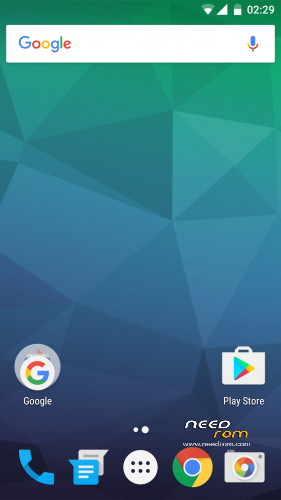
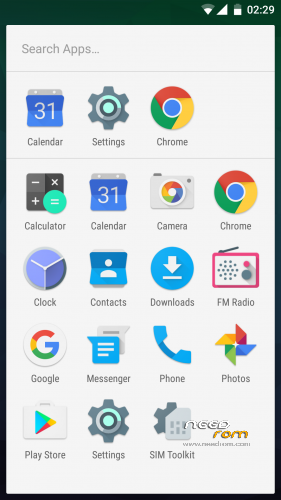
-modded like Google Play Edition
-OnePlus 3 sounds
-fully AOSP look and feel
-multilang
-no root
please make a factory wipe BEFORE you flash the rom. i have includet a script which improves ext4 filesystem performance. but if you wipe, TWRP overwrite the modification. however i have uploaded the mod for manual flashing (ext4-performance-mod.zip)
How to get the best battery performance (improves really a lot)
- open the settings app and search (right top corner) for "scanning" (in your language) and disable WiFi & Bluetooth scanning
please rate this ROM. some people give only 1 star for no reason. bad rating confuse especially n00bs, so they never try the rom
ROM Install
Step 1: Download my ROM and copy on a SD card
Step 2: Reboot and press Volume UP+DOWN buttons to enter the custom recovery
Step 3: Wipe
Step 4: Install the ROM
※Please make a backup of your device before installing or updating ROM
Does it support xposed? If yes what version please…
http://dl-xda.xposed.info/fram.....rk/sdk23/arm64/
Hey there, my calender is not working any solutions?
Did you install the gapps???
Thanks a lot waynebek.
Can you provide me the gapps link please?
http://opengapps.org/&nbs.....p;
select ARM64, 6.0 and than choose the Variant you preffer, I preffer pico
After installing it, my calender is working now.
Thanks Wayne!! The volume is very low when compared to other roms. Are you seeing the same issue? Any way to increase it
Hey, I'm a bit confused cause for me the led notifications don't seem to be working…
I can only get some results by using light flow on root. I read through the comments and some people say that they are working whilst other say the opposite. Any help or ideas on what might be wrong?
Boot loop After Restart Open Module xposed How To Fix This Problem
What? I cant understand your question. Xposed is working perfectly
I Install greenify and tab open module in first time So xposed have pop up to reboot in first time to Use Greenify That it Bootloop
why i love this rom.
Very nice port tone from dont know where. And i love this very much.
So far the best non vibe or ROW rom. But unable to use systemless root.
No Pokemon GO!
what i don't like, no d2tw ~
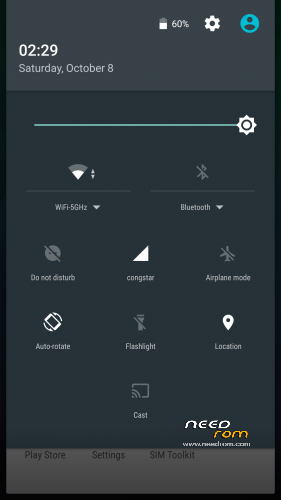
no screenshot button in drop down menu, and sound profile is hide in power menu.
i really love the multipage scroll down screen shot but dont know why not implement in this rom.
specifically greenify is not working…anyone experiencing this?
no it is, my bad
Im using a7000 plus,but when i flash this rom,my hp not detect sim,i already flash a7000 plus modem (modem_S308),but same issue happen,can i know which modem do i need to flash.Thank ..
Solve.
What did you do bro..im having same issue..thanks
can i flash it in k50a40?
yes u can