
- Title: Pure AOSP V1 TF
- Listed: March, 2015
- Last modified: 03/16/2015 4:47 pm
- Version: 4.4.4
You must be logged for ROM download.
50916 total views, 8 today
17 Total favorites

 Member Info
DESCRIPTION
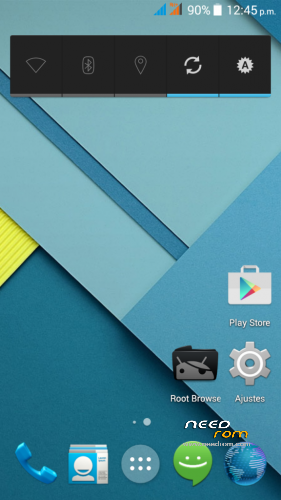
Jiayu S3 Pure AOSP V1 TF
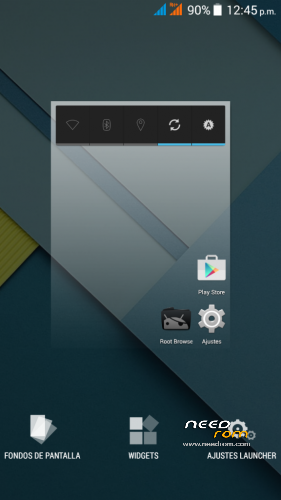
From Android Developers TF we present to Jiayu S3 one PURA AOSP rom.
All the charm and simplicity of AOSP, offering in this great terminal fluidity never seen before with no current rom for Jiayu S3 also from TF Android Developers have developed and including SSTM so it will be what every gamer and those who do not are both expected an unparalleled user experience and fluency.
Title: Jiayu S3 Pure AOSP V1 TF.
Version : 4.4.4.
Date : 14/03/2015.
Size : 424,5MB.
Changelog:
- Android 4.4.4 fully AOSP
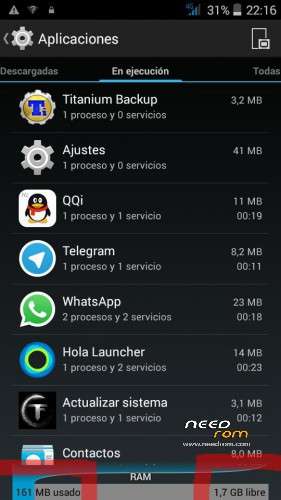
- Very low RAM consumption
- Root
- Busybox
- init.d
- MaxxAudio mediatek (many thanks to XDA arcatac)
- * TF SSTM Android Developers mode (faster mode on upon first boot)
- OTA TF Android Developers Updates
Changelog Updates:
-Update 1.1: Deleted icons large network status bar; modified library of sensors; modified app optimization (including app description); init.d error corrected; changed some APN; modification of some xml permissions. Download HERE.
-Update 1.2 -Fixed bug in contacts app; corrected images of status bar (red); removed default browser (error 403); including Google Chrome as default browser; updated google Framework; APN corrected Lowi; updated launcher default icon Chrome (required erase data from launcher to view). Download HERE.
-Update 1.3: Included smartwake, advanced audio menu, removed warning second SIM missing. Download HERE.
-Update 1.4:
- Included Creative Kernel
- Fixed bug when pasting and copying in File Manager
- Fixed sound recording
- Añdido sheep Widget
- Included option to delete all my memory
- Changed app musica
- Fixed recording app
- Correction app gesture control (security issues)
- Fixed Settings. Download HERE.
* SSTM Mode (Super Speed Trick Mode):
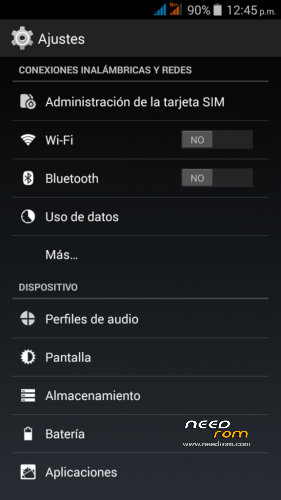
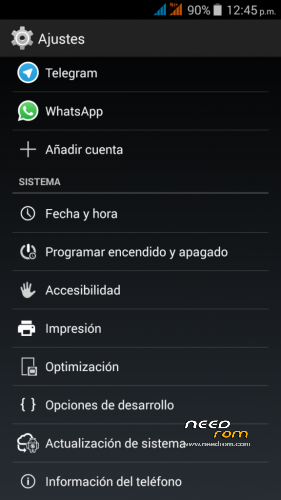
In order to switch modes, you have to go to settings/optimisation.
This mode improves graphics interface response as well as speed in games.
It basically works by reducing screen resolution so as to increase FPS and reduce the size of images and texts (frees up RAM) without taking away image quality.
There are three modes:
- Normal: Average resolution values of the device (1920×1080).
- Fast: Resolution values reduced to 1280×720 (increase to 5fps in 3D).
- Faster: Resolution values recuded to 960×540 (increase to 10fps in 3D).
Installation:
It installs recovery, we recommend TWRP you can download from our website.
- Download ROM and copy it to the internal SD.
- Enter TWRP Recovery.
- Wipe Data (Optional, and makes installation)
- Wipe Cache. (Optional, and makes installation)
- Wipe Dalvik Cache. (Optional, and makes installation)
- Format system. (Optional, and makes installation)
- Install ROM from SD.
- Automatic restart.
Note to publishers : the modification of this work, reproduction in any forum or website without citing the official website and / or the original link of our work is prohibited or put another download link than those officers without express consent of Android Developers TF .
※Please make a backup of your device before installing or updating ROM
i gotta tell you guys i am not experiencing most of the problems that you are,i am thinking some of you should upload some logs for the developers to have a look at…try 'cat log' from playstore recreate the problem and record the log with the app then post it here
hey TF…would just like to point out that whenever i click on a link in an email,all the link does is boot me into my chrome beta home screen,the only way i can open the link is to copy n paste it into the search bar in chrome…i will test this with other browsers to see if it is just chrome beta and let you know if that makes a difference
for everyone else with the playing vidoes from gallery change your video app and don't use stock…i use VLC from playstore and video's open fine from the gallery with that
This is the battery problem1 sometimes, notifications do not work until you open the app - solved
2- battery only charges up to 100% if you restart your smartphone - solved
3- If any call contact or message does not appear the name of the person, only the number. - Remains the same
4 status LED shows only the red light - with the battery at 100%, still the red light and not the green light, which should show when finished charging the battery
Apart from that, congratulations for the work
thank you
i must add not full rooted
We not everything,
The chrome problem appears if you unlock the phone with gestures.
We know it,
We are working on every point for next release
Make a wipe cache after ota 1.5 instalation…..sorry we didnt do it in instalation zip and is causing some extrange things with sensor and some apps
I did wipe cache after the update 1.5. Remains the same as reported before
Can update 1.5 be made available as download or is it OTA-only?
by the way, if I unzip from Linux command line I am asked for a password. Is such password secret or can we have it?
Great work. I would wait for the 1.5 link to give it a try.
Thanks for making this smatphone more awesome